What Is a Restaurant Schedule in 2026?
Restaurant schedules coordinate servers, cooks, and staff across split shifts to cover peak hours. Learn how restaurant scheduling works, why turnover averages 75-80% annually, and how labor costs hit 30% of revenue.
What Is a Restaurant Schedule in 2026?
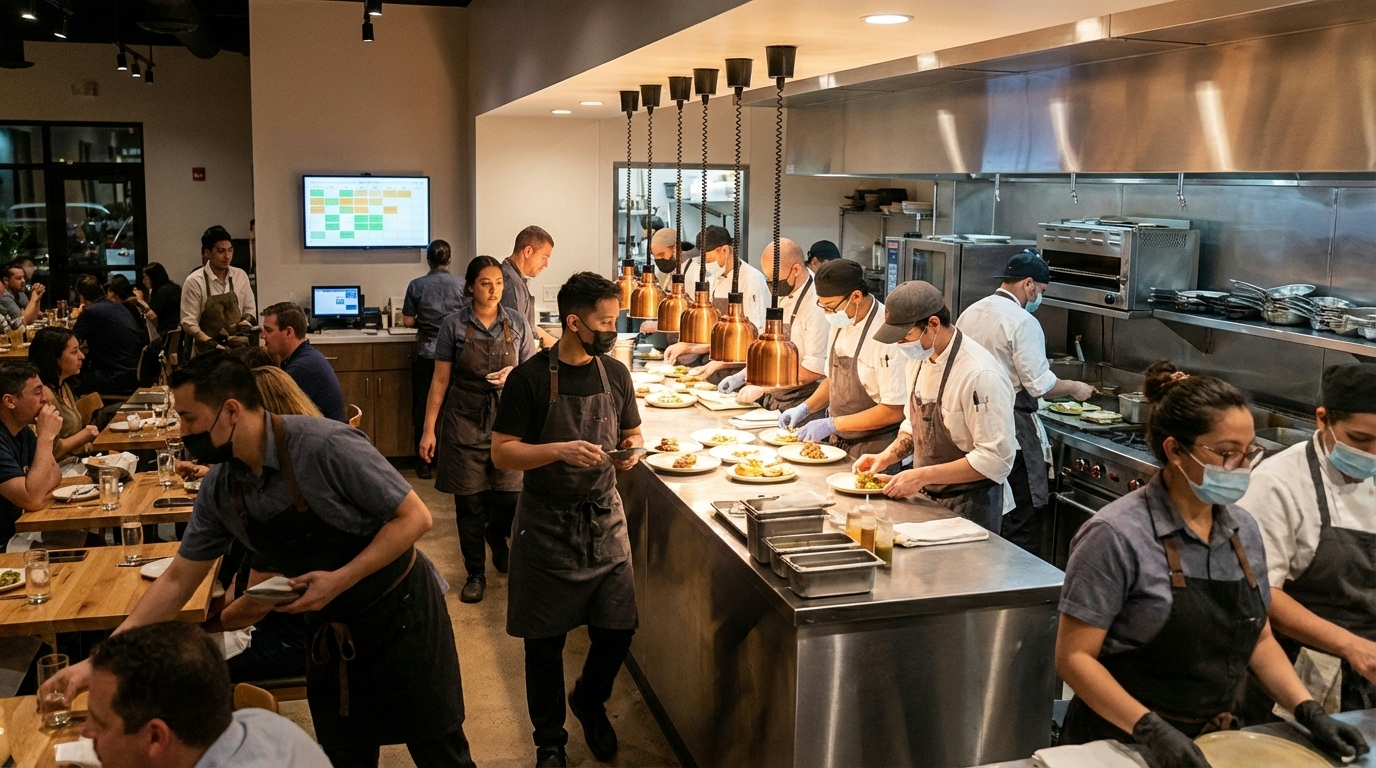
A restaurant schedule assigns front-of-house (servers, hosts, bartenders) and back-of-house (cooks, prep staff, dishwashers) employees to shifts that cover your busiest service periods while keeping labor costs under control. Most restaurants run split shift patterns—workers come in for lunch rush (11:30 AM-2:00 PM), leave during the slow afternoon, then return for dinner service (5:30 PM-9:00 PM). ShiftFlow provides scheduling solutions designed for restaurants and hospitality businesses.
The tricky part is matching staff to unpredictable customer flow. Schedule too few people and service suffers. Schedule too many and labor costs eat your profits. Labor typically represents 30% of restaurant revenue, so getting schedules right directly affects your bottom line. GPS time tracking helps verify employees are at the right location for their shifts.
Restaurants deal with brutal turnover—about 75-80% annually across the industry. That means you’re constantly training new people, which makes consistent scheduling even harder. Quick service restaurants have it worst, with turnover often exceeding 100%. You’re literally replacing your entire staff every year.
Quick Answer
Restaurant schedules assign FOH and BOH staff to shifts covering peak lunch (11:30 AM-2:00 PM) and dinner (5:30-8:30 PM) hours. Common patterns include split shifts, rotating shifts, and demand-driven scheduling. Turnover averages 75-80% annually (100%+ for QSR). Labor costs hit 30% of revenue. Flexible scheduling reduces turnover and improves retention.
What Are Restaurant Peak Hours?
Peak hours vary by restaurant type, but most have two main rushes:
Lunch rush: Typically 11:30 AM to 2:00 PM on weekdays. Office workers, business lunches, and quick-service crowds. You need maximum table turnover and fast ticket times.
Dinner service: Usually 5:30 PM to 8:30 PM, extending to 9:00 or 9:30 PM on weekends. Larger parties, slower dining pace, higher check averages. Prime time for full-service restaurants.
Breakfast (if you serve it): Diners and breakfast spots hit peak traffic 6:00 AM to 9:00 AM on weekdays. Weekends might extend to 11:00 AM with brunch crowds.
Weekends and holidays amplify everything. Friday and Saturday nights are your busiest. Major holidays like Mother’s Day, Valentine’s Day, Thanksgiving, and Christmas Eve can be chaos if you’re not properly staffed.
Fine dining might operate on a single dinner service 6:00-9:00 PM model rather than split shifts. Upscale restaurants often close between lunch and dinner, running two distinct service periods.
The key is analyzing your historical sales data and customer traffic patterns. Don’t guess—use actual data to predict when you’ll be slammed and schedule accordingly.
What Are Common Restaurant Scheduling Patterns?
Split Shifts
The classic restaurant schedule. Work lunch service (arrive 10:30 AM, leave 2:30 PM), get a 3-4 hour unpaid break, return for dinner (arrive 5:00 PM, leave 9:30 PM or whenever the last table clears).
Pros: Maximizes staffing during peaks while minimizing labor during slow afternoon hours. Keeps labor costs down.
Cons: Servers basically lose their entire day despite only working 8 hours. Hard to run errands, see family, or hold a second job. Many employees hate split shifts.
Rotating Shifts
Employees cycle through different times—morning one week, evening the next, doubles the following week. Distributes desirable and undesirable shifts fairly.
Pros: No one gets stuck permanently on the bad shifts. Everyone shares opening duties, closing duties, and prime dinner shifts.
Cons: Makes it hard for staff to maintain consistent sleep schedules or outside commitments. See our guide on schedule rotation patterns for why rotation strategies matter.
Fixed Shifts
Employees work the same shift consistently—someone’s always the opener, someone’s always the closer, someone always works Friday nights.
Pros: Predictable schedules let staff plan their lives. Better for retention. Aligns with people’s natural chronotypes (morning people open, night owls close).
Cons: Desirable shifts (prime dinner service = best tips) often go to senior staff, leaving newer employees with less profitable shifts. Can create resentment.
Demand-Driven Scheduling
Use forecasting software to predict busy periods based on historical data, day of week, local events, weather, and trends. Schedule more staff when you expect crowds, fewer during anticipated slow periods.
Pros: Optimizes labor costs by matching staffing to actual need. Prevents both understaffing (bad service) and overstaffing (wasted money).
Cons: Requires good software and accurate data. Creates schedule variability that some employees dislike.
What’s the Restaurant Turnover Problem?
Restaurant turnover is crushing the industry. Overall turnover hovers around 75-80% annually, meaning three out of four positions turn over every year.
By segment:
- Quick service restaurants (QSR) face the highest turnover, frequently exceeding 100% with fast-food reaching 150%
- Casual dining experiences 70-80% annual turnover
- Fine dining has lower but still significant turnover rates
By position:
- Front-of-house staff: 41% annual turnover
- Back-of-house staff: 43% annual turnover
- Managers: 28% turnover
Why it matters: The average cost of employee turnover is $5,864 per person (a blended average across all positions—actual costs vary significantly: front-of-house replacements cost around $1,056, back-of-house $1,491, and managers $2,611). When you’re constantly hiring and training, costs pile up fast.
What causes it: Inconsistent or last-minute scheduling is one of the top reasons restaurant employees quit. Low pay, exhausting work, lack of benefits, and poor work-life balance all contribute. The turnover problem feeds itself—understaffing makes current employees work harder, leading more to quit.
What Are Restaurant Labor Costs?
Labor costs typically represent 30% of restaurant revenue, including employee wages, benefits, taxes, and insurance. This is a significant portion of your budget—second only to food costs.
QSR labor costs continued to creep up, rising 6.3% in 2024, partly due to minimum wage increases in multiple states. More states are likely to impose minimum wage hikes in 2026-2027.
The balancing act: Schedule too few people and service quality suffers—slow ticket times, overwhelmed staff, unhappy customers, bad reviews. Schedule too many people and labor costs kill profitability. The optimal schedule maximizes service quality while minimizing unnecessary labor expense.
Why schedules matter: Effective scheduling directly reduces labor costs without sacrificing service. Demand-driven scheduling ensures you’re not paying people to stand around during slow periods while still having enough coverage during rushes.
How Do You Create a Restaurant Schedule?
Start with your historical data: Look at sales by day, time, and season. Which days are busiest? When do customers arrive? How long do they stay? Use point-of-sale data to identify patterns.
Account for variables: Local events (concerts, sports games, festivals) affect traffic. Weather matters—rainy Sundays are different from sunny ones. School schedules change summer vs. academic year patterns.
Know your coverage requirements: How many servers can handle X number of tables? How many line cooks do you need for Y orders per hour? What’s your minimum acceptable customer wait time?
Build the skeleton: Create the basic shift structure—opening, closing, peak coverage. Assign your most reliable staff first.
Add flexibility: Build in some buffer for unexpected rushes or call-outs. Cross-train staff so people can cover multiple positions if needed.
Communicate early: Post schedules at least 2 weeks in advance. Last-minute schedule changes are a top reason employees quit. Predictable schedules improve retention.
Use software: Manual scheduling on paper or Excel is brutal. Restaurant scheduling software in 2026 handles availability, time-off requests, labor cost tracking, and forecasting automatically.

What Are Restaurant Scheduling Challenges?
Unpredictable traffic: A random social media post or local event can bring unexpected crowds. Or a quiet Tuesday stays dead. Schedules built on assumptions get wrecked by reality.
Call-outs and no-shows: When someone doesn’t show for their shift, you scramble to cover it. Pull someone off their day off, guilt-trip someone into staying late, or operate understaffed.
Employee availability conflicts: Everyone wants Friday and Saturday nights off (unless you want the tips). Nobody wants to work Sunday morning brunch. Balancing what employees want with what the business needs is constant negotiation.
Tip inequality: Split shifts and rotating schedules can create tension around tip-earning opportunities. Prime dinner shifts earn way more than Tuesday lunch shifts. How do you distribute shifts fairly while still rewarding your best servers?
Compliance issues: Labor laws vary by state. Predictive scheduling laws in cities like San Francisco, Seattle, New York, Philadelphia, and Oregon require advance notice of schedules and penalties for last-minute changes.
Training new hires: With 75-80% turnover, you’re constantly onboarding new people. New servers can’t handle the same table loads as experienced ones, so you need extra coverage while they learn.
What’s the Bottom Line?
Restaurant schedules balance staff coverage across peak lunch (11:30 AM-2 PM) and dinner (5:30-8:30 PM) periods using split shifts, rotating shifts, or demand-driven patterns. Industry turnover averages 75-80% annually (exceeding 100% for QSR), costing $5,864 per person. Labor costs hit 30% of revenue. Flexible scheduling improves retention—80% of workers are more loyal with schedule flexibility.
Quick summary:
- Peak hours: lunch 11:30-2:00, dinner 5:30-8:30, weekends busiest
- Common patterns: split shifts, rotating shifts, fixed shifts, demand-driven scheduling
- Turnover crisis: 75-80% overall, 100%+ for QSR, 41% FOH, 43% BOH
- Turnover costs: $5,864 per person, $821 training costs, $200-400 recruiting
- Labor costs: 30% of revenue, rising 6.3% in QSR
- Schedule flexibility: 80% more loyal, 79% say schedule affects retention
- 2026 tools: AI-powered forecasting, mobile apps, POS integration
Ready to optimize restaurant scheduling? ShiftFlow’s scheduling tools forecast demand, track labor costs, and enable mobile shift management. Calculate work hours with our free hours calculator, explore our solutions, or view pricing.
Sources
- Homebase – Restaurant Employee Turnover Rate: 2025 Statistics, Costs, and Retention Strategies
- 7shifts – What’s the True Cost of Employee Turnover to the Restaurant Industry?
- Paytronix – 4 Restaurant Staff Turnover Stats for More Success in 2026
- Shiftbase – 10 Types of Work Schedules for Managing Restaurant Staff
- Homebase – Best Restaurant Employee Scheduling Software in 2026
- Celayix – How to create the perfect restaurant shift schedule
- AIHR – Shift Bidding: What It Is, How It Works & Best Practices
- Select Software Reviews – 20+ Essential Employee Retention Statistics for 2026
Further Reading
- Split Shift Explained – How split shifts work and employee impacts
- Mandatory Overtime – Understanding overtime requirements
- Time Tracking Solutions – Track hours and manage labor costs
Frequently Asked Questions
What is a restaurant schedule?
A restaurant schedule assigns servers, cooks, hosts, and managers to shifts covering peak hours and slow periods. Common patterns include split shifts (working lunch 11:30-2:00, returning for dinner 5:30-9:00), rotating shifts, and demand-driven scheduling based on expected customer flow.
What are restaurant peak hours?
Most restaurants have two peak periods: lunch (11:30 AM - 2:00 PM) and dinner (5:30 PM - 8:30 PM). Weekends and holidays bring increased traffic. Breakfast diners are busiest 6-9 AM. Fine dining peaks during dinner service 6-9 PM. Schedules must ensure adequate staffing during these rushes.
What is restaurant turnover rate?
The overall restaurant turnover rate hovers around 75-80% annually, meaning three out of four positions turn over every year. Quick service restaurants face the highest turnover, frequently exceeding 100% with fast-food reaching 150%. Front-of-house staff experience 41% annual turnover while back-of-house faces 43%.
What are split shifts in restaurants?
Split shifts divide work into two periods with unpaid break between—typically working lunch service (10:30 AM-2:30 PM), taking a 3-4 hour break, then returning for dinner (5:00 PM-9:30 PM). This maximizes staffing during peak hours while controlling labor costs during slow afternoon periods.
How much do restaurant labor costs matter?
Labor costs typically represent 30% of restaurant revenue, making them the second-largest expense after food costs. QSR labor costs rose 6.3% in 2024 due to minimum wage increases. Effective scheduling balances service quality with labor cost control. Overstaffing kills profits while understaffing ruins service.
Why is restaurant turnover so high?
Inconsistent scheduling, low pay, exhausting work, lack of benefits, and poor work-life balance drive turnover. Last-minute schedule changes are a top quit reason. The average cost is $5,864 per person with $821 training costs and $200-400 recruiting expenses. The problem compounds—understaffing makes work harder, causing more people to quit.
How far in advance should restaurant schedules be posted?
Post schedules at least 2 weeks in advance. Some cities legally require this through predictive scheduling laws (San Francisco, Seattle, New York, Philadelphia, Oregon). Early schedule posting improves employee satisfaction and retention. Last-minute schedule changes drive employees to quit.
What is demand-driven restaurant scheduling?
Demand-driven scheduling uses forecasting software to predict busy periods based on historical data, day of week, local events, weather, and trends. Schedule more staff during expected rushes, fewer during anticipated slow periods. This optimizes labor costs by matching staffing to actual need, preventing understaffing and overstaffing.
- restaurant-schedule
- split-shift
- peak-hours
- restaurant-staffing
- labor-costs
- turnover-rate
- shift-scheduling