
Free Employee Time Tracking Software for Your Whole Team
ShiftFlow is the free time tracking app that lets your team clock in from any device, so you always know who's working, where, and for how long.


1,240+ teams using ShiftFlow
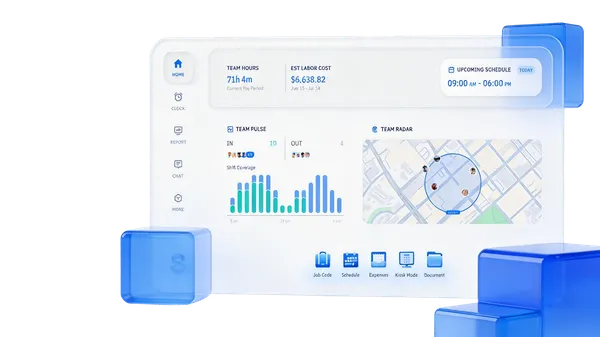
Accurate to the Minute
Clock-ins and clock-outs are recorded the moment they happen. The hours on the timesheet match the hours that were actually worked — no rounding, no guesswork.
Real-Time Visibility
Open the dashboard and see who's on the clock, at which site, and whether they're on schedule. Updates are live, not end-of-day.
Audit-Ready Reports
When payroll or a client asks for records, you've got them. Timesheet summaries, labor costs, attendance logs. Every entry shows the full history of changes and who signed off.
The Best Free Time Tracking App
Your team clocks in from the app. You manage everything from the dashboard. GPS verification, timesheets, and payroll exports are all built in.
Part of ShiftFlow's time tracking software platform. Free for 14 days with every feature included. No credit card required.
Want to compare methods? See six time tracking approaches ranked or read our guide to time tracking for remote and distributed teams.
How Our Time Tracking Solution Works
From account setup to payroll export in six steps.
Step 1
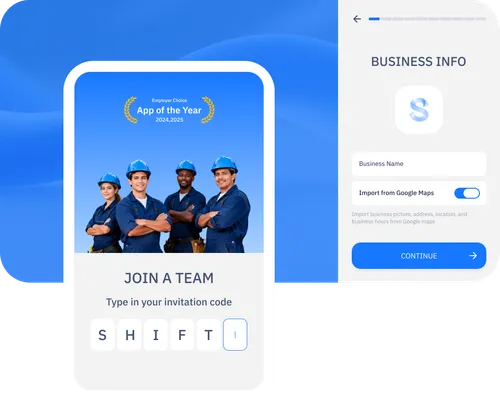
Create your account and add your team
Sign up, name your workspace, and invite your team. They get a link to download the app.
Step 2
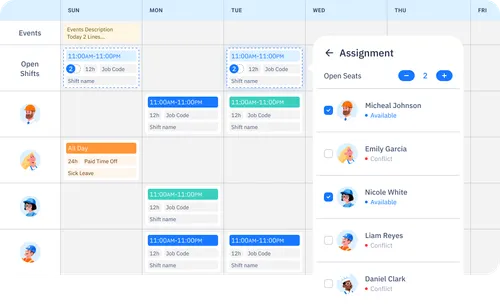
Build your schedule and assign shifts
Create shifts, assign people, and publish. Your team sees their schedule in the app. ShiftFlow uses it as the baseline to compare planned vs. actual hours.
Step 3
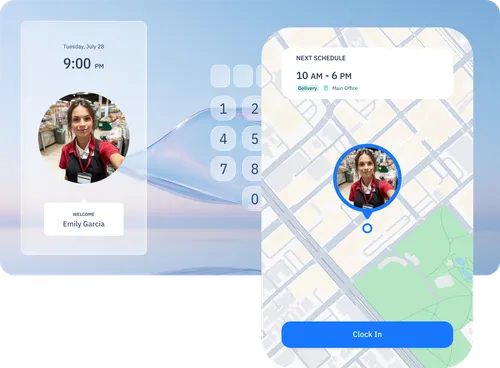
Employees clock in and out from their device
Team members tap clock in on their phone, tablet, or browser. GPS coordinates are recorded if location verification is on. They tap clock out when the shift ends.
Step 4
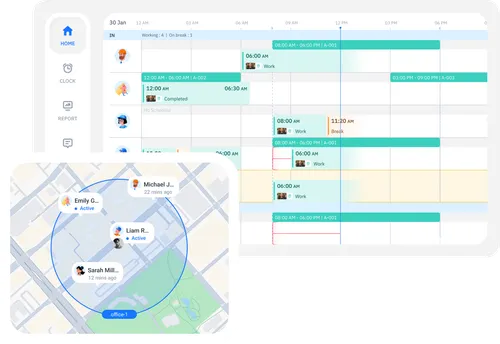
Monitor attendance and hours from the dashboard
The dashboard shows who's clocked in, which sites are staffed, and how hours compare to the schedule. Late arrivals and missed clock-ins are flagged automatically.
Step 5
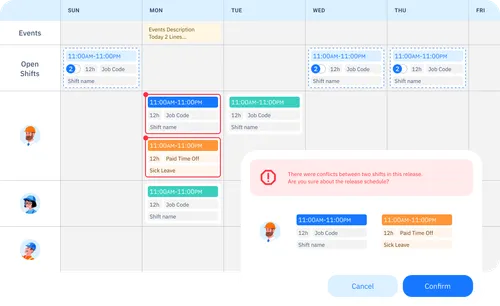
Review overtime alerts and adjust scheduling
When someone approaches their overtime threshold, ShiftFlow sends an alert. You reassign shifts or adjust the schedule before the pay period closes.
Step 6
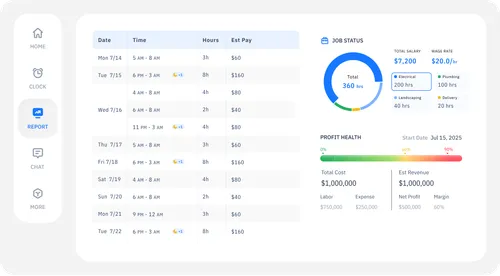
Approve timesheets and export to payroll
Hours, overtime, and breaks are already calculated. Review the timesheets, approve them, and export as CSV. Every edit and approval is logged.
Trusted by Teams Like Yours
Results reported by teams using ShiftFlow.
~8 HRS
Less Admin Work
“Honestly, I didn't think we'd stop printing timesheets this fast. We still double-check a few things manually, but the back-and-forth with crews about missing hours is basically gone.”
Tom Weaver
Office Manager, Ridgeline Mechanical
22%
Fewer Overtime Surprises
“We're not perfect yet, but we actually see overtime building up now instead of finding out after the checks go out. That alone was worth switching.”
Maria Santos
Operations Lead, GreenEdge Property Services
3 WKS
Full Team Adoption
“A few guys grumbled at first. But once they saw it was just one tap to clock in, they stopped complaining. We had everyone on board within three weeks.”
Kevin Driscoll
Site Supervisor, Northpoint Builders
50%
Faster Scheduling
“I used to build the schedule in a spreadsheet and text everyone individually. It's maybe 30 minutes now instead of an hour-plus. Not glamorous, but it adds up.”
Dana Okafor
Scheduling Coordinator, BrightWay Cleaning Co.
~90%
Fewer Payroll Errors
“We used to have a handful of disputes every pay period. Wrong hours, missed punches, that kind of thing. It's not zero, but it's close enough that payroll isn't a headache anymore.”
Chris Langford
HR Coordinator, Coastal Staffing Solutions
Time Tracking Software FAQ
The questions most teams ask before they sign up.