








Create an account
Sign up, add your company details, and list the jobs you want to track. Your account is ready in minutes.
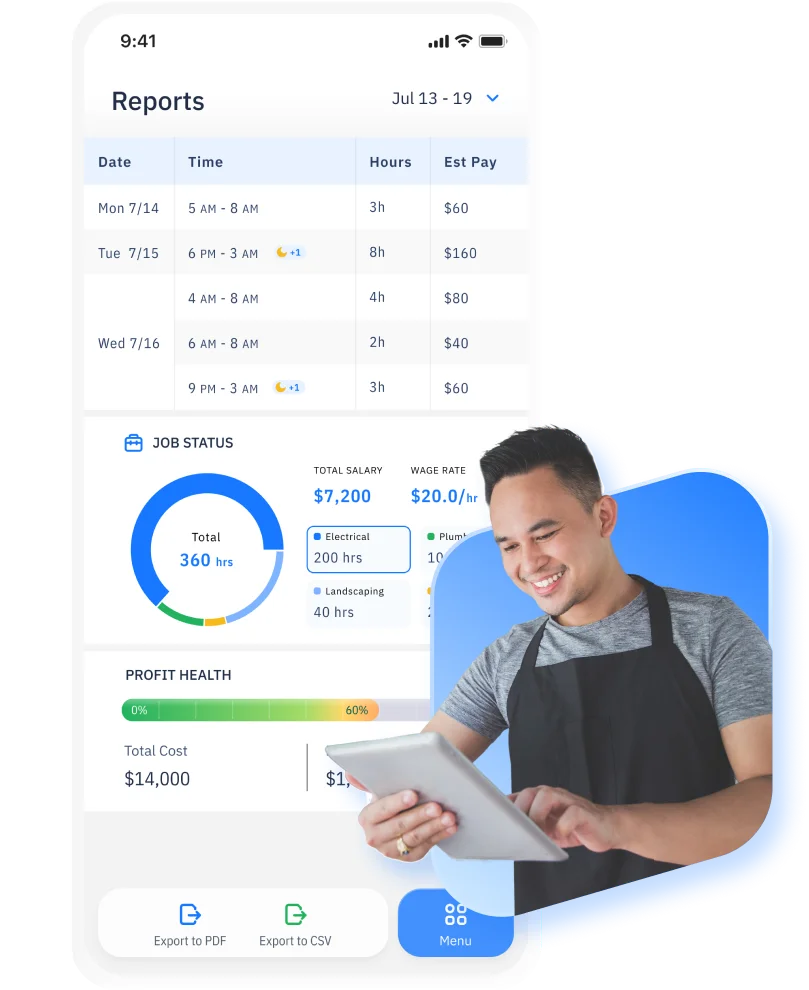
Review hours and labor costs with reports ready for payroll, finance, and internal reviews.
12% saved
on total payroll budget
23% lower
unnecessary overtime costs
100%
audit trail for compliance
EASILY MANAGE THE DAILY WORK
Teams rely on time reports when they need a clear, shared view of worked hours without digging into individual entries. Time reports act as a reference layer between raw time tracking and downstream processes like payroll, accounting, and internal reviews.
They help teams answer routine time and cost questions quickly, with confidence that the data has already been reviewed and finalized.
START MY 14-DAY FREE TRIAL
Teams review time reports to confirm that total hours for a period are complete and accurate before they move into payroll or billing. This helps catch issues early and avoids last-minute questions when numbers are already in motion.
Time reports are used to understand how worked hours translate into labor costs for a specific pay period. They provide a straightforward way to reconcile time and cost without rechecking individual timesheets.
When questions come up about where time went, teams turn to time reports for a high-level explanation. Reports help clarify how hours were distributed across work, without needing to audit every entry.
Managers and operations teams use time reports during reviews to discuss workload, coverage, and patterns over time. Having a consistent reference makes these conversations easier and less subjective.
Time reports provide a historical record of worked hours and costs across periods. This makes it easier to look back, compare periods, and maintain continuity as teams and schedules change.
Reports are built from approved time and aligned with payroll periods. This keeps hours, overtime, and labor costs consistent as data moves into payroll and finance workflows, reducing discrepancies between reports and pay runs.
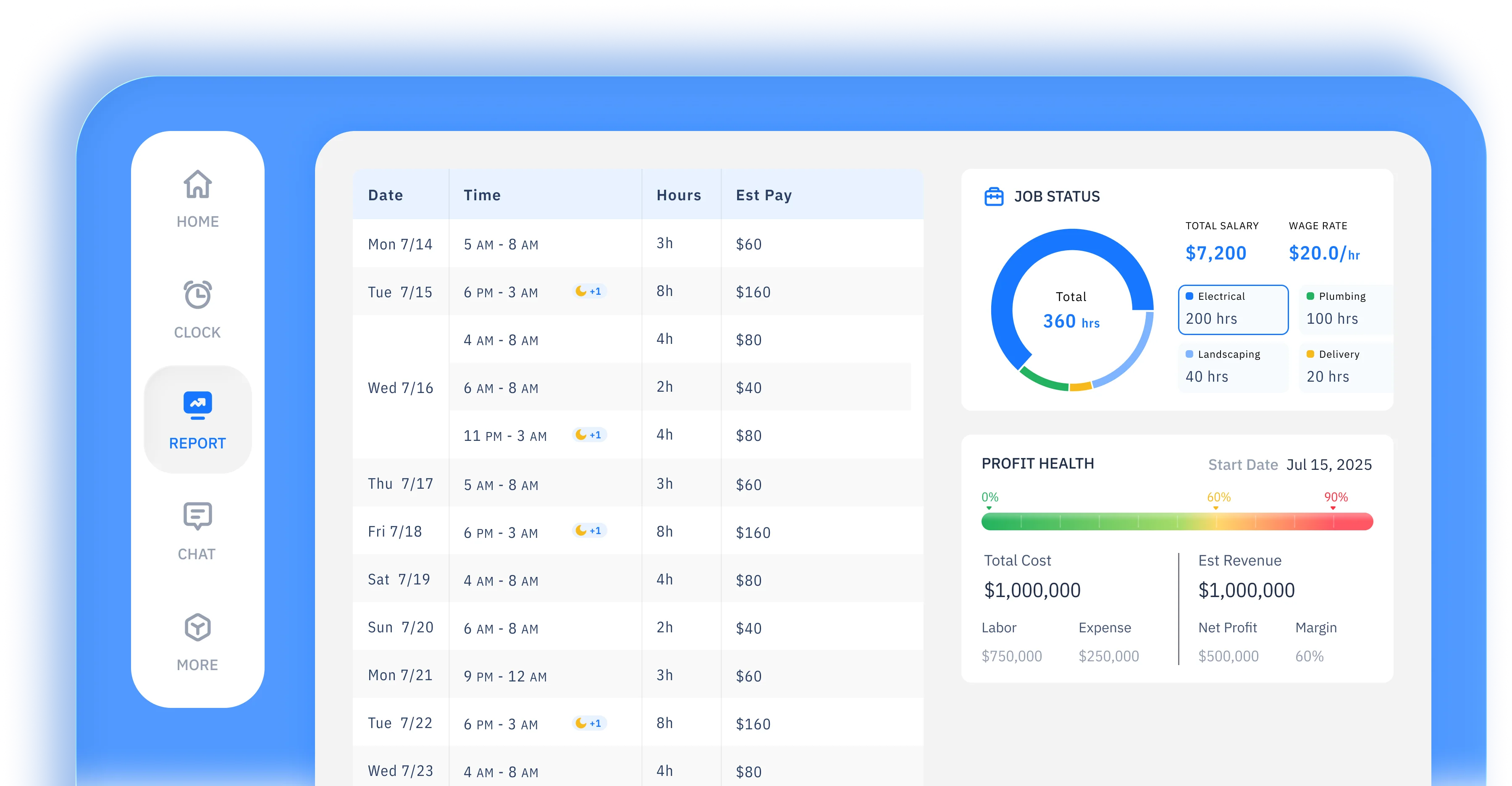
Insights provide ready-to-use reports built from tracked and approved time. Teams can generate clear views of work hours without building reports from scratch or exporting raw data.
Reports can be filtered and grouped by team members, projects, clients, tasks, or time periods. This allows teams to view the same data from different angles depending on the question they need to answer.
Insights show how time is distributed across work types, teams, and periods. Clear breakdowns help teams understand where time is going and how workload is spread.
Insights adapt to different reporting needs. Teams can adjust report views to match internal reviews, client reporting, or financial analysis without duplicating work.
Reports can be exported in common formats or shared with stakeholders. This makes it easy to use insights for payroll checks, client updates, budgeting, or internal discussions.
Reports are based on reviewed and finalized time data rather than raw entries. This gives teams confidence that records remain reliable for audits, internal reviews, and long-term reference as teams, schedules, and pay periods change.
works for you
From GPS tracking to automated timesheets, we capture every work hour accurately and effortlessly
 START FOR FREE
 Remote teams, field teams, and multi-location businesses use ShiftFlow insights to review time and cost summaries across their workforce. ShiftFlow is commonly used by teams that need clear visibility into hours and labor costs across different jobs, locations, or work types.

Clock in and out with one tap
Manually add or adjust time
Automatically track break time
Track hours by shift
Require clock-ins at specific locations
Review recorded work hours
Edit and correct time entries
Generate employee timesheets
Automatically clock out at shift end


Employer Choice
App of the Year
for 2025

Liam Reyes
Project Manager
ShiftFlow is the first time-tracking tool our whole team adopted without friction. It's now our default system.
Joe Chapman
Operations Director
ShiftFlow keeps our foremen and project managers aligned. We finally see who is on-site, who wrapped early, and how much each phase truly costs.
Emily Garcia
Site Supervisor
We've tried many time-tracking apps, but none are as easy to use as ShiftFlow. It's a great fit for our team.
SETUP IS EASY IN MINUTES
Sign up, add your company details, and list the jobs you want to track. Your account is ready in minutes.

Share the invite code from "More → Team Members". Team members follow guided instructions to download the app and join the right projects.

Once they join, team members tap "Clock In" on arrival. You get real-time visibility into every site and shift.
Sign up now to start a 14-day free trial and get your full crew on board

FAQ
Explore how-to articles and walkthroughs designed to keep your team moving
Time reporting is the process of turning tracked work hours into clear summaries and reports. It helps teams see total hours worked, labor costs, and how time is distributed across jobs, codes, or periods.
Time reporting is commonly used to review total work hours, calculate labor costs, prepare payroll checks, and understand how time is spent across different jobs or work types.
Time tracking records work hours as they happen. Time reporting summarizes that data so teams can review totals, costs, and breakdowns over a selected time range.

Yes. Time reporting allows teams to view worked hours alongside cost or pay data, helping them understand labor spending for a specific period.
Yes. Reports can be viewed by day, week, pay period, or a custom date range, making it easy to answer specific questions without rebuilding data.
Yes. Time reports can be broken down by jobs, job codes, or work categories to show how hours are allocated across different types of work.
Time reporting is commonly used by team leads, business owners, and operations teams who need an overview of hours and costs rather than individual time entries.
Yes. Time reports can be exported for payroll processing, accounting, or record keeping, without manual spreadsheet work.
Reports can reflect tracked and reviewed time, helping teams understand totals before payroll or exports.
Yes. Time reporting is especially useful for remote teams, field teams, and multi-location businesses that need clear visibility into hours and costs across their workforce.