What Is Employee Scheduling & How to Build Shifts
Store managers spend 2-3 hours per week building schedules manually. Learn how employee scheduling software cuts that time by 25-50% while reducing conflicts and no-shows.
What Is Employee Scheduling?
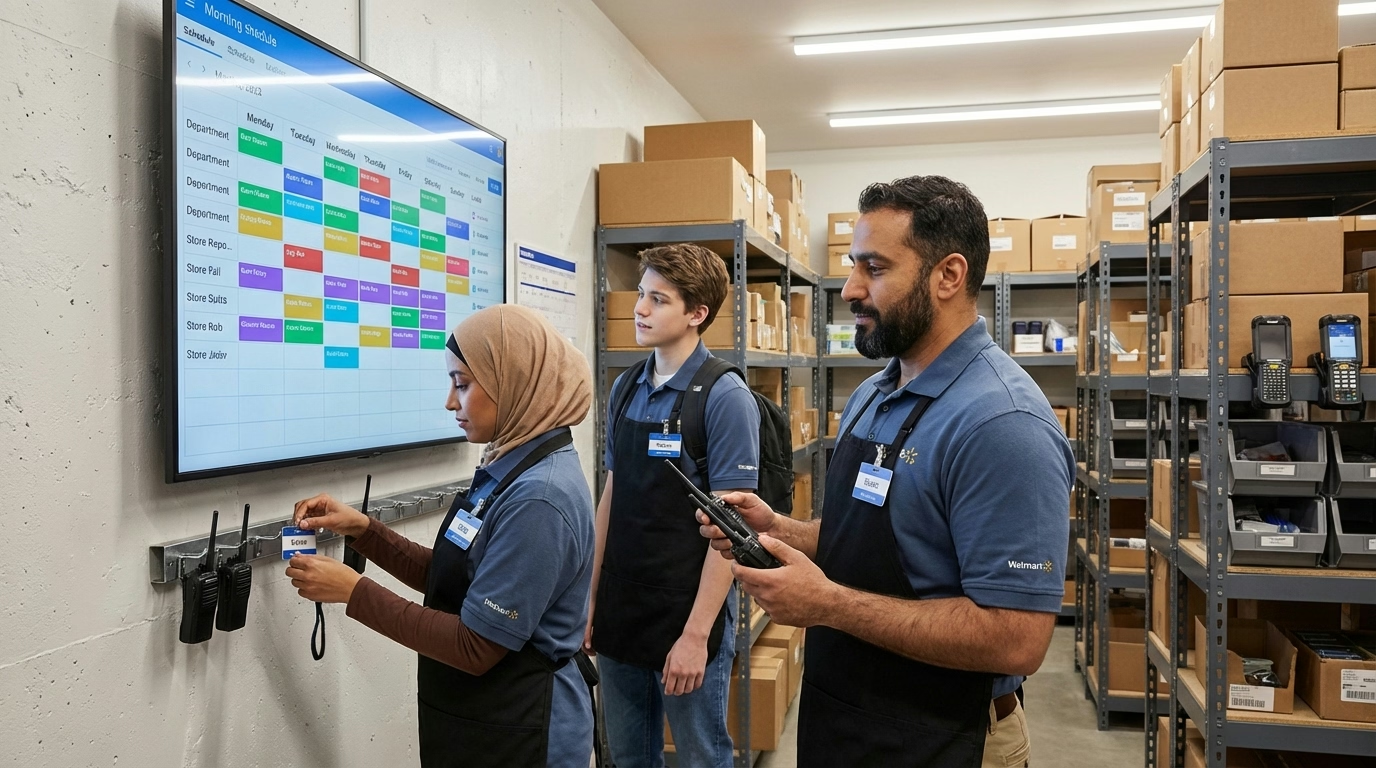
Employee scheduling is the process of creating work schedules that assign staff to specific shifts based on business demand, employee availability, skills, and labor regulations. In 2026, for shift-based businesses, it’s the weekly (or daily) task of figuring out who works when.
Sounds simple. In practice, it’s one of the most time-consuming tasks managers face—balancing business needs against employee preferences, juggling availability conflicts, and making sure you’re not violating labor laws.
Quick Answer
Employee scheduling assigns workers to shifts based on demand, availability, and skills. Done well, it ensures adequate coverage without overstaffing. Done poorly, it creates conflicts, no-shows, and compliance headaches.
How Much Time Does Scheduling Actually Take?
If you’re building schedules manually, you already know the answer: too much.
According to a case study from Deputy, store managers at a 60-location retail chain spent 2-3 hours per week creating schedules using spreadsheets. After switching to scheduling software, they cut that time by 25-50%.
For a single manager, that’s 1-2 hours saved weekly. Across multiple locations, it adds up to full workdays reclaimed every month.
Where Does the Time Go?
- Collecting availability: Chasing down who can work when
- Handling requests: Time-off, shift swaps, preferred hours
- Checking conflicts: Making sure nobody’s double-booked or in overtime
- Filling gaps: Finding coverage for call-outs and no-shows
- Communicating changes: Texting, calling, posting updated schedules
Most of this is administrative work that software handles automatically.
What Makes Employee Scheduling Difficult?
Changing Availability
Employees’ availability changes constantly—school schedules, second jobs, family obligations. Keeping track of who can work which days is a moving target, especially with part-time staff.
Last-Minute Changes
Someone calls in sick. A shift swap falls through. A busy day requires extra coverage. Every change cascades through the schedule, and manual processes can’t keep up.
Compliance Requirements
Labor laws add constraints that vary by location:
- Overtime thresholds (federal 40 hours, some states lower)
- Required rest periods between shifts—avoiding clopening
- Break requirements during shifts
- Predictive scheduling laws requiring advance notice
- Minor work restrictions
One mistake can trigger penalties or lawsuits. According to the Department of Labor, FLSA violations can cost up to $2,515 per violation for willful offenses.
Employee Preferences
Fair scheduling matters for retention. Employees notice if the same people always get weekends off or if closing shifts fall on the same workers repeatedly. Balancing preferences while meeting business needs requires careful attention.

What Should an Employee Schedule Include?
| Element | Why It Matters |
|---|---|
| Shift times | Start/end times for each worker |
| Positions/roles | Who’s covering which responsibilities |
| Break times | Required meal and rest periods |
| Location | For multi-site businesses |
| Contact info | For shift swaps and emergencies |
| Notes | Special instructions or reminders |
A good schedule communicates everything workers need to know at a glance—when to show up, what to do, and who to contact if something changes.
How Do You Create an Employee Schedule?
Step 1: Know Your Demand
Start with how many people you need and when. Look at:
- Historical sales or traffic patterns
- Upcoming events or promotions
- Seasonal trends
- Reservations or appointments
Workforce management systems can forecast this automatically based on your data.
Step 2: Collect Availability
Gather employee availability before building schedules—not after. Use a consistent system (paper forms, shared spreadsheet, or scheduling software) so everyone submits the same way.
Set clear deadlines: availability due by Wednesday, schedule published by Friday.
Step 3: Build the Schedule
Match available employees to shifts based on:
- Skills and certifications required
- Seniority or rotation policies
- Employee preferences (when possible)
- Labor cost targets
- Compliance requirements
Start with hard constraints (who can work), then optimize around preferences.
Step 4: Publish and Communicate
Share the schedule through a channel everyone checks—posted in the break room, emailed, or pushed through a mobile app. Confirm employees have seen it.
Many predictive scheduling laws require 7-14 days advance notice. Even where not legally required, more notice means fewer conflicts.
Step 5: Handle Changes
Build a system for managing changes:
- Shift swap requests with manager approval
- Open shift board for unclaimed hours
- Clear call-out procedures
- Backup contacts for emergencies
The goal is handling changes without the manager being the bottleneck for every adjustment.
What Is Employee Scheduling Software?
Employee scheduling software automates the manual parts of scheduling—collecting availability, checking conflicts, publishing schedules, and managing changes.
Key Features
| Feature | What It Does |
|---|---|
| Availability management | Employees submit availability through the app |
| Auto-scheduling | Software builds schedules based on rules you set |
| Conflict detection | Flags overtime, double-bookings, compliance issues |
| Shift swapping | Employees trade shifts with manager approval |
| Mobile access | View schedules and request changes from phones |
| Time tracking integration | Connect schedules to actual hours worked |
Who Should Use Scheduling Software?
As of 2026, according to Business Research Insights, small businesses represent 35% of the employee scheduling software market, with the segment growing at 12% annually.
Scheduling software makes sense when:
- You manage 10+ employees with variable schedules
- Scheduling takes more than 1-2 hours weekly
- You deal with frequent shift swaps or call-outs
- You operate in multiple locations
- You need to track compliance across jurisdictions
If you have 5 employees with fixed schedules, a spreadsheet probably works fine.
How Do Different Industries Handle Scheduling?
Restaurants and Food Service
- Schedule by position (servers, cooks, hosts, bussers)
- Match staffing to reservation counts and historical covers
- Handle tip pooling and side work assignments
- Manage high turnover with frequent onboarding
Retail Stores
- Align coverage with foot traffic and sales patterns
- Schedule across departments (cashiers, floor, stockroom)
- Handle seasonal surges (holidays, back-to-school)
- Manage mix of full-time and part-time staff
Healthcare
- Maintain required staff-to-patient ratios
- Track certifications and credentials for each shift
- Manage 24/7 coverage across multiple shifts
- Handle on-call rotations and overtime carefully
Field Services
- Assign workers to job sites based on skills and location
- Use GPS tracking to verify arrivals
- Coordinate travel time between sites
- Handle emergency dispatching

What Are Common Scheduling Mistakes?
Under-Communicating Changes
Publishing a schedule isn’t enough. Confirm employees have seen it, especially after changes. A shift that exists on paper but not in someone’s head leads to no-shows.
Ignoring Employee Preferences
Consistently scheduling people for shifts they’ve said they can’t work creates resentment and turnover. Track preferences and honor them when possible—even small accommodations build loyalty.
Over-Relying on the Same People
It’s tempting to always schedule your most reliable workers. But burning out your best employees leads to turnover, and it leaves you vulnerable when they’re unavailable.
Not Building in Buffer
Schedules with zero slack fall apart at the first call-out. Build in slight overlap during transitions or maintain a short list of on-call workers for emergencies.
What’s the Bottom Line?
Employee scheduling is fundamentally about matching labor supply to business demand—the right people, in the right place, at the right time.
Manual scheduling works for small teams with predictable needs. But as complexity grows—more employees, variable demand, multiple locations, compliance requirements—the administrative burden compounds quickly.
Scheduling software doesn’t replace management judgment. It handles the repetitive work (collecting availability, checking conflicts, publishing schedules) so managers can focus on the decisions that actually require human attention.
Ready to simplify your scheduling? Explore ShiftFlow’s scheduling tools built for shift-based teams, or see pricing for your team size.
Sources
- Deputy – Case Study: Mud Bay Scheduling
- Business Research Insights – Employee Scheduling Software Market Report
- U.S. Department of Labor – Wage and Hour Division
- National Conference of State Legislatures – Predictive Scheduling Laws
Further Reading
- Workforce Management Software: Is It Worth It? – The bigger picture on labor optimization
- What Is Clopening? – Why rest periods between shifts matter
- Mandatory Overtime Rules – Compliance requirements for overtime
Frequently Asked Questions
What is employee scheduling?
Employee scheduling is the process of creating work schedules that assign staff to shifts based on business demand, employee availability, skills, and labor regulations. It ensures the right coverage at the right times.
How long does it take to create an employee schedule?
Manual scheduling typically takes 2-3 hours per week using spreadsheets. Scheduling software can cut this time by 25-50% through automation and templates.
What is the best way to schedule employees?
Combine demand forecasting with availability tracking and clear communication. Use software to handle repetitive tasks, then adjust based on employee preferences and business needs.
How far in advance should you post employee schedules?
Best practice is 1-2 weeks advance notice. Some jurisdictions legally require 7-14 days notice under predictive scheduling laws. More notice means fewer conflicts and better employee satisfaction.
What’s the difference between scheduling software and a spreadsheet?
Spreadsheets require manual updates and don’t track conflicts automatically. Scheduling software automates availability collection, flags compliance issues, enables shift swapping, and pushes schedules to employee phones.
How do you handle last-minute schedule changes?
Build systems for managing changes: shift swap requests with approval workflows, open shift boards for unclaimed hours, clear call-out procedures, and backup contacts for emergencies.
What is predictive scheduling?
Predictive scheduling laws require employers to provide advance notice of schedules (typically 7-14 days) and pay penalties for last-minute changes. They exist in cities like NYC, San Francisco, Seattle, and Chicago, primarily affecting retail and food service.
How do you balance employee preferences with business needs?
Track preferences systematically and honor them when possible. Rotate less desirable shifts fairly. Communicate constraints transparently—employees understand business needs when you explain them honestly.
- employee-scheduling
- shift-planning
- work-schedule
- scheduling-software
- staff-scheduling
- retail-scheduling
- restaurant-scheduling


![Work Rota & Staff Rota: UK Guide + Free Templates [2026]](/_astro/cover-uk-work-rota-shiftboard.Bjls9xIq.avif)