How to Access Your Personnel File: State-by-State Laws (2026)
Personnel files contain your employment records—applications, reviews, pay history, and disciplinary actions. Learn what's included, your state access rights, how to request copies, and what employers must keep confidential.
You’re being passed over for promotions. Your coworker with less experience keeps getting picked. You ask your manager why. They say, “Check your file.”
Your personnel file? You’ve never seen it. Didn’t know you could. Turns out there’s a disciplinary write-up from 3 years ago that you thought was resolved. Or a performance review with inaccurate claims. Or outdated skills that make you look unqualified.
In 19 states, you have the legal right to see your personnel file. In the rest, you’re at your employer’s mercy. Either way, what’s in that file determines your opportunities—raises, promotions, references, termination decisions.
But here’s the problem: most employees never look at their file until something goes wrong. By then, inaccurate information has been sitting there for years, shaping decisions about your career.
Here’s how to access your personnel file (if you can), what’s in it, and how to fix errors before they hurt you.
What Is a Personnel File?
A personnel file is the main collection of employment-related documents that an employer maintains about an employee. It includes job applications, performance reviews, compensation records, disciplinary actions, training records, promotions, and other documentation of the employment relationship.
Personnel files serve as the official record of an employee’s work history with the company and support business decisions, legal compliance, and dispute resolution. Many states grant employees the right to access their personnel files upon request.
💡 Quick Answer
Your personnel file is where your employer keeps the main records of your employment—applications, performance reviews, pay changes, disciplinary actions, and other work-related documents.
⚠️ Why Your Personnel File Matters
Your file influences:
- ✓ Promotion decisions (managers review it before promoting)
- ✓ Raise eligibility (compensation reviews reference it)
- ✓ Termination decisions (pattern of issues documented)
- ✓ References (what future employers learn about you)
- ✓ Legal disputes (evidence in discrimination/wrongful termination)
Common problems:
- ✗ Inaccurate performance reviews you never challenged
- ✗ Disciplinary write-ups from resolved issues
- ✗ Missing records of accomplishments or training
- ✗ Outdated information (old job title, wrong manager)
- ✗ Documents you never saw or signed
What’s Typically in a Personnel File?
Your personnel file contains employment-related documents including:
- Application and hiring paperwork
- Performance reviews and disciplinary actions
- Compensation and pay history
- Training records and certifications
- Attendance and leave records
What’s kept separately: Medical records, I-9 forms, and detailed payroll records are stored in separate secure files due to privacy laws.
Can I Access My Personnel File?
🗺️ Know Your Rights By State
States with ACCESS laws (you can request to see your file): Alaska, California, Connecticut, Delaware, Illinois, Iowa, Maine, Massachusetts, Michigan, Minnesota, Nevada, New Hampshire, Oregon, Pennsylvania, Rhode Island, Washington, Wisconsin (and several others with limited provisions)
States WITHOUT comprehensive access laws: All others—access is at employer’s discretion
What this means:
- ✓ If you’re in an access state: Your employer must let you see your file within a certain timeframe (usually 7-30 days)
- ✗ If not: Your employer may let you see it, but they don’t have to
Even without a law, always ask. Many employers have policies granting access anyway.
Note: State laws vary significantly in scope and requirements. Always verify your specific state’s current law with your state labor department or legal counsel.
State Laws Vary Widely
States that require employee access to personnel files include:
- Alaska
- California
- Connecticut
- Delaware
- Illinois
- Iowa
- Maine
- Massachusetts
- Michigan
- Minnesota
- Nevada
- New Hampshire
- Oregon
- Pennsylvania
- Rhode Island
- Washington
- Wisconsin
Note: Additional states may have limited or conditional access provisions. Laws vary significantly in their requirements—some apply only to current employees, others include former employees; some require copies, others allow inspection only. Always verify your specific state’s current requirements.
Personnel File Access Laws by State
Important: State laws change frequently. This table provides general guidance based on commonly cited requirements. Always verify current law with your state labor department or legal counsel before relying on these provisions.
| State | Current Employees | Former Employees | Timeline | Copies or Inspection |
|---|---|---|---|---|
| California | Yes | Yes (up to 3 years) | Reasonable notice | Both |
| Connecticut | Yes | Yes (1 year) | 7 business days | Both |
| Delaware | Yes | Yes | Reasonable time | Inspection |
| Illinois | Yes | Yes | 7 working days | Both |
| Iowa | Yes | Former if requested within past year | 7 days | Inspection |
| Maine | Yes | No | Within reasonable time | Inspection |
| Massachusetts | Yes | Former (up to 3 years) | 5 business days | Both |
| Michigan | Yes | Former (up to 2 years) | Reasonable time | Both |
| Minnesota | Yes | Former (up to 1 year) | 7 working days | Copies |
| Nevada | Yes | Yes | Reasonable time | Copies |
| New Hampshire | Yes | No | Reasonable time | Inspection |
| Oregon | Yes | No | 45 days | Both |
| Pennsylvania | Yes | No | Reasonable time | Inspection |
| Rhode Island | Yes | Former (up to 3 years) | 7 days | Both |
| Washington | Yes | Former (up to 2 years) | Reasonable time | Both |
| Wisconsin | Yes | Former (if terminated) | 7 working days | Both |
Key: “Both” means employees can inspect AND receive copies. “Inspection” means in-person viewing only.
Each state’s requirements differ:
- Who can request: Current employees, former employees (often within a limited time after termination), or both
- How to request: Written request, advance notice (e.g., California requires reasonable notice)
- Timeline: Employers typically have 7–30 days to provide access
- Format: Some states require copies; others allow inspection only
- Frequency: Some states limit how often you can request access (e.g., once per year)
States Without Personnel File Laws
If your state doesn’t have a personnel file access law, you may still:
- Request access as a courtesy (some employers have policies granting access)
- Access specific records required by federal law (e.g., medical/exposure records under OSHA)
What You Can and Can’t See
Most state laws allow access to the general personnel file but may exclude:
- Reference letters or notes
- Records of investigations involving other employees
- Trade secrets or confidential business information
- Pre-employment records (such as other candidates’ information)

How Do I Request My Personnel File?
Step 1: Check Your State Law and Company Policy
Look up your state’s personnel file access law and review your employee handbook for company procedures.
Step 2: Submit a Written Request
Send a written request to HR specifying:
- That you’re requesting access to your personnel file
- Whether you want to inspect the file in person, receive copies, or both
- Your preferred format (paper or electronic, if allowed)
Sample request:
To: Human Resources Date: February 5, 2026
I am requesting access to my personnel file as allowed under [state] law. Please let me know when I can review the file or provide me with copies of the documents it contains.
Thank you, [Your Name]
Step 3: Follow Up
If you don’t receive a response within the required timeframe (check your state law), follow up with HR and document your attempts.
Step 4: Review Your File
🔍 What to Look For When Reviewing Your File
Check for accuracy:
- ☐ Personal info is current (address, phone, emergency contact)
- ☐ Job title and department are correct
- ☐ Pay rate matches your understanding
- ☐ Performance reviews accurately reflect conversations
- ☐ Disciplinary actions match what you remember
Look for red flags:
- ☐ Documents you never saw or signed
- ☐ Performance review language that’s vague or unfair
- ☐ Disciplinary actions that were supposedly “resolved”
- ☐ Missing records of accomplishments or training
- ☐ Inaccurate attendance or punctuality claims
Document everything:
- ☐ Take notes on anything questionable
- ☐ Request copies of all documents
- ☐ Note what’s missing that should be there
When you receive access:
- Bring a notebook or device to take notes (if inspecting in person)
- Check for accuracy and completeness
- Note any discrepancies or missing information
Step 5: Request Corrections or Add Rebuttals
If you find inaccurate information, request a correction. If the employer refuses, ask that your written rebuttal be added to the file.
Can I Add or Remove Anything from My File?
What You Can Add
Rebuttals or clarifications: If you disagree with a document in your file (such as a performance review or disciplinary action), you can usually request that your written response be added alongside it.
Updated information: Notify HR of changes to your contact information, emergency contacts, or certifications.
What You Typically Cannot Remove
Disciplinary records: Even if you disagree, employers typically won’t remove disciplinary actions unless they’re proven to be factually incorrect.
Performance reviews: These remain part of your record even if you dispute them (but you can add a rebuttal).
Documents required by law: Employers must retain certain records for specific periods and cannot remove them prematurely.
Requesting Corrections
If a document contains a factual error:
- Notify HR in writing
- Provide supporting evidence (corrected time records, updated certifications, etc.)
- Request that the document be corrected or replaced
How Long Are Personnel Files Kept?
While You’re Employed
Your personnel file is maintained and updated throughout your employment.
After Termination
Retention varies by:
- Federal law: Certain records (payroll, EEO data, FMLA) must be kept for specific periods (typically 1–7 years)
- State law: Some states require longer retention
- Company policy: Many employers keep personnel files for 7+ years or permanently, especially for terminated employees, to defend against potential claims
Learn more: Employee Records

Who Can Access My Personnel File?
Authorized Personnel
Typically limited to:
- HR staff
- Your direct supervisor or manager (with a legitimate business need)
- Payroll or benefits administrators
- Legal or compliance staff (when necessary)
Unauthorized Access
Employers should not allow:
- Coworkers or other employees without a business need
- External parties without your consent or a legal requirement (e.g., subpoena)
Your Right to Confidentiality
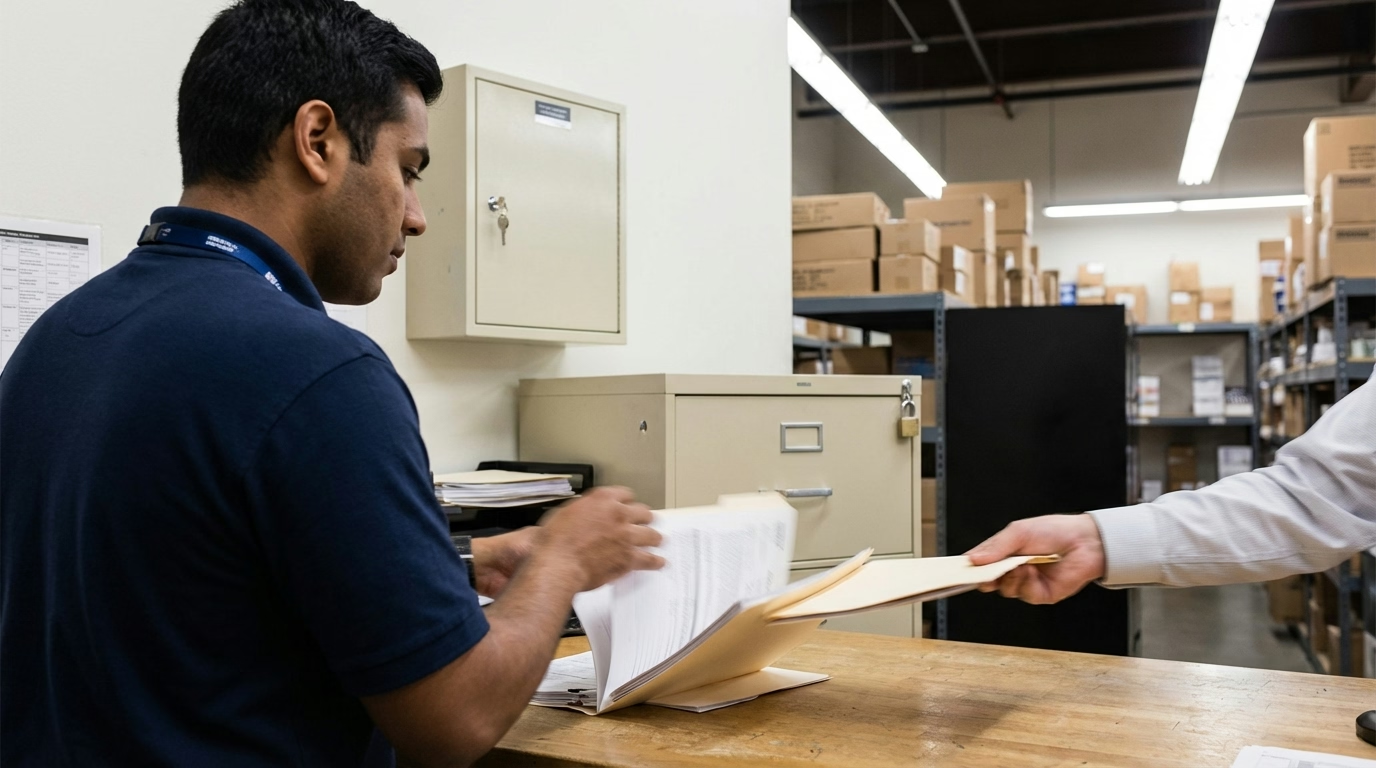
Personnel files should be kept secure (locked cabinets for paper files; password-protected systems for digital files) and accessed only by authorized personnel.
What’s the Bottom Line?
A personnel file is the main collection of employment documents your employer maintains about you, including hiring records, performance reviews, compensation history, disciplinary actions, and other work-related documentation.
Key points:
- Many states grant employees the right to inspect or receive copies of their personnel files
- Medical records, I-9 forms, and some investigation records should be stored separately, not in the general personnel file
- You can request corrections if your file contains inaccurate information and add rebuttals if you disagree with a document
- Personnel files are typically kept for several years after termination to comply with legal requirements and protect against claims
- Access to your file should be limited to authorized personnel to protect your privacy
Understanding what’s in your personnel file and your rights to access it helps ensure accuracy and transparency in your employment relationship.
Looking for tools to organize and manage personnel records securely? ShiftFlow’s digital timesheets maintain accurate employment records, time tracking documents work history, and reporting capabilities help you meet legal retention requirements.
Sources
- Society for Human Resource Management – HR Resources
- U.S. Department of Labor – Record Keeping Requirements
- National Conference of State Legislatures – State Personnel File Laws
Further Reading
- Employee Records – Understanding employment documentation
- Employee Profile – Employee information systems
- Employee Write-Up – What goes into disciplinary documentation
Frequently Asked Questions
What is a personnel file?
A personnel file is the main collection of employment documents about an employee, including job applications, performance reviews, compensation records, disciplinary actions, training records, and other documentation of the employment relationship.
Can I see my personnel file?
It depends on state law. Many states (including California, Illinois, Michigan, and Massachusetts) require employers to allow employees to inspect or receive copies of their personnel files upon request. Federal law does not require access for private-sector employees.
What cannot be included in a personnel file?
Medical records, I-9 employment eligibility forms, and confidential investigation records involving others should be kept in separate, secure files—not in the general personnel file. Some states also restrict inclusion of certain personal information.
How do I request a copy of my personnel file?
Submit a written request to HR specifying that you want to inspect or receive copies of your personnel file. Check your state law for specific procedures and timelines. Employers typically have 7–30 days to respond.
Can my employer refuse to let me see my file?
If your state has a personnel file access law, employers generally cannot refuse unless specific documents are excluded by law (like investigation records involving others). If your state has no such law, access is at the employer’s discretion.
Can I remove something from my personnel file?
Typically no, unless the document is factually incorrect and you can provide evidence to support a correction. You can, however, request that your written rebuttal or explanation be added to the file alongside a disputed document.
What happens to my personnel file when I leave my job?
It’s typically retained for several years or permanently, depending on legal requirements and company policy. Employers often keep terminated employee files longer to protect against potential claims or lawsuits.
Can a new employer see my old personnel file?
Not without your authorization. A new employer can only access information you’ve consented to share (through a background check or reference check). Most former employers limit disclosures to dates of employment and job title.
- personnel-files
- employee-records
- personnel-records
- hr-files
- employment-files
- employee-documentation