What Is an Attendance Sheet?
An attendance sheet records who showed up for work each day. Learn the difference between paper and digital sheets, how to create one, and why digital tracking saves time and reduces errors.
What Is an Attendance Sheet?
An attendance sheet is basically a document that tracks who showed up for work each day. It’s simple: names down the left side, dates across the top, and marks or signatures showing who was there.
These days, you’ll see two kinds:
- Paper sheets: Physical sign-in forms where you write your name or sign
- Digital sheets: Electronic records created through spreadsheets or attendance software
Quick Answer
An attendance sheet records daily employee presence. Paper sheets require manual signatures or check marks. Digital sheets automatically track who clocked in, integrate with payroll, and prevent errors from lost documents or illegible handwriting.
What Does an Attendance Sheet Look Like?
Basic Paper Attendance Sheet
A typical paper sheet includes:
| Employee Name | Mon 1/20 | Tue 1/21 | Wed 1/22 | Thu 1/23 | Fri 1/24 | Notes |
|---|---|---|---|---|---|---|
| John Smith | ✓ | ✓ | ✓ | ✓ | ✓ | |
| Maria Garcia | ✓ | ✓ | Absent | ✓ | ✓ | Sick 1/22 |
| David Chen | ✓ | ✓ | ✓ | Late | ✓ | In 9:15 1/23 |
| Sarah Johnson | ✓ | Absent | Absent | ✓ | ✓ | PTO 1/21-22 |
Header information:
- Company/department name
- Week of: [date range]
- Supervisor name
Footer:
- Supervisor signature
- Date completed
Digital Attendance Sheet Features
In 2026, digital attendance sheets usually show:
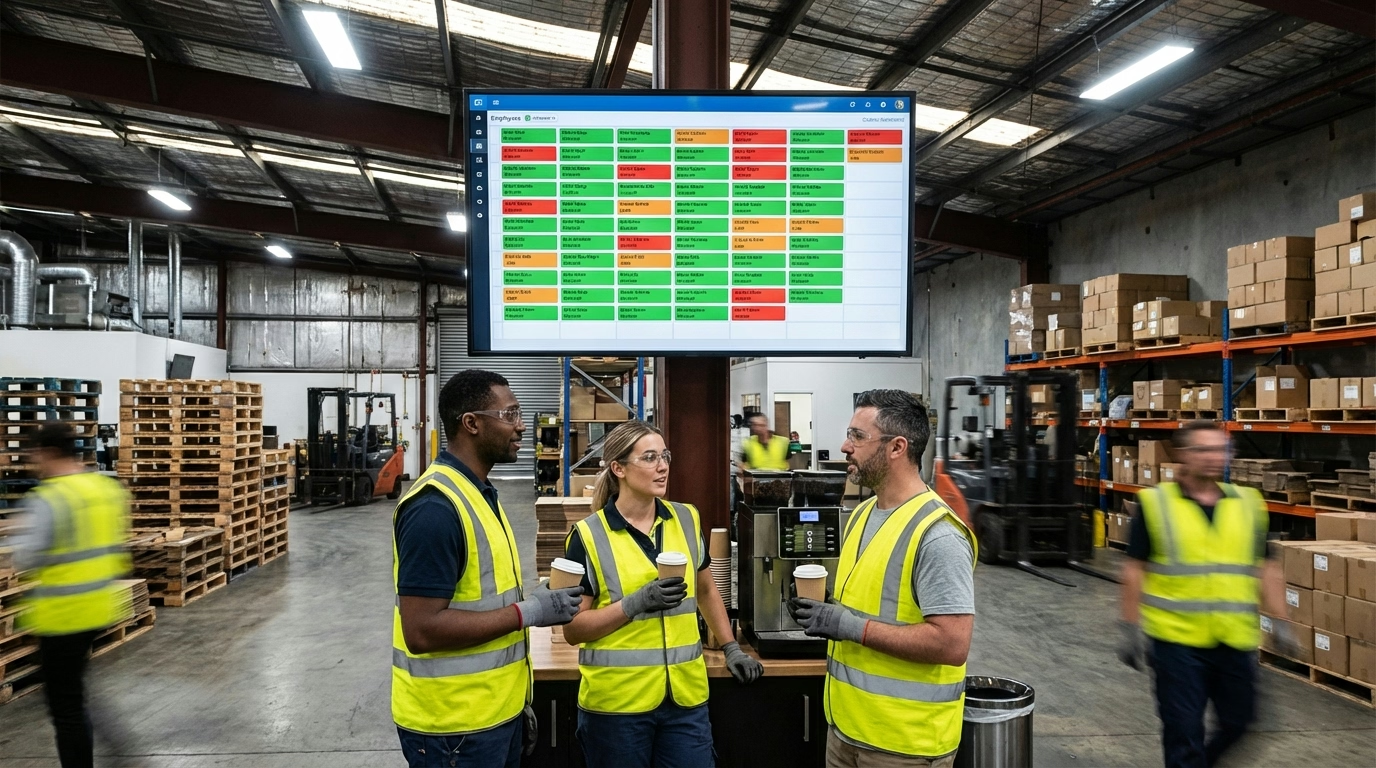
- Who’s clocked in, out, absent, or late—all in real time
- Automatic timestamps from time clock systems
- Color coding (green = present, red = absent, yellow = late)
- Names you can click for more details—hours worked, break times, whatever
- Absence rates calculated automatically
- Export buttons to send everything straight to payroll
How Do You Use an Attendance Sheet?
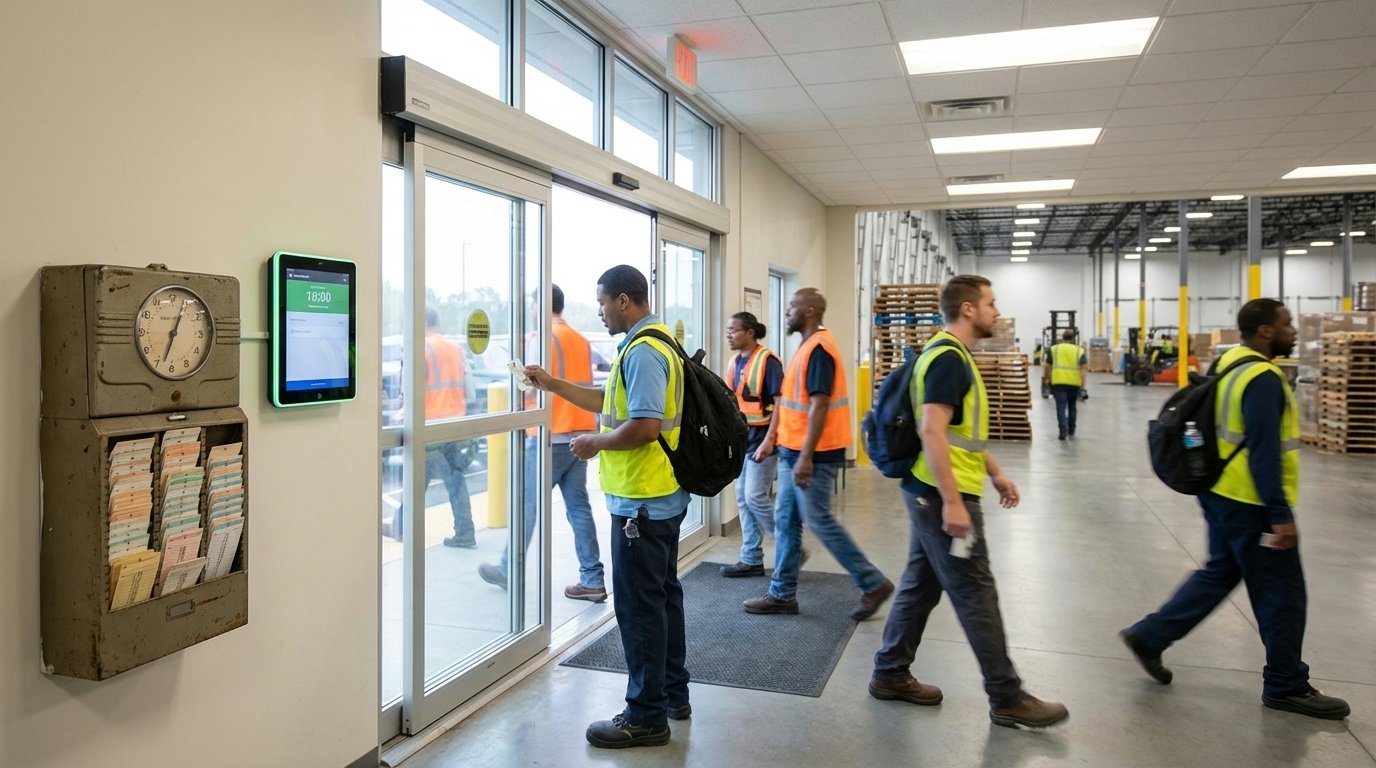
Paper sheets: Hang it somewhere everyone can see it. Employees sign in when they arrive, mark if they’re absent, and jot down why. The supervisor checks it daily and files it at the end of the week.
Digital sheets: Employees clock in through the time tracking system, and the sheet updates itself to show who’s there. Managers review the exceptions, the system flags patterns, and everything exports to payroll automatically.
What Should Be on an Attendance Sheet?
At minimum, you need the date or date range, employee names, attendance indicators (checkmarks or signatures), maybe time in/out columns, a notes column for explaining absences, and a spot for the supervisor to sign off.
If you’re running a bigger operation, you might also want employee ID numbers, department or location, shift times, overtime indicators, and tardiness tracking.

What’s the Difference Between Attendance Sheets and Timesheets?
| Aspect | Attendance Sheet | Timesheet |
|---|---|---|
| Purpose | Track who showed up | Track hours worked for payroll |
| Detail | Present/absent/late | Exact clock in/out times, breaks, total hours |
| Used for | Attendance monitoring, reliability | Payroll processing, overtime calculations |
| Frequency | Daily or weekly | Usually weekly or bi-weekly (matches pay period) |
| Legal requirement | Not required by FLSA | Required for non-exempt employees under FLSA |
Many modern systems combine both—when employees clock in, it records their attendance (they showed up) and creates a timesheet (hours worked for payroll).
Paper vs Digital Attendance Sheets: Which Is Better?
Paper sheets don’t cost much to start, but they get lost, you have to type everything into payroll by hand, there’s no backup if someone spills coffee on it, and anybody can fake a signature. According to Digiforma, they’re slow and prone to mistakes like handwriting nobody can read.
Digital sheets fix all that. They can’t get lost, they update instantly, there’s no manual data entry, everything backs up to the cloud, they plug straight into payroll, and you can verify people with fingerprints or GPS. According to Time Doctor, managers can generate reports with a couple clicks.
For most businesses in 2026, digital wins. Industries with shift workers—healthcare, security, janitorial services—really benefit from automated tracking. Paper sheets are fine if you’ve got a tiny team with simple, predictable schedules.
How Do You Create an Attendance Sheet?
Paper sheet: Set up columns for employee names and weekdays in Excel or Google Sheets. Add header stuff like company name and dates, plus a line for the supervisor to sign at the bottom. Print a batch for each week. You can grab free templates from Smartsheet or Vertex42.
Digital sheet: Share an Excel or Google Sheet through Google Drive, or use attendance software that creates sheets automatically when people clock in. For something simpler, try our free online time clock—it tracks attendance for you. Either way, the software sends everything to payroll without you lifting a finger.
Common Attendance Sheet Mistakes
Here’s what goes wrong: handwriting so messy you can’t tell who signed in, sheets that disappear with no backup copy, missing dates so you don’t know which week it is, no notes explaining absences so you can’t tell excused from unexcused, buddy signing (one person signing for someone else—that’s fraud), nobody checking it daily so errors pile up, and incomplete employee lists that forget about new hires.

How Do Attendance Sheets Help With Compliance?
FLSA doesn’t specifically require attendance sheets, but they’re useful for proving hours worked, documenting absences when you need to take disciplinary action, backing up time audits by comparing records against payroll, tracking FMLA leave, and defending unemployment claims by showing patterns of unexcused absences.
What’s the Bottom Line?
Attendance sheets are simple but necessary for tracking who shows up. In 2026, digital beats paper hands down: no lost documents, instant updates, real-time visibility, and everything flows straight into payroll.
Here’s what matters:
- Attendance sheets track who’s there and who’s not each day
- Paper works for tiny teams but comes with a lot of headaches
- Digital sheets cut out the manual work and slash errors
- You need names, dates, check-ins, and a notes field at minimum
- Pair them with time tracking systems for automated accuracy
- Use them for compliance records and spotting absence patterns
Ready to modernize attendance tracking? ShiftFlow’s time tracking tools automatically create digital attendance sheets, flag absences, and integrate with payroll—no manual sheets required.
Sources
- Digiforma – Electronic Attendance Sheet Features
- Time Doctor – Free Employee Attendance Sheet Templates
- Smartsheet – Free Attendance Spreadsheet Templates
- OneTap – Free Google Sheets Attendance Template
Further Reading
- Employee Attendance – Understanding attendance rates and metrics
- Clock In Clock Out – How employees record presence
- Time Tracking Software – Automated attendance and hours tracking
Frequently Asked Questions
What is an attendance sheet?
An attendance sheet is a document that records which employees showed up for work each day. It typically includes the date, list of employee names, spaces for signatures or check marks, and sometimes time in/out columns. Used to track presence, absences, and tardiness.
What should be on an attendance sheet?
Include company/department name, date or date range, list of employee names, columns for each day (if weekly/monthly), signature or check-in space, optional time in/out columns, notes section for absences or tardiness, and supervisor signature line.
How do I create an attendance sheet?
For paper: Use Excel or Google Sheets to create a table with employee names and date columns. Add header info and print copies. For digital: Use attendance tracking software that automatically creates sheets when employees clock in/out, or use shared spreadsheets that update in real-time.
Are digital attendance sheets better than paper?
Yes. Digital sheets eliminate lost documents, provide real-time updates, automate calculations, integrate with payroll, prevent fraud through verification methods, and back up automatically. They save time by eliminating manual re-entry and reduce errors from illegible handwriting.
Do I need attendance sheets if I have a time clock?
Modern time clock systems automatically create digital attendance sheets. You don’t need separate paper sheets. The time clock data serves as your attendance record, showing who clocked in each day and when.
How long should I keep attendance sheets?
Under FLSA, keep attendance records for at least 3 years. Many companies keep them longer for audit protection, unemployment claims, or legal disputes. Digital sheets in cloud systems automatically maintain this record.
What’s the difference between a sign-in sheet and an attendance sheet?
They’re essentially the same thing. “Sign-in sheet” typically refers to paper sheets where employees physically sign their name. “Attendance sheet” is the broader term covering both paper and digital records of presence.
Can employees fill out their own attendance sheet?
For paper sheets, employees often mark their own attendance by signing or checking boxes. However, managers should review daily to verify accuracy. Digital systems automatically record attendance when employees clock in—no self-reporting needed.
- attendance-sheet
- attendance-tracking
- sign-in-sheet
- employee-attendance
- time-and-attendance
- attendance-template