What Is Clock In Clock Out & How Does It Work
Clock in clock out records when you start and end work. Learn the different methods, what to do if you forget to clock in, and why accurate time tracking matters for your paycheck.
What Does Clock In Clock Out Mean?
Clock in means recording when you start work. Clock out means recording when you finish. The time between is your hours worked—the basis for your paycheck if you’re an hourly employee.
Every shift follows the same pattern:
- Arrive at work
- Clock in when your shift starts
- Work your shift (clocking out/in for breaks if required)
- Clock out when your shift ends
Quick Answer
Clocking in records your start time. Clocking out records your end time. These records determine your hours worked and, for hourly employees, your pay.
How Do I Clock In at Work?
In 2026, the method depends on what your employer uses:
Badge or Key Card
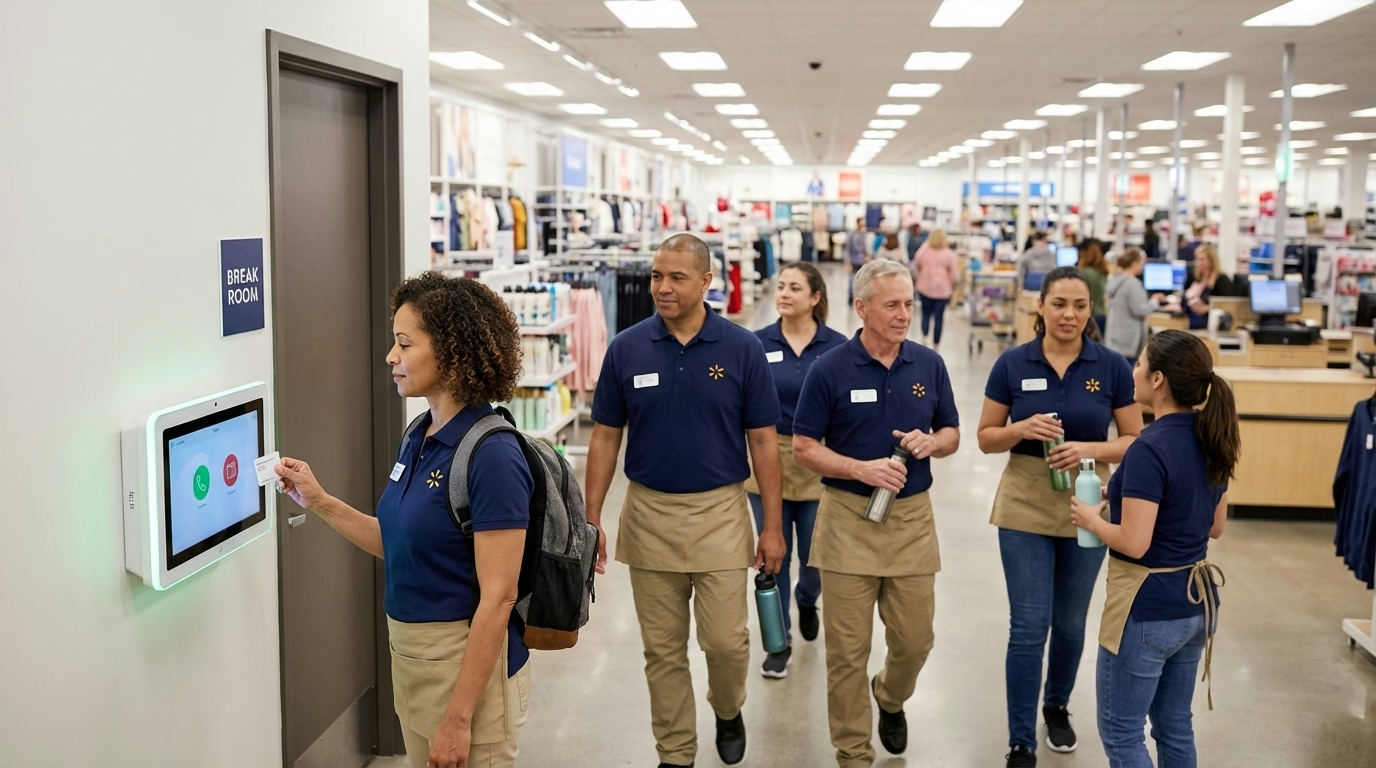
Swipe or tap your ID badge on a reader near the entrance or break room. You’ll hear a beep or see a light confirming it worked.
PIN Code
Enter your personal identification number on a keypad. Usually 4-6 digits assigned when you’re hired.
Mobile App
Open your company’s time tracking app and tap “Clock In.” Some apps use GPS to verify you’re at the work location.
Fingerprint or Face Scan
Place your finger on the scanner or look at the camera. The system identifies you and records the time.
Paper Timesheet
Write your start time on a physical timesheet. Less common now but still used in some workplaces.
Computer Login
Some office jobs track time through computer login/logout or a web-based time clock system.
When Should I Clock In?
Clock in when your shift starts and you’re ready to work—not when you arrive at the building.
Example: Your shift starts at 9:00 AM
- You arrive at 8:45 AM → Don’t clock in yet
- You put away your things, get ready → Still wait
- 9:00 AM arrives and you’re ready to work → Clock in now
Most employers have policies about early clock-ins. Clocking in 15 minutes early every day adds up to hours of extra pay they didn’t budget for.
When to clock out: When your shift ends and you’re done working. Don’t clock out and then keep working—that’s illegal for employers to allow, and you deserve pay for time worked.
What If I Forget to Clock In?
It happens. Here’s what to do:
- Tell your manager immediately when you realize
- Note the actual time you started working
- Follow your company’s correction procedure (usually a form or system request)
- Don’t have a coworker clock in for you—this is considered time theft
The longer you wait to report a missed punch, the harder it is to verify. Most managers are understanding if it’s occasional—it becomes a problem when it’s frequent.

What If I Forget to Clock Out?
Same process:
- Tell your manager
- Note when you actually left
- Request a time correction
- Don’t wait until payday to mention it
Some systems automatically flag missed punches, so your manager may ask you about it before you even realize.
Do I Need to Clock Out for Breaks?
Depends on the break type and your company policy:
Unpaid meal breaks (usually 30+ minutes): Yes, clock out when the break starts, clock back in when it ends.
Paid rest breaks (usually 10-15 minutes): Usually no—you stay clocked in.
Check your employee handbook or ask your manager. Getting this wrong affects your pay.
Why Does Accurate Clocking Matter?
For Your Paycheck
Your clock-in records directly determine your pay. Errors mean:
- Missing punches = potentially unpaid hours
- Wrong times = incorrect pay
- Unrecorded overtime = missing overtime pay
According to the Department of Labor, employers must pay for all hours worked. But if there’s no record, disputes are harder to resolve.
For Your Employer
Accurate time records help businesses:
- Process payroll correctly
- Stay compliant with labor laws
- Manage labor costs
- Schedule appropriately
For Legal Compliance
The Fair Labor Standards Act requires employers to keep accurate records of hours worked for non-exempt employees. Your clock-in/out times are that record.
What Is Time Theft?
Time theft is getting paid for time you didn’t actually work. Common forms:
- Buddy punching: Having a coworker clock in for you when you’re not there
- Extended breaks: Taking longer breaks than allowed without clocking out
- Early clock-in: Clocking in before you’re actually ready to work
- Late clock-out: Staying clocked in after you’ve stopped working
As of 2026, according to the American Payroll Association, buddy punching costs U.S. employers an estimated $373 million annually.
Time theft can result in termination. Even small amounts add up, and employers take it seriously.

What Are Different Types of Time Clocks?
| Type | How It Works | Common In |
|---|---|---|
| Badge swipe | Tap or swipe ID card | Offices, retail, warehouses |
| PIN entry | Enter personal code | Restaurants, small businesses |
| Biometric | Fingerprint or face scan | High-security, manufacturing |
| Mobile app | Tap button on phone | Field work, multiple locations |
| Web-based | Log in through browser | Remote work, offices |
For more details on choosing a system, see our time clock guide.
What Should I Do If My Time Is Wrong?
If you notice incorrect hours on your timesheet or paycheck:
- Check your records first—do you remember your actual times?
- Report it to your manager or HR with the correct information
- Submit a time correction request through your company’s system
- Follow up if it’s not fixed by next pay period
You have the right to be paid for all hours worked. If corrections aren’t being made, document your concerns in writing.
What’s the Bottom Line?
Clocking in and out is simple but important. It determines your pay, creates legal records, and affects your employer’s operations.
The key points:
- Clock in when your shift starts and you’re ready to work
- Clock out when you’re done
- Report mistakes immediately
- Never clock in for someone else or have someone clock in for you
Looking for an easier way to track time? Try ShiftFlow’s free time clock app or explore our time tracking features for teams.
Sources
- U.S. Department of Labor – FLSA Hours Worked
- American Payroll Association – Time Theft Statistics
Further Reading
- Time Clock Systems Explained – Types of time clocks and how to choose
- Timesheet Basics – From clock-in to payroll
- Employee Scheduling – How shifts get assigned
Frequently Asked Questions
What does clock in clock out mean?
Clock in means recording when you start work. Clock out means recording when you finish. The time between determines your hours worked and your pay.
When should I clock in for work?
Clock in when your shift starts and you’re ready to work—not when you arrive at the building. Most employers expect you to clock in within a few minutes of your scheduled start time.
What happens if I forget to clock in?
Tell your manager as soon as you realize. Note when you actually started working and request a time correction. Don’t have a coworker clock in for you—that’s time theft.
Do I clock out for lunch?
Usually yes for unpaid meal breaks (30+ minutes). Paid rest breaks (10-15 minutes) typically don’t require clocking out. Check your company policy.
Can I clock in early?
Most employers have policies limiting early clock-ins (often 5-7 minutes before shift). Clocking in too early without approval can be a policy violation.
What if my timesheet is wrong?
Report it to your manager or HR with the correct information. Submit a time correction request and follow up if it’s not fixed by next pay period.
Is buddy punching illegal?
Buddy punching (clocking in for someone else) is considered time theft and grounds for termination at most employers. It costs businesses millions annually.
How accurate does my clock-in need to be?
Most systems record to the minute. Some employers round to the nearest 5, 10, or 15 minutes—but rounding must average out fairly over time according to labor law.
- clock-in-clock-out
- time-tracking
- time-clock
- attendance-tracking
- payroll
- work-hours