What Is a Time Card?
A time card records when you start and finish work each day. Learn how time cards work, paper vs digital options, and why accurate time cards matter for getting paid correctly.
What Is a Time Card?
A time card is basically a record of when you clocked in and out each day during a pay period. It tracks your start time, end time, and breaks—everything your employer needs to calculate your hours and cut your paycheck.
These days, you’ll run into two types:
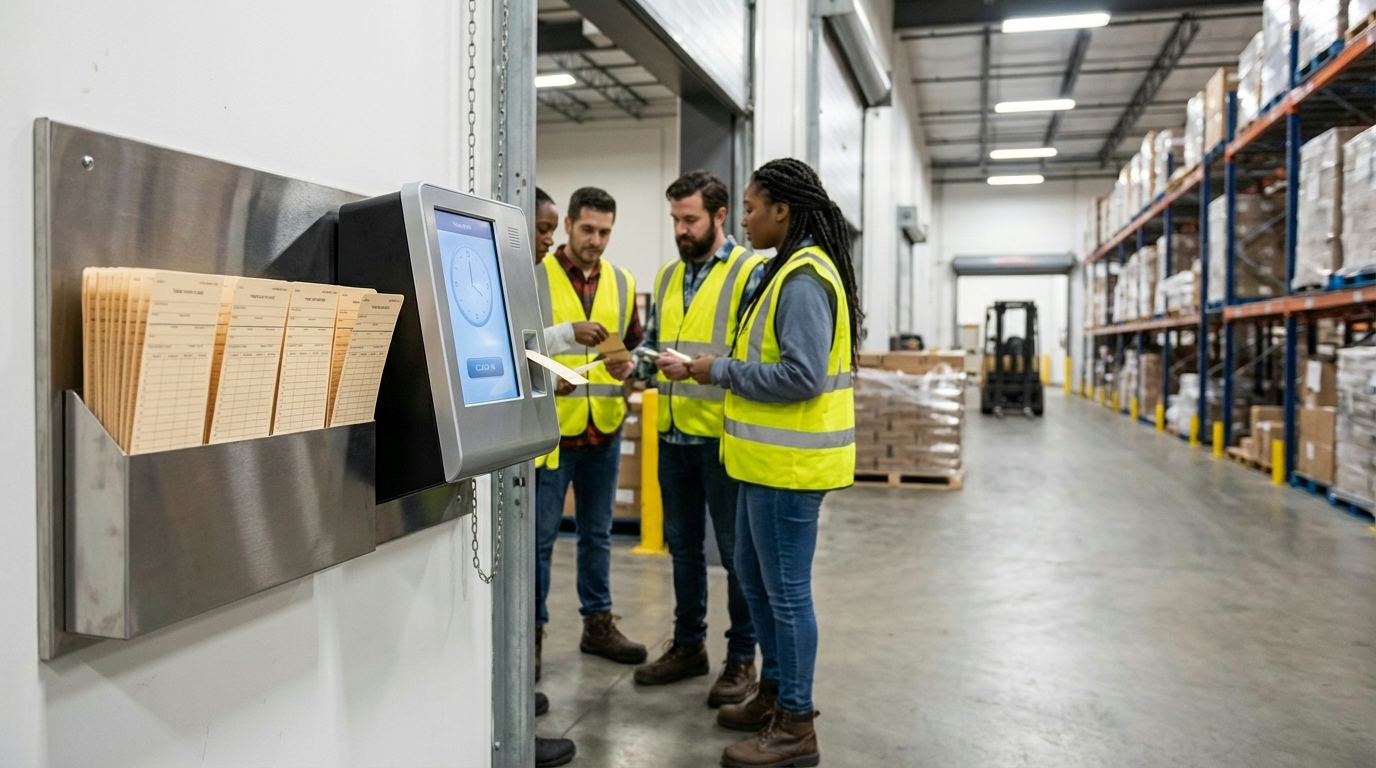
Paper time cards are the old-school physical cards you stick into a mechanical punch clock. The machine stamps the date and time right on the card.
Digital time cards are electronic records that time clock software or mobile apps create automatically when you clock in and out.
Quick Answer
A time card records your daily clock-in and clock-out times. Paper cards get stamped by a punch clock. Digital cards are created automatically by time tracking software. Both serve the same purpose: documenting hours worked for payroll.
How Do I Use a Time Card?
It depends on whether your workplace uses paper or digital.
Paper Time Card (Punch Clock)
First, find your card in the rack by the punch clock—they’re usually organized alphabetically by last name. When you arrive for your shift, insert the card into the slot with the printing side facing you. The clock stamps the date and time on it. Put the card back in the rack when you’re done.
At the end of your shift, grab your card again and run it through the clock to stamp your departure time. If your employer requires you to clock out for meal breaks, you’ll do the same thing—clock out when your break starts, clock back in when it ends.
When the pay period wraps up, turn in your completed card to your manager or HR.
Digital Time Card
With digital systems, you’ll use whatever method your company set up—could be a badge swipe, PIN code, fingerprint scan, or mobile app. Clock in when you start, and make sure your name pops up on the screen to confirm it worked.
If you need to clock out for meal breaks, use the same method. Same thing at the end of your shift—clock out the same way you clocked in.
The nice part? There’s no physical card to turn in. Everything goes straight to payroll automatically. You’ll see this setup a lot in industries like construction, security, and electrical services where people are constantly on the move.
What a Paper Time Card Looks Like
A typical paper card shows:
- Employee name and ID number
- Pay period dates (e.g., “Week ending Jan 24, 2026”)
- Columns for each day of the week
- Rows for clock in/out times
- Space for supervisor signature
Example stamps:
MON    9:03 AM    12:32 PM    1:02 PM    5:17 PM
TUE    8:57 AM    12:29 PM    1:01 PM    5:05 PM
What’s on a Time Card?
Whether it’s paper or digital, your time card has the same basic info: your name, employee ID, and the pay period dates it covers. It lists each day you worked along with your clock-in and clock-out times. If your employer tracks breaks, those show up too. At the end, you’ll see your total hours worked.
Paper cards show all this through stamps from the punch clock. Digital cards display the same information in the computer system.

What’s the Difference Between Time Cards and Timesheets?
People often use these terms interchangeably, but they’re slightly different:
Time card: The raw record of clock-in/out times. This is what the punch clock or time tracking system creates.
Timesheet: A formatted summary showing total hours worked, often combining time card data with manual adjustments, approved time-off, or corrections.
Think of it this way: Time cards are the source data. Timesheets are the processed version that goes to payroll.
Why Do Accurate Time Cards Matter?
Your time card directly determines your pay. If it’s wrong, you might not get paid for hours you worked or could get the wrong pay amount.
The Fair Labor Standards Act requires employers to keep accurate records. Your time card is the legal proof of when you worked.
If there’s a dispute about your hours or pay, the time card is the primary evidence.
What Are Common Time Card Problems?
Paper time cards get lost, stamps can be hard to read, and somebody has to manually add up all those hours. Plus, they’re easy to fake—your buddy can clock you in when you’re running late.
Digital time cards have their own headaches: forgotten passwords, systems going down, or GPS that won’t verify your location. Most companies have backup procedures for when this stuff happens.
How Do I Fix a Time Card Error?
If you spot a mistake on your time card, here’s what to do:
Tell your supervisor or HR right away. Make a note of the correct times—when you actually arrived and left. Then submit a correction request however your company handles it. Keep your own records of the hours you worked as backup. And if the fix doesn’t show up on your next paycheck, follow up.
The key is don’t wait until payday to say something. The sooner you report it, the easier it is to verify and fix.

Paper vs Digital Time Cards: Which Is Better?
Paper time cards are cheap to start with, but somebody has to manually calculate all those hours. Cards get lost, stamps are hard to read, and it’s easy to cheat the system. They work okay if you’ve got a really small team.
Digital time cards do the math for you, cut down on errors, feed straight into payroll, and make it harder to game the system with GPS or fingerprint verification. They cost more upfront but save you time and headaches. For most businesses in 2026, digital is the way to go. Compare pricing options to find what fits your team size.
What’s the Bottom Line?
Time cards are how you get paid right. Whether you’re stamping a paper card or tapping into an app, it all comes down to the same thing: creating a solid record of the hours you worked.
Here’s what matters:
- Time cards record when you clocked in and out each day
- Paper cards work but they’re easy to mess up or fake
- Digital systems do the math for you and cut down on mistakes
- Getting your time card right means getting paid correctly
- Catch errors right away—don’t wait until you see your paycheck
Ready to modernize your time tracking? Try ShiftFlow’s free time clock app or explore our time tracking features for teams.
Sources
- Aberdeen Group – Employee Time Reporting Accuracy Survey
- Lift HCM – Automating Time Tracking to Eliminate Payroll Errors
- Paycom – The Real Cost of Payroll Errors in 2026
- Payroll Partners – Time Tracking Solutions Research
- U.S. Department of Labor – FLSA Recordkeeping Requirements
Further Reading
- Clock In Clock Out Explained – How time recording works
- Time Clock Systems – Different types of time clocks
- Timesheets: How to Fill One Out – From time cards to payroll
Frequently Asked Questions
What is a time card?
A time card is a record of when you clocked in and out each day during a pay period. Paper time cards are physical cards stamped by a punch clock. Digital time cards are electronic records created by time tracking software or apps.
How do I use a time card?
For paper cards: insert your card into the punch clock when arriving and leaving. The clock stamps the date and time. For digital cards: clock in/out using an app, badge swipe, or PIN code. The system records your times automatically.
What’s the difference between a time card and a timesheet?
A time card is the raw record of clock-in/out times from a time clock system. A timesheet is the formatted summary showing total hours worked, often combining data from time cards with any manual adjustments or break tracking.
Do I need to sign my time card?
It depends on your employer’s policy. Some require employee and supervisor signatures to confirm accuracy. Others use digital approval workflows instead of physical signatures.
What if I forget to punch my time card?
Tell your manager immediately. Most companies have a procedure to manually record your time. The longer you wait, the harder it is to verify when you actually worked.
Can my employer change my time card?
Employers can correct errors with documentation, but they cannot falsify records. Any changes should be reviewed with you and documented. Under FLSA, employers must maintain accurate records of actual hours worked.
Are digital time cards more accurate than paper?
Yes. Digital time cards eliminate manual calculation errors, can’t be lost or damaged, and prevent buddy punching through verification methods like GPS or biometrics. According to Lift HCM, companies report a 60% reduction in payroll errors after switching to automated time tracking systems.
How long do employers keep time cards?
FLSA requires keeping time cards and payroll records for at least three years. Many companies keep them longer for audit and legal purposes.
- time-card
- punch-card
- time-tracking
- payroll
- attendance
- timesheet
- work-hours