Employee ID Number: Format Examples & How to Create Them (2026)
An employee ID is a unique identifier assigned by employers to track employees in systems. Learn how employee IDs work, why they're used instead of Social Security numbers, and how they protect privacy and streamline operations.
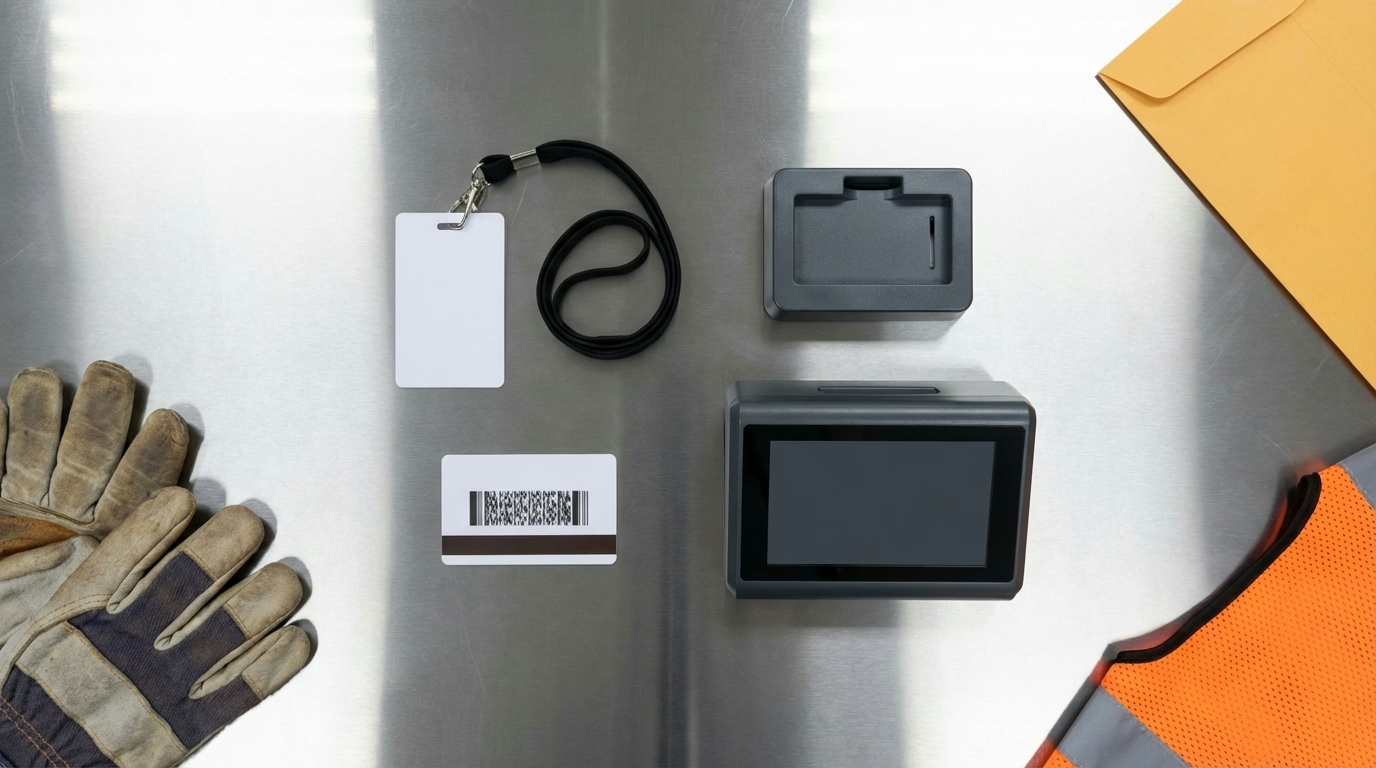
First day at your new job. They hand you a badge: EMP-4782. That’s you now. Not your name. A number.
It feels weird, maybe even dehumanizing. Am I just a number to them?
Here’s what they don’t tell you: Your employee ID protects you. Identity theft from stolen employee records affects millions of workers every year—costing victims thousands in recovery expenses and years of credit damage. Companies that use Social Security numbers for daily operations (scheduling, timesheets, building access) are putting your identity at risk every single day.
Your employee ID is actually your privacy shield—keeping your SSN locked away where it belongs, only used for taxes and benefits. Plus, it’s how you get paid correctly, clock in, access systems, and get credit for your work.
Here’s everything you need to know about employee IDs—what they are, where to find yours, and why they matter more than you think.
What Is an Employee ID?
An employee ID (also called an employee number, staff ID, or personnel number) is a unique alphanumeric identifier assigned by an employer to each employee. It’s used to track employees across HR systems, payroll, time and attendance, security access, and other business systems.
Employee IDs replace the need to use Social Security numbers in day-to-day operations, protecting employee privacy and reducing the risk of identity theft. Each employee ID is unique within the organization and remains associated with that employee throughout their time with the company.
💡 Quick Answer
An employee ID is your unique number or code in the company’s systems. It’s used to identify you for scheduling, payroll, security access, and other purposes without using your Social Security number.
🔍 Where to Find Your Employee ID Right Now
Can’t find your ID? Check these places:
- ✓ Your employee badge (front or back)
- ✓ Your latest pay stub (usually top right)
- ✓ Company email signature or directory
- ✓ Time clock login screen (your username)
- ✓ Company intranet or HR portal
- ✓ New hire paperwork (offer letter, onboarding docs)
Still can’t find it? Ask HR or your manager—they can look it up in 30 seconds.
Why Do Employers Use Employee IDs?
📊 Employee ID vs SSN: What’s the Difference?
Purpose Employee ID Social Security Number Clock in/out ✅ Always use ❌ Never use Building access ✅ Badge/scan ❌ Never use Payroll processing ✅ Internal tracking ⚠️ Backend only Tax forms (W-2) ❌ Not needed ✅ Required by law Benefits enrollment ⚠️ May be used ✅ Usually required Schedule/shifts ✅ Always use ❌ Never use If stolen, risk 🟢 Low (internal only) 🔴 High (identity theft) Bottom line: Employee IDs are for daily operations. SSNs are for legal requirements only.
To Protect Privacy
Using employee IDs instead of Social Security numbers (SSNs) reduces the risk of identity theft and complies with privacy laws. SSNs should be used only when legally required (tax documents, benefits enrollment).
To Uniquely Identify Employees
In large organizations, multiple people may share the same name. Employee IDs ensure each person has a distinct identifier that prevents confusion in records and systems.
To Streamline Systems
Employee IDs provide a consistent key that links records across HR, payroll, scheduling, time tracking, and other systems. This makes data management more efficient and reduces errors.
To Support Security and Access Control
Employee IDs are used for:
- Building access (badge readers)
- System login credentials
- Time clocks (clock-in/clock-out)
- Equipment or vehicle checkout
To Track Employment History
Employee IDs remain consistent throughout employment, even if an employee’s name, department, or role changes. This makes it easy to track work history, performance, and other records over time.
What Do Employee IDs Look Like?
Employee ID formats vary by organization. Common structures include:
Numeric IDs
Examples:
1234500123987654
Use case: Simple sequential numbers, often used by small to mid-sized companies
Alphanumeric IDs
Examples:
EMP1234ABC-00123SF-2026-00789
Use case: Combines letters and numbers, sometimes including department codes, hire year, or location
Department or Role-Based IDs
Examples:
HR-00123(HR department)MFG-456(manufacturing)SLS-789(sales)
Use case: IDs encode information about department, location, or role for easier identification
Badge or Barcode Numbers
Examples:
- The number printed on an employee badge
- A barcode or QR code scanned at entry points or time clocks
Use case: Physical badge systems where the ID is linked to a card or wearable device
How to Create Employee ID Numbers
Follow these best practices when creating your ID system:
Choose a Format
Pick a structure that fits your needs:
- Sequential (001, 002, 003): Simplest, but reveals hire order
- Random numbers: More private, but harder to remember
- Department prefix (HR-001, IT-002): Easy to identify teams
- Hire year prefix (2026-001): Tracks tenure at a glance
- Location code (NYC-001, LA-001): Useful for multi-site organizations
Keep It Simple
- Length: 4-6 digits is standard (up to 9,999 employees)
- Leading zeros: Use them to keep consistent length (001 vs 1)
- Avoid confusion: Skip letters/numbers that look alike (O/0, I/1, S/5)
Make It Scalable
- Plan for growth: If you have 50 employees, use 4 digits (up to 9,999)
- Don’t embed too much info: What if departments reorganize?
- Keep some numbers reserved for special purposes (temps, contractors)
Document the System
Create a simple reference:
Example: “Employee IDs are 5-digit numbers. First 2 digits = hire year (26 = 2026). Last 3 digits = sequential hire number. Format: 26-001”
Never Reuse IDs
Once assigned, an employee ID should never be given to another person, even after termination. This prevents confusion in historical records.

How Is an Employee ID Used?
HR and Payroll Systems
- Linking employee profiles to payroll, benefits, and performance records
- Ensuring accurate pay, tax withholding, and benefits enrollment
- Tracking employment history and changes (promotions, transfers, terminations)
Time and Attendance Tracking
- Clock-in and clock-out (via badge swipe, PIN entry, or biometric scan)
- Approving timesheets and calculating hours worked
- Tracking attendance, absences, and time off
ShiftFlow’s platform uses employee IDs to accurately track time, attendance, and scheduling across teams.
Scheduling and Shift Management
- Assigning shifts to specific employees
- Managing availability and preferences
- Communicating schedule changes
Building and System Access
- Physical security (badge readers at doors, elevators, parking gates)
- Computer and network login (combined with username and password)
- Access to specific areas or equipment based on role or clearance
Internal Communication
- Company email addresses (sometimes based on employee ID)
- Internal directories and messaging systems
- Organizational charts
Equipment and Asset Tracking
- Checking out tools, vehicles, or devices
- Tracking who has which equipment
- Managing inventory and accountability
Performance and Training Records
- Linking training completion, certifications, and performance reviews to individual employees
- Tracking skills development over time
How Do I Find My Employee ID?
Check Your Employee Badge
Most employee IDs are printed on your work badge or access card.
Look at Your Pay Stub
Employee IDs are often listed on pay stubs alongside your name and pay period information.
Log In to Your HR Portal
Your employee ID may be displayed on your employee profile page or account settings in your company’s HR system.
Check Your Email Signature
Some companies include employee IDs in standard email signature formats.
Ask HR
If you can’t locate your employee ID, contact your HR department. They can provide it quickly.
Employee ID vs. Social Security Number
| Employee ID | Social Security Number |
|---|---|
| Company-specific identifier | Government-issued identifier |
| Used for internal operations | Used for tax and legal purposes |
| Low privacy risk if exposed | High identity theft risk if exposed |
| Can be shared within the organization | Should be kept confidential and used minimally |
| Unique within the company | Unique nationwide |
Best practice: Employers should use employee IDs for all day-to-day operations and reserve Social Security numbers for legally required purposes only (tax forms, background checks, benefits enrollment).
Employee ID Badges
Many organizations issue physical employee ID badges that include:
Printed Information
- Employee name
- Employee ID number
- Job title or department
- Photo
- Company logo
Embedded Technology
Magnetic stripe: Swipe card for access or time tracking
RFID chip: Proximity card that can be scanned without physical contact (tap-to-enter systems)
Barcode or QR code: Can be scanned for clock-in/clock-out or access
Security Features
- Expiration dates
- Color-coding by department or clearance level
- Holograms or watermarks to prevent counterfeiting
Badge Usage
- Building access: Tap or swipe to enter offices, parking, or restricted areas
- Time tracking: Scan badge at time clock to record work hours
- Identification: Wear visibly for security and internal recognition

What Happens to My Employee ID When I Leave?
ID Is Deactivated
Your employee ID is typically deactivated in systems when you leave, preventing:
- Building or system access
- Time clock use
- Access to company resources
ID May Not Be Reassigned
Many organizations do not reuse employee IDs to avoid confusion in historical records and reporting. Your ID remains permanently associated with your employment history.
Badge Is Returned
Physical badges are usually collected during offboarding and deactivated or destroyed.
Records Are Retained
Even after you leave, your employee ID links your historical employment records, payroll data, and personnel file for compliance and reference purposes.
Privacy and Security of Employee IDs
Lower Risk Than SSNs
Employee IDs are far less sensitive than Social Security numbers. If an employee ID is exposed, it doesn’t enable identity theft or access to financial accounts.
Should Still Be Protected
While not as sensitive as SSNs, employee IDs should not be publicly shared outside the organization to:
- Reduce risk of unauthorized access to company systems
- Prevent impersonation or fraud
- Protect company data
Legal Protections
Some states have laws restricting the display of personal identifiers (including employee IDs) on publicly accessible documents to protect privacy.
What’s the Bottom Line?
An employee ID is a unique alphanumeric identifier assigned by an employer to each employee for tracking purposes in HR systems, payroll, time and attendance, security access, and other business operations. Employee IDs protect privacy by replacing Social Security numbers in day-to-day use.
Key points:
- Each employee ID is unique within the organization and remains linked to the employee throughout employment
- IDs are used for payroll, scheduling, time tracking, building access, and system login
- Employee IDs are printed on badges, pay stubs, and displayed in HR portals
- Using employee IDs instead of Social Security numbers reduces identity theft risk and complies with privacy best practices
- IDs are typically deactivated when you leave but remain associated with your employment records
Employee IDs streamline operations, improve security, and protect your privacy while ensuring accurate record-keeping across systems.
Looking for a workforce platform that uses secure employee IDs for scheduling and time tracking? ShiftFlow’s time tracking uses unique employee IDs to ensure accurate clock-ins, GPS verification confirms location, and digital timesheets protect employee privacy.
Sources
- Society for Human Resource Management – HR Resources
- National Institute of Standards and Technology – Identity Management Guidelines
- Privacy Rights Clearinghouse – Employee Privacy
Further Reading
- Employee Profile – What’s in your employee profile
- Employee Records – Understanding employment documentation
- Personnel Files – What’s in your personnel file
Frequently Asked Questions
What is an employee ID?
An employee ID is a unique alphanumeric identifier assigned by an employer to each employee. It’s used to track employees in HR systems, payroll, time and attendance, and security access—protecting privacy by replacing Social Security numbers.
How do I find my employee ID?
Check your employee badge, pay stub, HR portal login page, or company email signature. You can also contact HR or check your employee profile in the company’s HR system.
Why do employers use employee IDs instead of Social Security numbers?
Employee IDs protect privacy and reduce identity theft risk. Social Security numbers are sensitive and should be used only when legally required (tax forms, benefits enrollment). Employee IDs provide unique identification without exposing personal data.
Can two employees have the same employee ID?
No. Employee IDs are unique within an organization. Even if two people share the same name, they will have different employee IDs to prevent confusion in records and systems.
What happens to my employee ID when I leave the company?
Your employee ID is deactivated to prevent system and building access. It typically remains associated with your employment records and is not reassigned to another employee to avoid confusion in historical data.
Is my employee ID confidential?
Employee IDs are less sensitive than Social Security numbers and are shared within the company for operational purposes (scheduling, payroll, access). However, they should not be publicly disclosed outside the organization to reduce fraud risk.
Can I request a different employee ID?
Typically no. Employee IDs are system-generated and permanent to ensure consistent record-keeping. If you have a specific concern (such as a former employee’s ID being reassigned to you, which is rare), contact HR.
Do contractors or temporary workers get employee IDs?
It depends on the company. Many organizations assign employee IDs (or similar identifiers like “contractor IDs”) to contractors and temporary workers for system access, time tracking, and security purposes.
- employee-id
- employee-number
- employee-identifier
- personnel-number
- staff-id
- employee-badge