How Do I Make My Contractor Estimate Look More Professional?
Make a contractor estimate look professional with clear scope, visible exclusions, a prominent total, one acceptance path, and a 10-point pre-send scorecard.
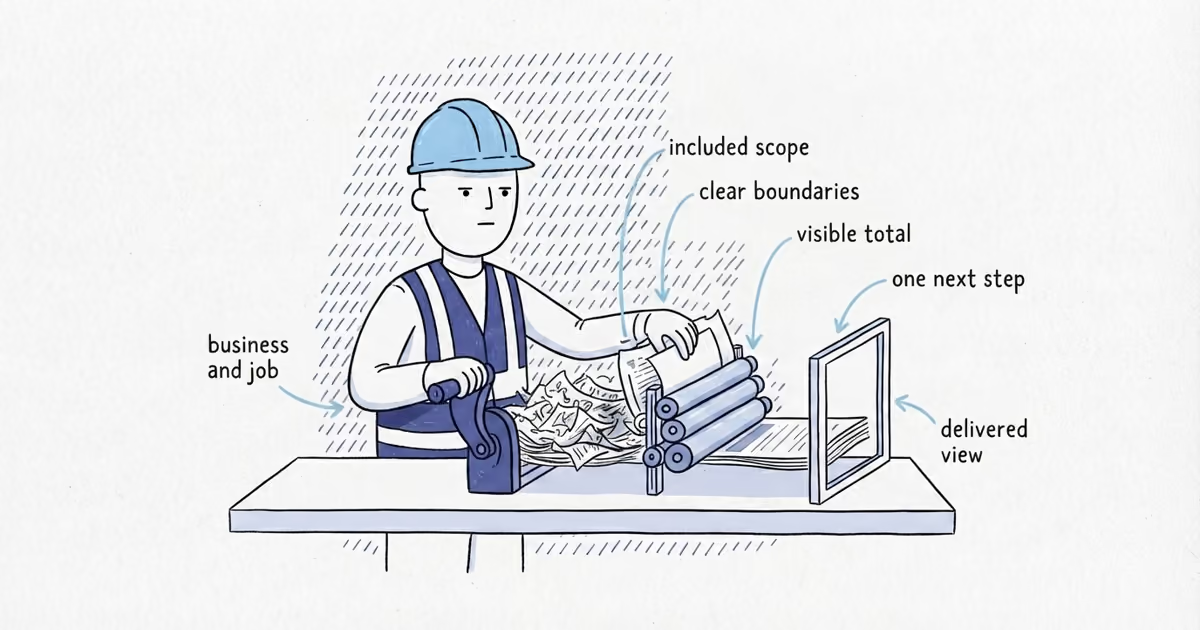
Clarity beats decoration. A professional contractor estimate lets the customer identify the business and job, understand the scope, boundaries, price, and payment timing, then accept without hunting through the document. A larger logo or more color will not fix a buried total or vague scope.
Use a Clear Contractor Estimate Format
Use the same order on every estimate:
- Business and job details: Show the exact business name, one working phone number, one monitored email address, and license or registration details where applicable. Add a small, readable logo if you have one. Keep the customer name, job address, estimate number, issue date, and a specific valid-through date in the same top block.
- Job summary: Describe the result in one sentence so the customer knows which work the document covers.
- Included scope: Group the work by phase, area, or task. Use descriptive headings instead of one long paragraph.
- Assumptions and customer responsibilities: State the access, selections, site conditions, or customer actions the estimate relies on.
- Exclusions: Name work that is outside the quoted scope in plain language.
- Price and options: Make the base total easy to find. Keep optional additions outside that total unless accepted.
- Payment timing and validity: Show when payments are due and how long the estimate remains current. Do not make the customer rebuild these details from scattered notes.
- Acceptance and next step: Provide one accept button or signature-and-date area, then state what your business will do after acceptance.
That order turns a bare line such as Bathroom remodel — $14,800 into a decision the customer can follow:
Job summary: Replace the stated bathroom finishes and fixtures within the existing layout.
Included scope: Demolition and protection; listed fixtures and finishes; installation; cleanup.
Exclusions: Hidden damage, layout changes, and work outside the listed bathroom.
Base total: $14,800. Optional work is listed separately.
Acceptance: Sign and date below. We will confirm the start window and next required step after acceptance.
This example changes the presentation, not the price calculation or full scope-writing process.
When the structure is clear and you want guided fields plus a customer-ready export, use the contractor estimate generator to organize scope, pricing, exclusions, payment details, and acceptance.
Make the Contractor Estimate Easy to Scan
Make each level look different for a reason. Use descriptive section headings, short paragraphs or rows, consistent labels, aligned amounts, and enough white space to separate decisions. One readable type family or a compatible pair is enough. Use one restrained accent color, then give the total stronger emphasis than the surrounding numbers.
Do not shrink assumptions, exclusions, or payment information into faint text. Do not mix options into the base total. The customer should be able to find the job, included work, exclusions, total, and acceptance action within a few seconds.
Add Relevant Proof to a Contractor Estimate
Add no more than one proof block, and only when it helps the customer judge this job. One review about the same service or one relevant before-and-after pair can be enough. Leave it out if it pushes the scope or total aside. Separate guidance should handle which reviews or photos to use, permission, captions, and exact placement.
Make Contractor Estimate Acceptance Clear
Use one path: an accept button or a signature and date area. Add a plain line such as: After acceptance, we will confirm current availability and the next required scheduling or payment step. A particular click, signature, or estimate does not have identical legal effect in every state or job.
Last verified: August 27, 2026 (United States).
The Federal Trade Commission says a written home-improvement estimate should describe the work, materials, completion date, and price, and notes that contract requirements vary by state. California’s Contractors State License Board shows how state-specific home-improvement contract, payment, notice, and license rules can be. This presentation checklist is not a legal-compliance checklist. Verify the state, local, trade, and job-specific requirements where you work, and do not treat an estimate and a contract as interchangeable.
Keep the Estimate and Invoice Consistent
When approved work becomes billable, carry the same exact business identity, contact details, project reference, visual hierarchy, and approved line descriptions into the invoice. Keep the invoice focused on completed or billable work and the balance due; do not redesign the business or rename the job between documents.
Use the Contractor Estimate Pre-Send Scorecard
Check the delivered attachment or customer link, not only the editor or spreadsheet. Each row must pass before you send.
| Check | Pass in five seconds | Fix before sending |
|---|---|---|
| 1. Business identity | The exact business name, working phone, monitored email, and applicable license details are visible. | Correct inconsistent details; reduce or remove an oversized logo. |
| 2. Customer and job | The customer, job address, estimate number, issue date, and valid-through date are together near the top. | Add the missing identifier or move the details into one block. |
| 3. Job summary | One sentence identifies the result and work area. | Replace a generic label such as “remodel” with a job-specific summary. |
| 4. Included scope | Grouped headings show what the base price covers. | Break up dense text and replace vague category names. |
| 5. Assumptions and exclusions | Both are visible, readable, and separate from included work. | Move them out of tiny text and state the boundary plainly. |
| 6. Price and options | The base total is prominent; optional additions are clearly outside it. | Align the amounts and separate options from the base total. |
| 7. Payment and validity | The customer can find payment timing and a specific valid-through date. | Put both near the price and remove conflicting dates. |
| 8. Proof | Any proof is relevant, compact, and secondary to the job decision. | Remove unrelated reviews, photos, or brochure material. |
| 9. Acceptance | One action shows how to accept and what happens next. | Add one button or signature area and one next-step sentence. |
| 10. Delivered file | On a phone, the identity, job, scope, total, and acceptance action are readable; the PDF has no clipped tables, awkward page breaks, missing characters, tiny terms, broken links, stale dates, or confusing filename. | Open the actual link and PDF, correct every rendering failure, rename the file clearly, and check again. |
Frequently Asked Questions
Do I need a branded contractor estimate template?
No. A reusable template helps preserve the business identity and reading order, but it does not need elaborate branding. A clean business-name treatment, consistent labels, and a readable total are enough.
Is a signed contractor estimate legally binding?
Not automatically in every situation. The effect can depend on the document, acceptance method, job, and applicable law. Keep the acceptance step clear, then verify state, local, trade, and job-specific requirements instead of treating every signed estimate as the same contract.
Sources
- pricing
- how-to-make-contractor-estimate-look-professional
- how-to-make-a-contractor-estimate-look-professional
- professional-contractor-estimate
- contractor-estimate-format
- branded-contractor-estimate-template
- contractor-estimate-checklist