What Should I Do When a Customer Says They Already Paid an Invoice?
Customer says an invoice is paid? Pause reminders, trace the payment across processor, bank, and invoice records, then confirm the correct balance in writing.
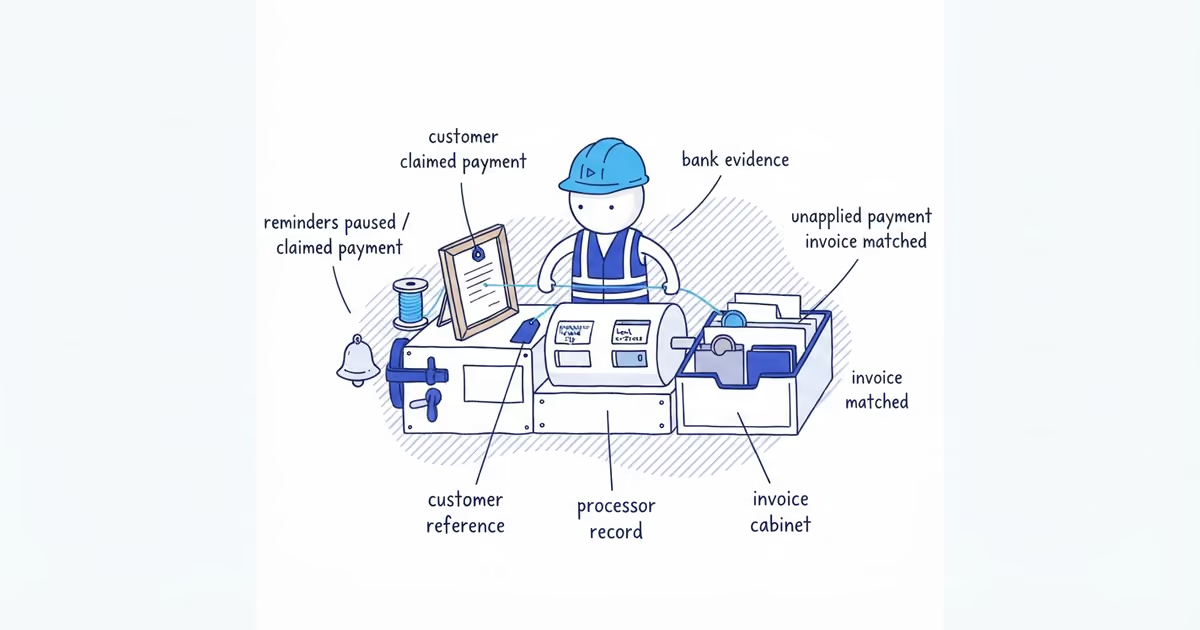
When a customer says an invoice is already paid, pause the reminders while you verify. Ask for payment details you can match, follow the money before changing the invoice, and confirm the outcome in writing.
Do not make the customer defend themselves while another automatic pay-now message lands. Thank them for flagging the mismatch and send this:
Thanks for flagging this. I’ve paused the automatic reminders while I trace the payment. Could you send the payment date, method, amount, payer or account name, and the receipt, check number, or transaction reference? I’ll check our payment and invoice records and confirm what I find by [day/time].
What Payment Details Should You Ask the Customer For?
Each detail narrows the search. The date gives you a window to check. The amount catches a full, partial, or combined payment. The method points you to the processor, bank account, check log, or payment service that should hold the record.
The payer name may not match the customer on the invoice. A spouse, property manager, parent company, or accounts-payable service may have sent the money. The reference connects their record to yours when the bank description is abbreviated or omits the invoice number.
A receipt or confirmation shows what the sender or processor recorded; it does not by itself prove that money reached the right account and invoice. Ask only for the relevant confirmation or a redacted image, never a login, full card or bank account number, or unredacted statement.
How to Trace an Invoice Payment
If the customer used a card processor, payment link, or point-of-sale system, check that transaction history first and allow for a posting date that differs from the date they paid. Search fields vary. Stripe documents amount, date, name, invoice or receipt number, status, and last-four searches; Square documents customer, receipt ID, and card last-four searches.
Then check the account where the payment should settle, using the amount, nearby dates, and possible payer names. For a check, distinguish the mailing date from whether it cleared and search by check number and amount.
Only after checking the processor and bank should you rely on the invoice status. QuickBooks documents both unapplied customer payments and payments assigned to the wrong customer or invoice. In either case, the cash may be present while the open balance remains unchanged.
Also check for a partial payment, one transfer covering several invoices, a duplicate invoice or payment, and money assigned to an older invoice. Those are account problems to correct, not reasons to repeat the reminder.
Invoice Payment Trace Example
Suppose invoice SF-1048 for $1,240 still shows as open. The customer says Oakview Property LLC sent a $1,240 ACH on August 19 and provides the trace number.
The bank record shows a $1,240 credit on August 20 from OAKVW PROP. In the bookkeeping record, that deposit is sitting unapplied because neither the abbreviated name nor the bank description included SF-1048. The amount and trace number match, and the money reached the expected account.
The owner applies the supported $1,240 to SF-1048, stops the reminders, and writes:
We found the $1,240 payment posted on August 20 under OAKVW PROP and have applied it to invoice SF-1048. The balance is now $0, the reminders are stopped, and the receipt is attached.
That one-day difference is part of this fictional trace, not a promise about ACH timing.
What to Do After Tracing the Invoice Payment
Whatever the outcome, close it in writing: what you found, how it was applied or corrected, the supported balance, whether reminders remain paused, and who owns the next action.
When the full payment is present, verify the receiving account, correct the allocation under your normal bookkeeping controls, and send a receipt naming the invoice and balance. Let the person responsible for the books handle changes to reconciled transactions or another customer’s account.
If you find only part, apply that supported amount and state the remaining balance. Confirm in writing how a combined payment should be split. Correct a wrong-invoice allocation instead of entering the payment twice.
For a duplicate, confirm whether the invoice, payment, or both were repeated. Do not spend or refund an apparent overpayment from a screenshot. Verify settled funds, then use the business’s normal credit or refund controls.
If the payment is pending, returned, missing, or tied to another receiving account, state what you checked and the dates covered. Ask for the processor receipt, check details, remittance advice, or ACH trace number. The sender may need their bank or provider to trace a missing ACH. Federal Reserve guidance describes that trace request as a process between participating financial institutions, not something the contractor files directly.
Keep reminders paused while a credible trace is active. If records still conflict or the customer disputes the balance, preserve the payment evidence, invoice history, and messages, then move the account out of routine automation. Reconciled bookkeeping changes need accounting review. Collection remedies and deadlines need qualified local review.
When no payment is found, include the records and dates checked and the evidence still needed.
Frequently Asked Questions
When can I resume invoice reminders after a customer claims payment?
Resume reminders only after you have checked the processor, receiving account, and invoice record, sent the customer your findings, and confirmed that no bank trace or balance dispute is still active. If the claim remains unresolved, keep the invoice out of automatic reminders and assign the next review date.
How should a partial customer payment appear on the invoice?
Show the original invoice total, the matched payment amount and date, and the remaining balance. Mark only the supported amount paid; do not close the full invoice while the rest is still open.
Should I create a new invoice if payment was applied to the wrong one?
Usually, no. Correct the payment allocation while preserving the existing invoice numbers and history; if either transaction is reconciled or affects another customer, have the person responsible for the books make the change.
Sources
- Perform searches in the Dashboard, Stripe Documentation.
- View and search transactions, Square Support Center.
- What’s unapplied cash payment in QuickBooks?, QuickBooks Help.
- Fix a payment applied to the wrong invoice in QuickBooks Online, QuickBooks Help.
- FedACH Payment Trace Request Case Type, Federal Reserve Financial Services.
- pricing
- what-to-do-when-customer-says-invoice-already-paid
- customer-says-invoice-paid-but-no-payment-received
- trace-invoice-payment
- unapplied-customer-payment
- payment-applied-to-wrong-invoice