
Free Time Clock Software — Clock In From Any Device
Your team clocks in with a single tap. Every punch is GPS-verified and flows straight into automated timesheets — ready for payroll with nothing to reconcile.


1,240+ teams using ShiftFlow
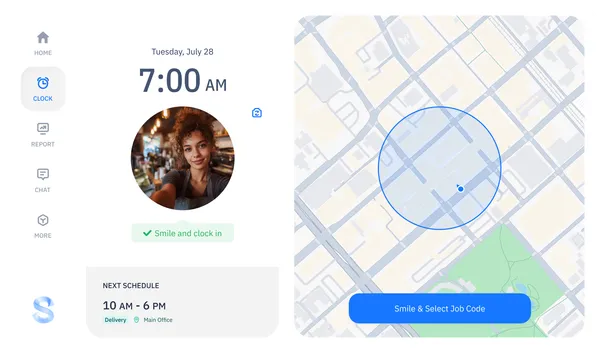
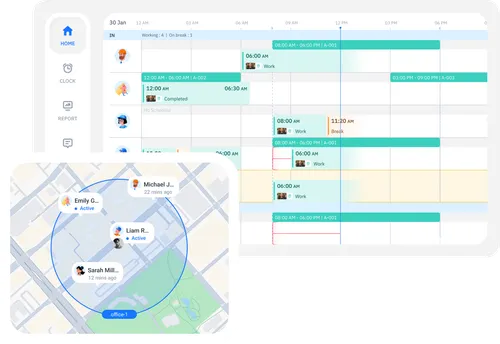
GPS-Verified Clock-Ins
Each clock-in is tied to a device and a GPS location. You can see who clocked in where, across every job site, in one view. Learn more about GPS tracking.
Automated Timesheets
Clock-ins and clock-outs build timesheets in real time. Hours, overtime, and breaks are calculated as your team works — not after.
Ready in Minutes
Create a workspace, invite your team, and they're clocking in the same day. Most teams are fully onboarded within a week.
Why Teams Choose ShiftFlow as Their Time Clock Software
ShiftFlow connects the full loop — clock-in to timesheet to payroll export — so there's no manual step in between. Every punch carries GPS data, timesheets update in real time, and payroll hours are ready to export when you need them.
Free 14-day trial with full access. No credit card required.
New to time clock software? Read how it works under the hood or learn how GPS and geofencing prevent buddy punching and timesheet padding.
How Free Time Clock Software Works
Four steps from sign-up to your first payroll export. No hardware, no setup fees.
Step 1
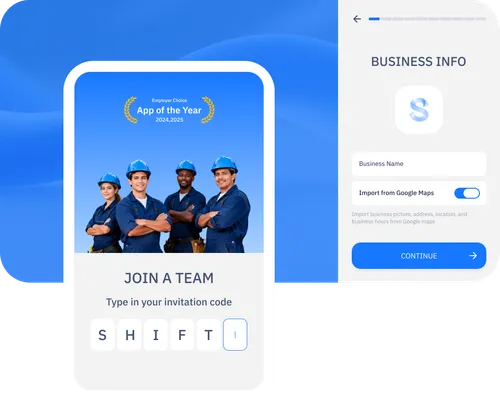
Create Your Workspace and Invite Your Team
Create a workspace, add your team members, and they'll get an invite to download the app. Most teams are clocking in the same day they sign up.
Step 2
Team Members Clock In With GPS Verification
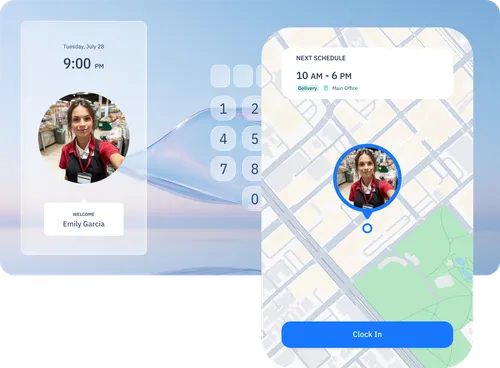
One tap to clock in. Each punch is stamped with GPS coordinates and the job site it's associated with, so you have a clear record of who was where and when.
Step 3
Timesheets Update in Real Time
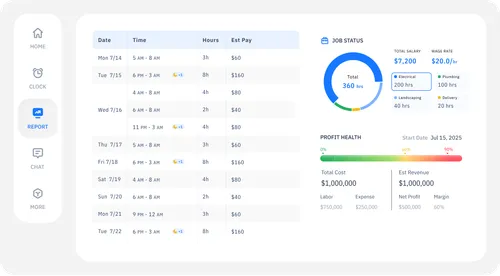
Every punch populates a timesheet automatically — regular hours, overtime, and breaks are calculated as they happen. Missed punches are flagged the same day.
Step 4
Review, Approve, and Export to Payroll
At the end of the pay period, review timesheets, approve them, and export as CSV. Overtime and break calculations are already done. Every edit is logged in an audit trail.
Teams Using ShiftFlow Time Clock Software
Real results from businesses that switched to ShiftFlow.
0
Buddy Punches Last Month
“We had a buddy-punching problem we couldn't prove. Once GPS verification went live, it just stopped. Nobody clocks in from the parking lot anymore.”
Rachel Moran
Payroll Manager, Summit Facility Services
~4 HRS
Saved on Payroll Each Week
“I used to spend half of Friday chasing down missing punches and fixing timesheets by hand. Now the clock data flows straight into payroll. Friday afternoons are mine again.”
James Hartley
Owner, Hartley Landscaping Group
2 DAYS
To Get Every Crew Clocking In
“I thought the older guys on our crew would push back. Nope. They downloaded the app at lunch and were clocking in by the next morning. Easiest rollout we've done.”
Priya Nair
Operations Director, ClearPath Electric
100%
Accurate Clock-In Records
“Before ShiftFlow we had no real proof of when people arrived on site. Now every punch has a timestamp and GPS pin. It's made billing clients so much simpler.”
Marcus Tyree
Project Manager, Iron Gate Construction
30 SEC
Average Clock-In Time
“Our cleaners move between three buildings a night. They open the app, tap clock in, and they're done. No paper sign-in sheets, no kiosk lines. It just works.”
Angela Russo
Area Supervisor, PureCare Commercial Cleaning
Free Time Clock Software FAQ
Common questions about ShiftFlow's time clock software for employees.
Can I use my phone as a time clock?
How does ShiftFlow prevent buddy punching?
Does the time clock software work without internet?
What if my team works at multiple job sites?
Is the time clock software really free?
Try Free Time Clock Software Today
14-day free trial. Full access. No credit card required. Explore all time clock features.