







Create an account
Sign up, add your company details, and list the jobs you want to track. Your account is ready in minutes.
Online time clock software with GPS tracking, geofencing, and automated timesheets. Built for businesses that need a simple way to clock in and clock out.
98% less
manual data entry work
89% fewer
errors in timesheet reporting
47% less
time spent on administrative tasks
ONLINE TIME CLOCK SOFTWARE
ShiftFlow is online time clock software that lets your team clock in and clock out from any job site. It works on the devices they already have, so there is no hardware to buy, set up, or maintain.
Every clock-in is GPS-verified and timestamped, giving managers real-time visibility into employee attendance across shifts, locations, and job sites.
START MY 14-DAY FREE TRIAL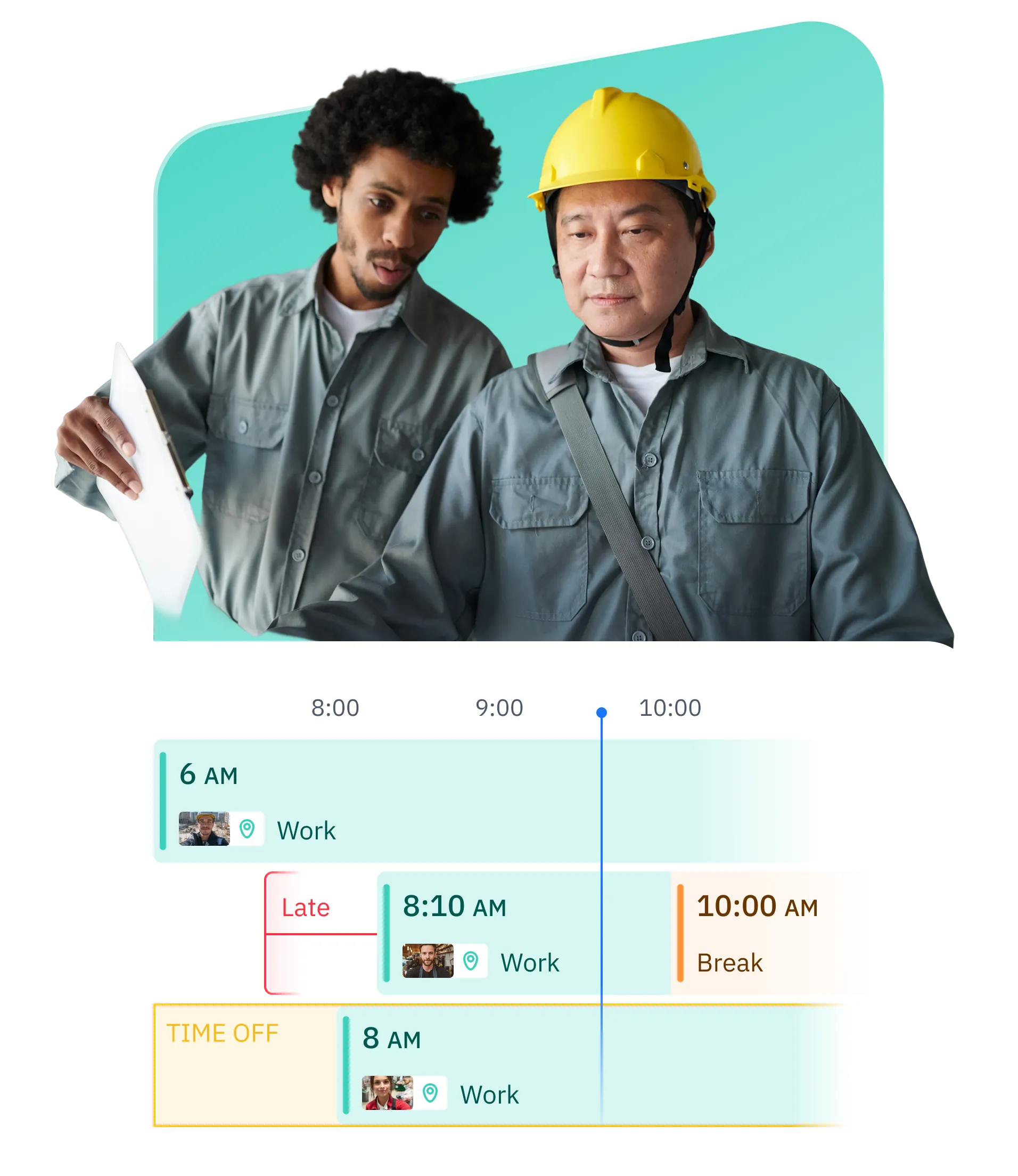
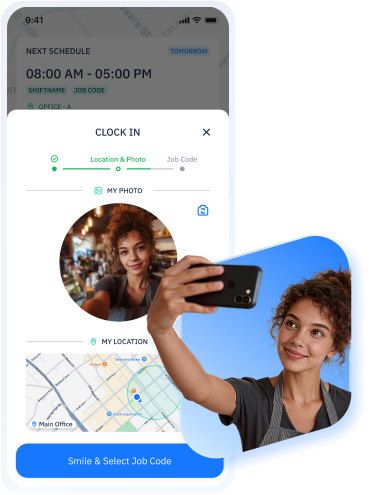
Team members clock in and clock out with a single tap on their phone. The online time clock records every punch automatically, so attendance is always accurate without paper timesheets or manual entry.
Each clock-in includes a GPS location so managers can see where team members started their shift. The GPS time clock only captures location at the moment of the punch, keeping things simple and respectful.
Set up geofenced boundaries around your job sites, offices, or warehouses. ShiftFlow confirms that clock-ins happen within the designated area, giving your team clear expectations across locations.
See who is clocked in, who is on break, and who is on their way. A live employee attendance dashboard keeps managers informed and helps teams coordinate throughout the day.
Clock-in and clock-out records flow directly into automated timesheets. Hours, overtime, and breaks are calculated for you, reducing payroll prep and keeping records clean for every pay period.
Whether your business has one location or your team works across multiple job sites, every clock-in syncs to a single dashboard. Manage your entire operation from one place.
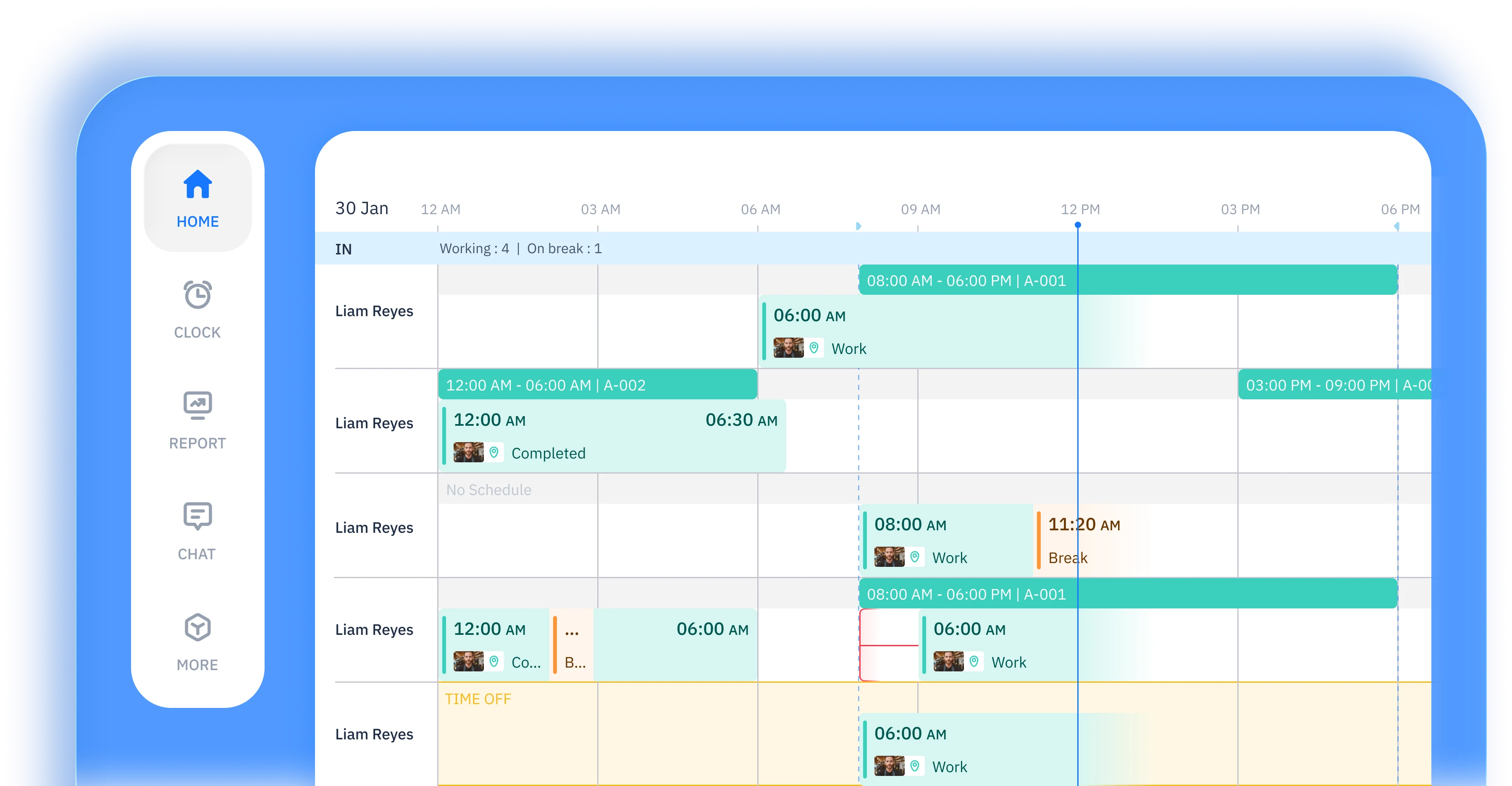
Team members clock in and clock out from their own phone, wherever they are working. The mobile time clock software syncs every punch to the dashboard in real time, so managers always have an up-to-date view of attendance.
Set up geofenced boundaries around each job site, warehouse, or office. GPS tracking confirms that clock-ins happen within the right area, helping your team stay organized across multiple locations.
Clock-in data flows directly into timesheets and connects with your payroll workflow. Hours, overtime, and breaks are calculated automatically, so payroll runs are faster and more accurate.
Team members can clock in and out for breaks and meal periods separately. Paid and unpaid breaks are tracked clearly, and overtime thresholds are flagged automatically to help you stay compliant.
Turn any tablet or shared device into a time clock kiosk for your team. Kiosk mode lets multiple team members clock in from the same device at a central location like a job site entrance or front desk.
Every clock-in is logged with a timestamp, GPS location, and device details. Built-in attendance reports make it easy to review hours, spot trends, and export data for payroll or compliance.
just works
Online time clock software with GPS tracking, geofencing,
and automated timesheets for your entire team
 START FOR FREE
Construction companies, cleaning services, restaurants, healthcare teams, and field service businesses use ShiftFlow as their employee time clock software. Hourly workers, remote teams, and contractors clock in and clock out from their phone across job sites, offices, and multiple locations.

Clock in and out with one tap
Manually add or adjust time
Automatically track break time
Track hours by shift
Require clock-ins at specific locations
Review recorded work hours
Edit and correct time entries
Generate employee timesheets
Automatically clock out at shift end


Employer Choice
App of the Year
for 2025

Liam Reyes
Project Manager
ShiftFlow is the first time management tool we've used, and so far we love it! The best management tool!
Joe Chapman
Operations Director
ShiftFlow keeps our foremen and project managers aligned. We finally see who is on-site, who wrapped early, and how much each phase truly costs.
Emily Garcia
Site Supervisor
We tried various time tracking apps, but nothing is as easy as ShiftFlow. Very suitable for our team!!
SETUP IS EASY IN MINUTES
Sign up, add your company details, and list the jobs you want to track. Your account is ready in minutes.
Share the invite code from "More → Team Members". Team members follow guided instructions to download the app and join the right projects.

Once they join, team members tap "Clock In" on arrival. You get real-time visibility into every site and shift.
Sign up now to start a 14-day free trial and get your full crew on board

Learn how time clock software works, compare your options, and find the right fit for your team.
How time clock software works under the hood — from clock-in to payroll export, with a breakdown of types and features.
The hidden costs of manual tracking and the ROI case for switching to automated time clock software.
Side-by-side comparison of traditional punch clocks and online time clock software, with a step-by-step migration guide.
GPS-verified time clock apps compared for construction, cleaning, HVAC, and landscaping crews.
Side-by-side comparison of GPS, geofencing, pricing, and payroll export across the top time clock tools for small business.
What time theft costs, why it happens, and six prevention strategies from GPS verification to automated timesheets.
FAQ
Explore how-to articles and walkthrough designed to keep your team moving
They open the ShiftFlow app on their phone and tap one button. The clock-in is recorded with a timestamp and GPS location, and it shows up on your dashboard immediately. No PINs, no badges, no extra steps.
ShiftFlow captures GPS coordinates the moment someone clocks in or out. You can see each punch on a map in the dashboard, so you know your team was at the right job site without having to be there yourself.
Yes. Set up a geofence around any job site, office, or warehouse. If someone tries to clock in outside that area, the punch is either blocked or flagged for your review. You control the radius for each location.

ShiftFlow flags missed clock-outs the same day. You or a manager can add a manual entry with a note, and the edit is logged in the audit trail so there is a clear record of what was changed and why.
Automatically. Every clock-in and clock-out populates a timesheet in real time. Hours, overtime, and breaks are calculated for you. At the end of the pay period, you review, approve, and export.
Yes. Kiosk mode turns any tablet or shared device into a clock-in station. Place it at a job site entrance, front desk, or break room and multiple team members can clock in from the same device.
Yes. Team members clock in and out for breaks separately, and paid and unpaid breaks are tracked clearly. Overtime thresholds are flagged automatically based on your rules, so you can adjust schedules before costs add up.
At the end of each pay period, approve the timesheets and export as CSV. Hours, overtime, and break calculations are already done. Every edit and approval is logged, so your payroll team gets clean, audit-ready data.