11 Best Time Clock Software for Small Business (2026)
Compare the 11 best time clock software options for 2026. We cover GPS tracking, geofencing, payroll integration, free plans, and which tool fits your team size and industry.

It is Monday morning and you are staring at a spreadsheet, trying to figure out whether Marcus clocked in at 7:00 or 7:15 last Thursday. Your payroll is due tomorrow. You have three missed punches to chase down, and one team member swears he worked a shift that nobody can verify.
We have been there. That is why we spent the past month testing and comparing 11 time clock tools — signing up for free trials, clocking in and out on our own phones, poking at admin dashboards, and exporting timesheets to see what actually lands in a usable format. Full disclosure: ShiftFlow is our product, and it is on this list. We will be upfront about what it does well and where it falls short compared to everything else we tested.
Here is what we found.
Short on time? Here is the cheat sheet.
| Your situation | We recommend | Why |
|---|---|---|
| You need scheduling + time clock + team chat in one place | ShiftFlow | Connects all three without the bloat |
| You want verified clock-ins without paying for them | Jibble | Free forever, with face recognition, GPS, and geofencing included |
| You want automatic, hands-off tracking for a desk team | DeskTime | Background tracking with productivity reports |
| You want an affordable all-in-one time clock for a small team | Buddy Punch | Simple clock-in with GPS, PTO, and payroll integrations |
| You run one location with hourly staff | Homebase | Free scheduling, time clock, and GPS snapshots |
| You already pay for QuickBooks Payroll | QuickBooks Time | Hours sync straight into QB — no CSV dance |
| You need operations tools beyond just a time clock | Connecteam | Time clock plus tasks, training, forms, and comms |
| Scheduling is the headache, time clock is secondary | When I Work | Best scheduler that also tracks time |
| You just want something that works in 30 minutes | OnTheClock | Fastest setup we have seen |
| You want free and do not care about polish | Time Clock Wizard | Free clock-in, no strings |
| You need visibility into remote or field work | Hubstaff | GPS field tracking, activity monitoring, screenshots |
If one of those fits, grab the free trial and skip the rest. If you want the full picture, keep reading.
How we picked these tools
We started with a list of 25+ time clock apps, filtered for tools that are actively maintained in 2026, and narrowed it down to 11 based on three questions: Does it actually work on a phone in the field? Can you get from sign-up to first clock-in in under an hour? And does it export something your payroll provider can use?
We signed up for every free trial, tested the mobile apps, set up geofences, ran payroll exports, and compared pricing at real team sizes (5, 15, and 50 users). Pricing listed below reflects what we found on each company’s website as of February 2026.
The 11 best time clock software for 2026
1. ShiftFlow — best for teams that need scheduling and time clock in one place
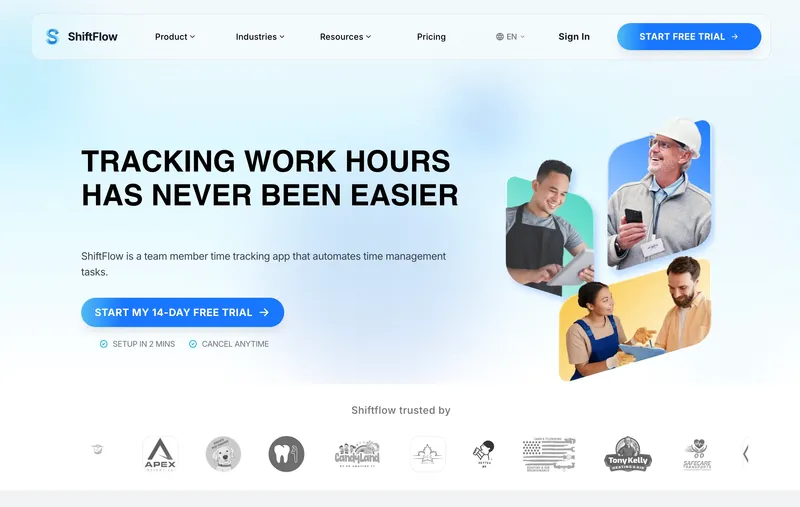
This is our product, so take everything here with that context. We are including it because we genuinely think it solves a problem the other tools on this list do not — but we will also tell you where it falls short.
The core idea behind ShiftFlow’s time clock is that your schedule and your clock should be the same thing. When someone clocks in, you immediately see whether they are on time, early, or late relative to their assigned shift. No waiting until Friday to discover that Monday’s no-show went unnoticed.
GPS verification grabs coordinates at clock-in and checks them against geofences you set per job site. Timesheets build themselves from punch data. Overtime and breaks are calculated automatically.
The mobile experience is fast — team members describe it as “one tap and done.” Offline mode works, which matters if your crews are on construction sites or in basements with spotty signal. Punches sync when connectivity returns.
Where it falls short: Reporting is still catching up to more established platforms. If you need detailed project-level billing or activity monitoring, those are not part of the product today. We are a young product and we know it — but the core (scheduling, clock-in, timesheets) is solid.
Pricing: $5.99/seat/month or $60.00/seat/year. 14-day free trial.
2. Jibble — best free time clock for teams of all sizes that need verified clock-ins

Jibble is free forever for unlimited users, and that includes the anti-fraud tools most time clocks make you pay for. Face recognition with spoofing prevention checks that the person clocking in is the person on the timesheet, not a colleague clocking in on their behalf. Every mobile punch comes with a GPS stamp, geofences mean clock-ins only work on site, and live location shows where the crew is right now. Patchy signal is not a problem either, since entries save on the device and sync as soon as it comes back. Most time clocks record a punch. Jibble proves it.
Our favorite part is how many ways there are to clock in. Jibble runs on every platform, and a tablet by the door doubles as a shared kiosk with NFC, RFID, QR codes, PIN entry, or a face scan. Crews tap, scan, or show a face and they are in.
The admin side mostly looks after itself. Timesheets build from the punches and land with a manager to approve before payroll, overtime and breaks work themselves out from the rules each team is given, and every edit is logged with who made it, which is exactly what you want when someone questions a shift. Time off lives in the same place, and timesheets export to QuickBooks, Xero, and Deel.
Project tracking is better than we expected. Hours can be tagged to projects and activities as they are tracked, so the same punch that proves attendance also shows where the day went, handy for job costing or billing a client. What surprised us most is that there is no user cap at all: Jibble is free whether it is five people or thousands across sites.
If the free plan is only one part of the decision, our Jibble alternatives for small hourly teams comparison covers scheduling, location controls, offline use, and pricing tradeoffs.
Pricing: Free forever for unlimited users.
3. DeskTime — best for automatic activity and productivity tracking

DeskTime takes a different approach from the punch clocks on this list. Instead of asking people to tap in and out, it runs in the background on their computer, starts and stops with the workday, and automatically logs time across apps, websites, and projects — then sorts that activity into productive, unproductive, and neutral so you can see where the day actually went. It is the tool you reach for when the question is “what is the team spending time on,” rather than “who is on site right now.” The thing reviewers consistently praise is how little effort it takes once it is running — you set it up, and the timesheets and productivity reports build themselves.
It is built for desk-based work — agencies, IT teams, consultancies, and remote or hybrid teams — and runs on Windows, macOS, Linux, and mobile. Alongside the automatic tracking you get app and URL reporting, project time, idle and break detection, optional screenshots, and a Private Time toggle that lets team members pause monitoring for anything personal. Premium adds shift scheduling and third-party integrations like Jira, Asana, and Zapier, so it can double as a light workforce-management hub for a computer-based team.
Worth knowing: There is no GPS or geofencing — DeskTime tells office from remote by IP address, not location — so it is not the tool for confirming a crew showed up at a job site. The productivity categories also work best with a little tuning up front: plan to reassign a few apps or sites so the scoring matches how your team actually works.
Pricing: 14-day free trial, then Pro at $7/user/month ($6.42 billed annually). Premium $10/user/month ($9.17 annual) adds screenshots, scheduling, and integrations. Enterprise is custom pricing for 200+ users.
4. Buddy Punch — best affordable time clock for small teams
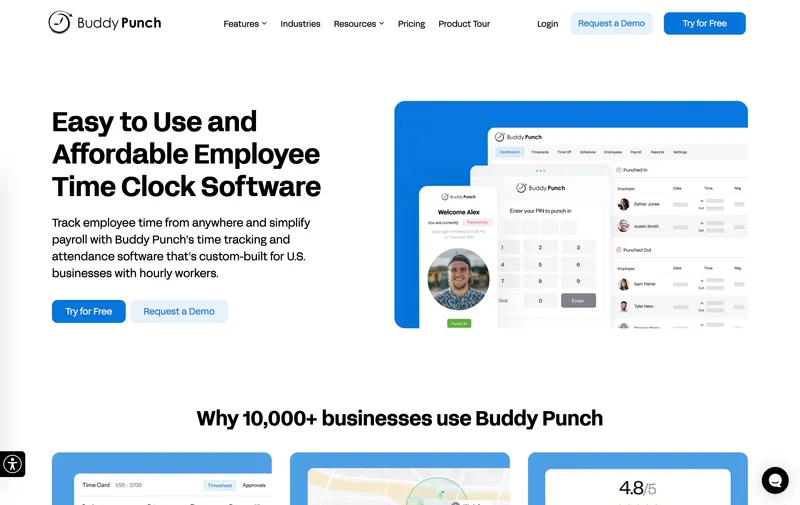
Despite the name, Buddy Punch is not just an anti-fraud tool — it is a full-featured time clock that competes directly with Homebase, OnTheClock, and QuickBooks Time. The Starter plan ($4.49/user/month) includes GPS at every punch, PTO tracking, overtime calculations, job costing, and integrations with QuickBooks, ADP, Gusto, and Paychex. For a small team that wants a solid, affordable time clock, the Starter plan covers the basics well.
Where Buddy Punch earns its name is on the Pro plan ($5.99/user/month on annual billing), which adds webcam selfie photos at clock-in, geofencing, and drag-and-drop scheduling. The selfie feature is a deterrent — managers review the photos during timesheet approval rather than automated facial recognition matching. If buddy punching is a real issue on your team (it costs U.S. businesses an estimated $373 million annually), the Pro tier gives you verification tools that most competitors do not offer. You can also lock clock-ins to specific IP addresses on any plan.
Worth knowing: The anti-theft features are opt-in upgrades, not something you pay for on the base plan. The Starter tier stands on its own as a straightforward time clock.
Pricing: Starter: $4.49/user/month (annual) + $19 base. Pro: $5.99/user/month (annual) + $19 base. 14-day free trial.
5. Homebase — best free plan for a single location
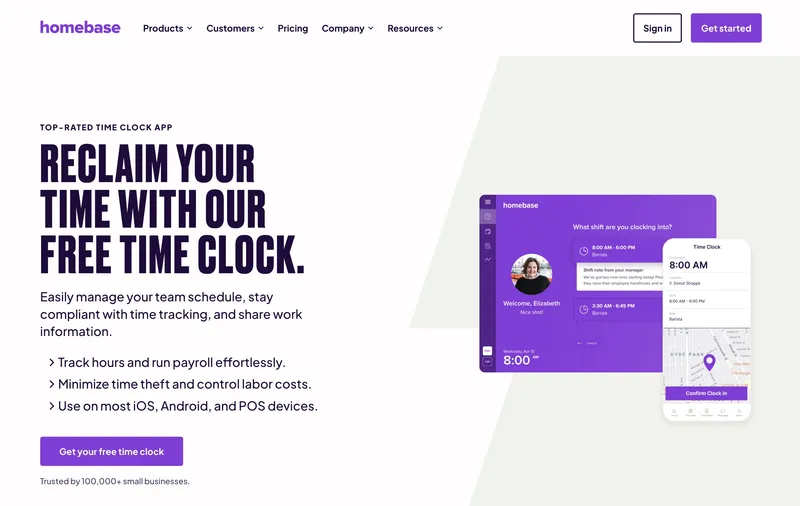
Homebase calls itself “the everything app for hourly teams,” and the free plan backs that up. You get basic scheduling and a time clock with GPS snapshots at clock-in for up to 10 team members at one location — no trial, no expiration. They serve restaurants, retail, beauty salons, medical offices, home repair, cleaning crews, and more. If you have one location with hourly staff, the free tier is hard to argue with regardless of your industry.
We were surprised to find that Homebase actually does have geofencing — something several competitor blogs (including earlier versions of ours) get wrong. You can set a radius around your location and restrict clock-ins to that area. GPS captures your team’s location at punch but does not track them continuously during shifts, which feels like the right balance for most small businesses. Paid plans support multiple locations, so you are not locked into one site forever.
What costs extra: Team messaging requires the Essentials plan ($24/month). Hiring tools require Plus ($56/month). Tip pooling is a $25/location/month add-on. Labor law compliance alerts are only on the All-in-One plan ($96/month). The free tier is genuinely useful, but the nickel-and-diming starts once you outgrow it.
Pricing: Free for 1 location (10 team members). Paid from $24/location/month (annual).
6. QuickBooks Time — best if you are already paying for QuickBooks
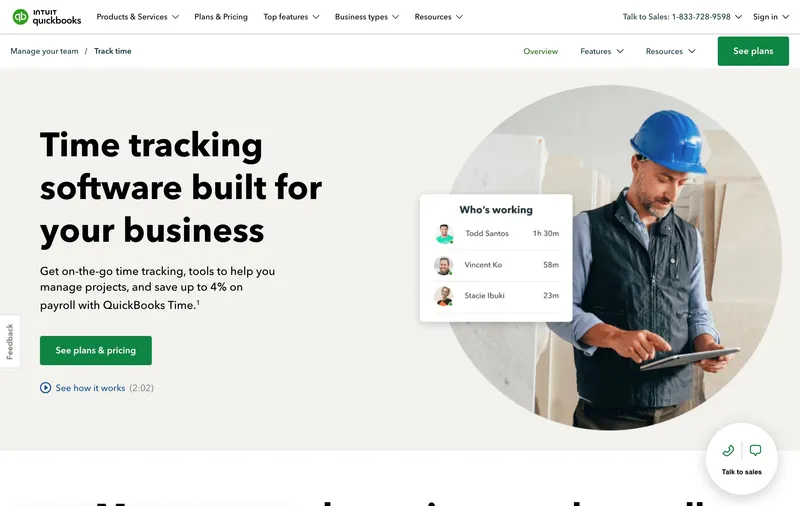
The strongest reason to choose QuickBooks Time is the native sync with QuickBooks Payroll. Hours flow directly into QB Payroll — no export, no CSV, no copy-paste dance between systems. If you already pay for QuickBooks Payroll Premium or Elite, QuickBooks Time is included at no extra cost, which makes it an obvious choice.
It does integrate with non-QuickBooks payroll providers too — ADP, Gusto, Paychex, and Square Payroll are all supported. The time tracking features are solid on their own: GPS on both plans, a polished mobile app, and strong reporting. But the pricing ($20 base + $8/user on Premium) is on the higher end, and it requires an active QuickBooks Online subscription to function. If you are not already in the QuickBooks ecosystem, the total cost of ownership adds up fast compared to standalone alternatives.
Geofencing is locked behind the Elite tier at $40/month base + $10/user. That is a steep upsell for a feature that comes standard in tools like ShiftFlow and OnTheClock.
Pricing: Premium: $20/month base + $8/user/month. Elite: $40/month base + $10/user/month. Included free with QB Payroll Premium/Elite. 30-day free trial.
7. Connecteam — best for deskless teams that need more than a time clock
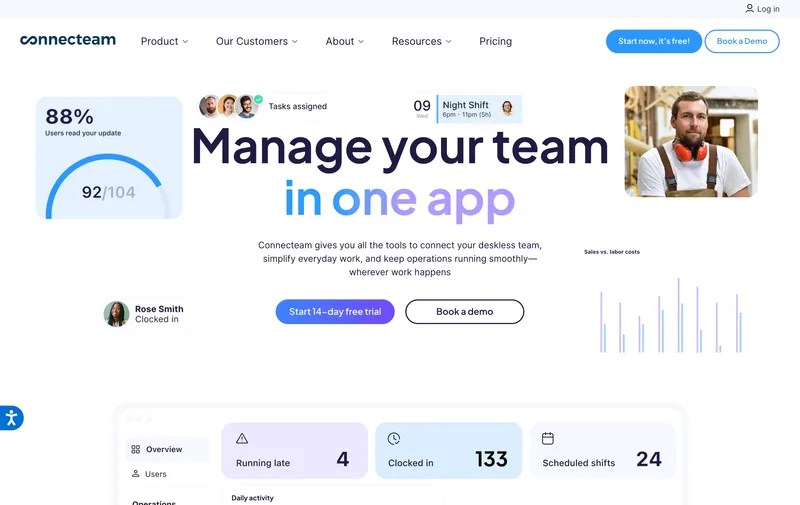
Connecteam is a fully featured time clock — GPS tracking, geofencing, kiosk mode, seven different overtime calculation methods — but it is also much more than that. Task assignments, safety checklists, training modules, digital forms, and team announcements are all built in. They call themselves “the world’s #1 employee management app,” and the feature list backs that up.
The free plan is surprisingly generous: up to 10 users get full access to every feature across all three product hubs. For a small deskless team — a cleaning crew, a security company, a small contractor — that free plan is a legitimate option, not just a teaser. Connecteam won G2’s Small Business Leader award in 2025, so they are clearly not just for large operations.
Where Connecteam really shines is when you need the whole package. If your 50-person field operation is juggling separate tools for scheduling, clock-in, task management, and team communication, Connecteam consolidates all of it. If you only need a time clock and nothing else, simpler tools like OnTheClock or Buddy Punch will feel less overwhelming.
The pricing gotcha: That $29/month figure you see everywhere? That is per hub, not for the whole platform. Connecteam separates features into three hubs — Operations, Communications, and HR & Skills — each priced individually. A business wanting all three on the Basic plan is looking at $87/month, not $29. The free plan (up to 10 users) does include everything, though.
Pricing: Free for up to 10 users (full features). Paid from $29/month per hub for up to 30 users.
8. When I Work — best when scheduling is the real problem
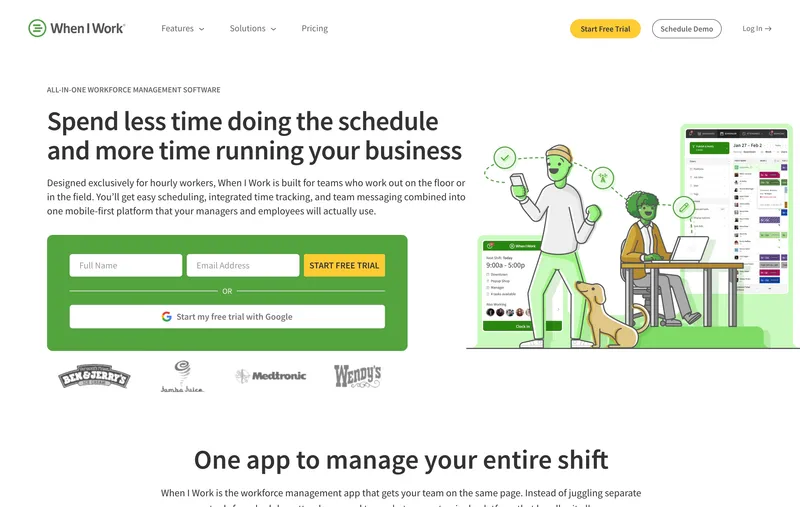
If building the weekly schedule is the part of your job that makes you want to quit, When I Work is built for you. It is a scheduling tool first, time clock second. Team members see their schedule in the app and clock in from it — the side-by-side view of scheduled vs. actual hours is genuinely useful for spotting attendance patterns over time.
Shift swaps, open shifts, and availability management are all strong. We found the scheduling experience noticeably better than dedicated time clock tools that bolt on scheduling as an afterthought.
Their current plans bundle scheduling, time and attendance, and team messaging together starting at $2.50/user/month. Geofencing is included. GPS captures location at clock-in and clock-out but does not track live during shifts.
Pricing: From $2.50/user/month (single location) or $5/user/month (multi-location). 14-day free trial, no free plan.
9. OnTheClock — best for getting set up fast
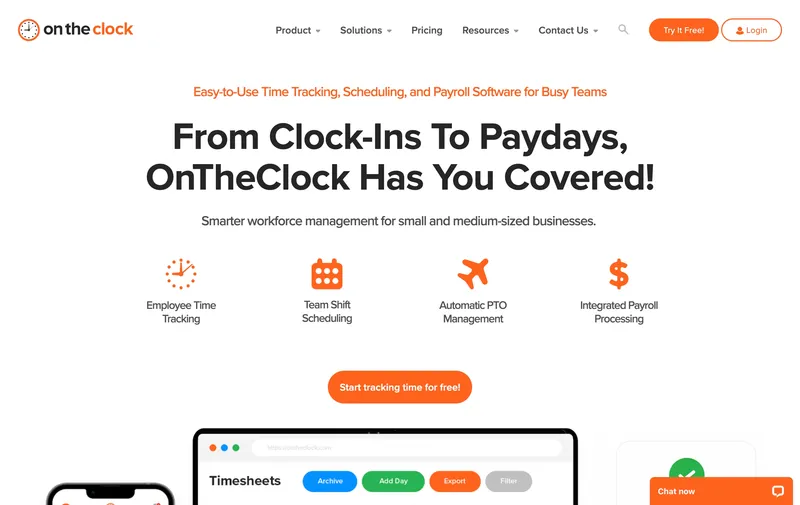
OnTheClock calls itself an “all-in-one” time tracking, scheduling, and payroll solution — and it actually delivers more than you would expect at $4/user/month. GPS with breadcrumb trails, geofencing, PTO management, shift scheduling, job costing, team messaging, and integrations with QuickBooks, Gusto, ADP, and Square are all included on the base plan.
We went from sign-up to first clock-in in under 20 minutes. The interface is straightforward and the learning curve is low, which is the real differentiator here. The feature set is comparable to tools that charge twice as much, but the experience feels simpler because the UI does not try to impress you with dashboards and modules — it just works.
Worth knowing: OnTheClock does offer optional add-ons for payroll processing ($6/user/month + $40 base), text messaging ($2/month + $0.01/message), and fingerprint readers ($0.50/user/month). The base plan is comprehensive, but it is not literally “one plan, one price” — there are extras if you need them. They also have a free tier for teams of 2 or fewer.
Pricing: $4/user/month + $5/month base fee. Free for 1–2 employees. 30-day free trial.
10. Time Clock Wizard — best for truly zero budget
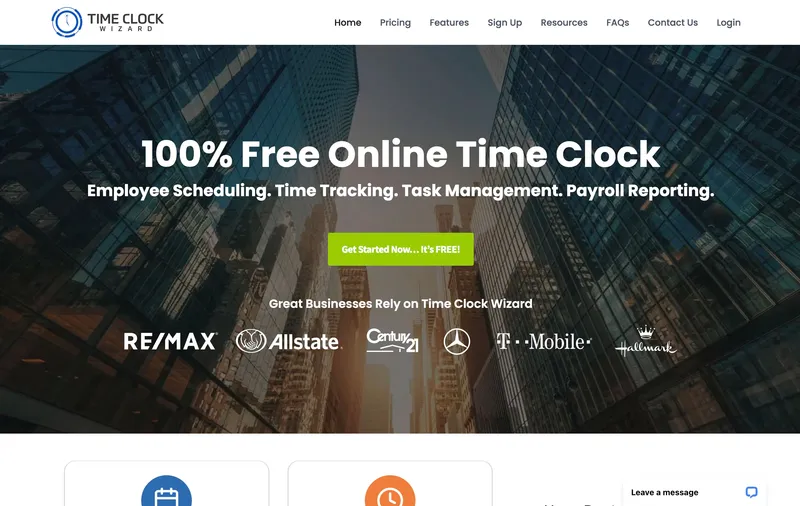
Time Clock Wizard offers a free plan with unlimited users and basic time tracking. That is enough to replace a paper timesheet, and for some businesses, that is all they need.
The interface looks like it has not been updated since 2018. They do have mobile apps for Android and iOS, but the experience is not as polished as Homebase or OnTheClock. The free plan is also more limited than it first appears — scheduling, PTO accruals, and reporting all require paid plans. No GPS on the free tier either.
When it makes sense: You have a tiny budget, your team just needs to clock in and out, and you can live without the polish. If you find yourself wanting more features within a month, consider upgrading to Homebase or Connecteam — both have stronger free tiers.
Pricing: Free basic plan. Paid from $29.95/month (annual).
11. Hubstaff — best for teams that need deep visibility into remote or field work
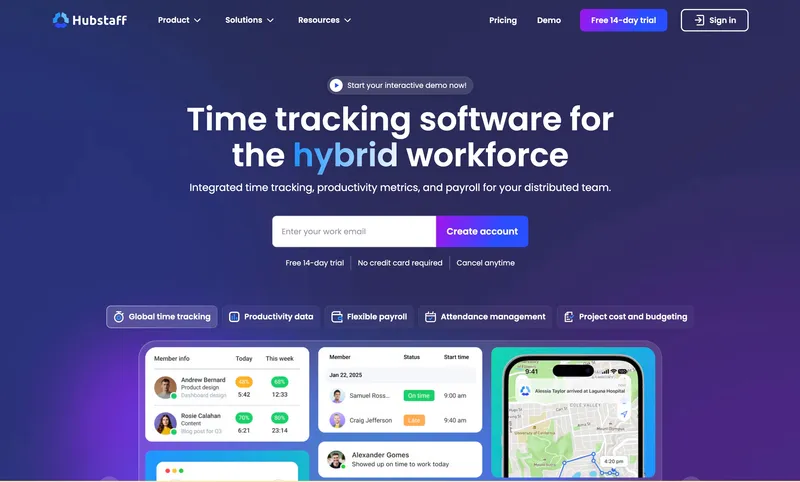
Hubstaff goes deeper than any other tool on this list — and it serves two very different audiences. For remote and desk-based teams, it offers optional screenshots, app and URL monitoring, and activity levels that show managers how work is actually getting done. For field teams, Hubstaff has a dedicated product (Hubstaff Field) with GPS tracking, geofenced job sites that auto-clock crews in and out, work orders, and fleet tracking. They serve construction, cleaning, landscaping, and manufacturing alongside remote knowledge workers.
Fair warning on the monitoring side: the screenshot and activity tracking features are polarizing. Some teams find the transparency valuable. Others find it invasive. Know your team’s culture before you commit. The field features (GPS, geofencing, job scheduling) are less controversial and genuinely useful for on-site operations.
Route tracking is a paid add-on ($3.33/seat/month) on Team and Enterprise plans. Automatic payroll is available starting at the Team tier ($10/seat/month). One detail we missed at first: integrations with tools like Asana, Jira, and Trello require the Grow plan or higher — the Starter plan has zero integrations.
Hubstaff also has a free plan for a single user, which is handy for freelancers but not useful for teams.
Pricing: Free plan (1 user). Paid from $4.99/seat/month (annual, 2-seat minimum). 14-day free trial.
Side-by-side comparison
| Software | GPS | Geofencing | Free Plan | Mobile App | Payroll Export | Pricing |
|---|---|---|---|---|---|---|
| ShiftFlow | Yes | Yes | 14-day trial | Yes | Yes | $5.99/seat/mo or $60/yr |
| Jibble | Yes | Yes | Yes (unlimited) | Yes | Yes | Free |
| DeskTime | No | No | 14-day trial | Yes | Integrations | From $7/user |
| Buddy Punch | Yes | Pro+ only | Trial only | Yes | Yes | From $4.49/user + $19 base |
| Homebase | Snapshots | Yes | Yes | Yes | Yes | Free / $24/location |
| QuickBooks Time | Yes | Elite only | Trial only | Yes | Native QB sync | $8/user + $20 base |
| Connecteam | Yes | Yes | Yes (10 users) | Yes | Yes | Free / $29/mo per hub |
| When I Work | At punch | Yes | Trial only | Yes | Yes | From $2.50/user |
| OnTheClock | Yes | Yes | Yes (1–2 users) | Yes | Yes | $4/user + $5 base |
| Time Clock Wizard | Paid only | No | Yes | Yes | Yes | Free / $29.95/mo |
| Hubstaff | Yes | Add-on | Yes (1 user) | Yes | Team+ only | Free / $4.99/seat |
Frequently asked questions
What is the best free time clock software?
Depends on what you need. Jibble is free for unlimited users and still includes face recognition, GPS, and geofencing, which is unusual at that price. Homebase gives you scheduling, a time clock, and GPS snapshots — all free for one location with hourly staff. Time Clock Wizard is also free with unlimited users, but the features are bare-bones. If verified clock-ins are the point, start with Jibble. If you want scheduling bundled in, start with Homebase.
Do I need GPS on my time clock?
If your team works at job sites, client locations, or travels between stops — yes. GPS verifies that clock-ins happen where they should, which prevents time theft and gives you documentation for client billing or compliance. If everyone works from the same office, you can skip GPS and use geofencing instead.
What is the difference between time clock software and time tracking software?
Time clock software is a digital punch clock — clock in, clock out, done. Time tracking software is broader and usually includes project-level tracking, billable hours, and productivity metrics. If you manage hourly workers and just need attendance and payroll, go with a time clock. If you bill clients by the hour, you want time tracking.
Can time clock software replace a physical punch clock?
Yes. Every tool on this list replaces wall-mounted clocks, paper punch cards, and shared kiosks. Team members clock in from their phone, a tablet, or a computer. Digital records are easier to audit, harder to fake, and export directly to payroll. For a device-first comparison of identity methods and offline behavior, see our guide to time clock Kiosk apps for small businesses.
Is time clock software worth it for small teams?
Even a 5-person team saves 1–3 hours per week on timesheet collection and payroll prep. Several tools on this list are free. The paid ones typically cost less than one hour of a manager’s time per month — so the math works out fast.
Every tool on this list works. The right one depends on your team size, your industry, and which problem is actually keeping you up at night. Grab a free trial, test it with your team for two weeks, and see if it sticks.
For a technical explainer of how these tools work under the hood, read what is time clock software. Switching from a wall-mounted punch clock? Our online time clock vs punch clock guide walks through the migration step by step. Field teams that need the planned shift, job site, and verified punch in one record should compare GPS time tracking apps with scheduling.
If time theft is the specific problem you are trying to solve, read our prevention guide next. And if you want employee scheduling and time tracking software with team communication in one platform, try ShiftFlow free.
Sources
- time-clock-software
- time-tracking
- employee-time-clock
- gps-time-tracking
- geofencing
- payroll-integration
- mobile-time-clock
- best-time-clock