How Should a Customer Accept a Contractor Proposal?
Learn how a customer should accept a contractor proposal by recording the exact version, selected scope, signer, evidence, conditions, and next job trigger.
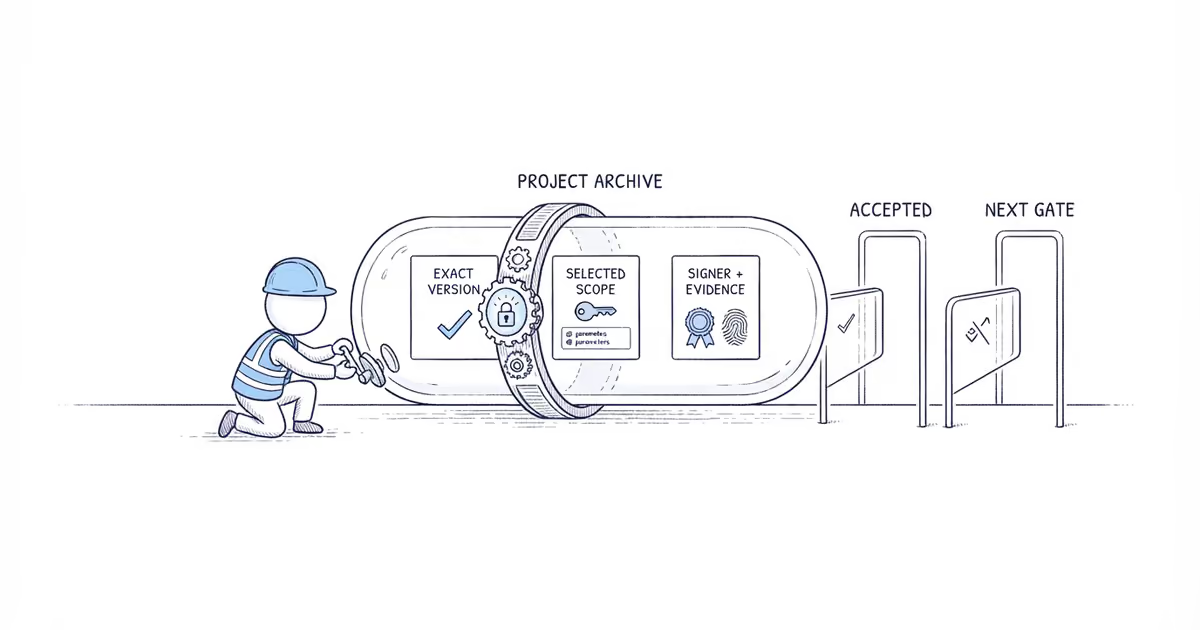
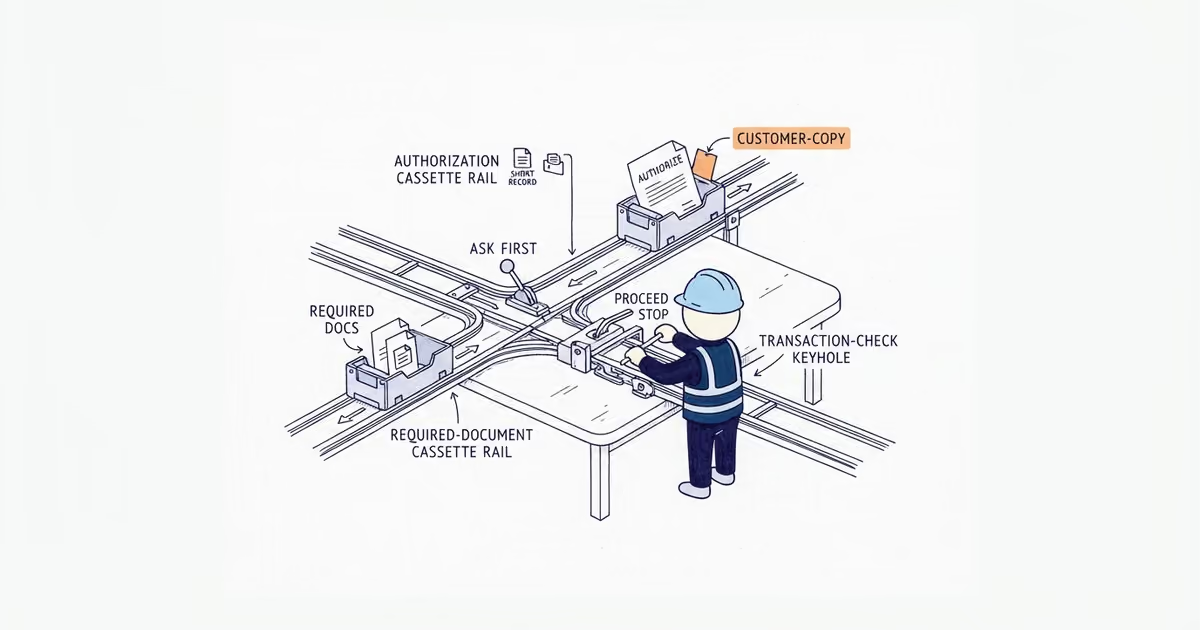
The customer should accept one identified proposal version, selected scope or option, and stated price. Record who accepted, when, how, with what evidence and conditions, and the next authorized action.
Acceptance is one event. It does not automatically mean the required contract is complete, a deposit was received, materials may be ordered, the job is scheduled, or work may start.
Last verified: August 31, 2026 (United States).
How to record contractor proposal acceptance
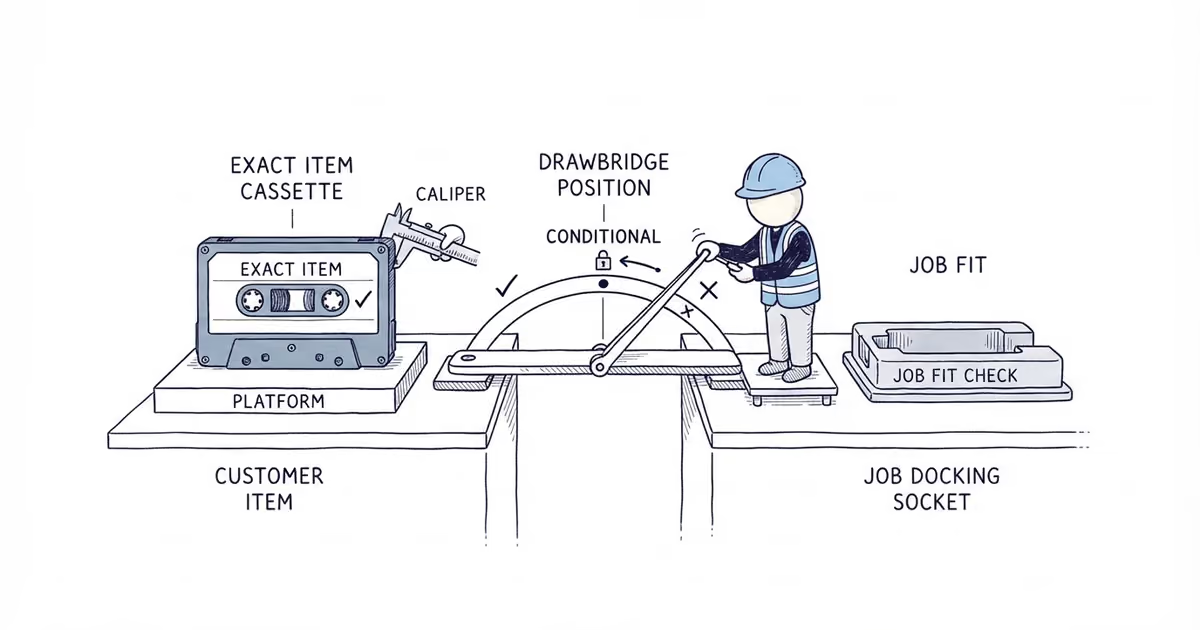
Before presenting an acceptance action, check the proposal number, version, dates, customer, address, scope, exclusions, options, price, and attachments. They must describe the same job.
Require an explicit selection that maps to one scope and total. A signature below unmarked choices does not tell the crew what to deliver.
Save the proposal number and version, selection, scope and exclusions reference, price, payment-schedule reference, and incorporated attachments.
Record the signer’s name, role, represented party, and basis for authority. Do not infer a property manager’s, co-owner’s, or employee’s authority from email alone.
Keep the signed paper or PDF, e-signature event, portal action, or clear email tied to the exact attachment. Record date, time, and time zone. A CRM status is not enough.
Use a block like this as an operating record, not as a universal contract clause or replacement for required documents:
Acceptance record Proposal: [proposal number] · Version: [version] Selected scope or option: [base scope / named option] Accepted price: [amount] · Scope and exclusions: [section or attachment] Accepted by: [full name, role, represented party] Method and evidence: [method and retained record] Date and time: [timestamp and time zone] Conditions: [none / stated condition] Next gated action: [required contract / permitted deposit / selection / approval / scheduling review]
Adapt it only after checking applicable contract, signature, notice, cancellation, disclosure, and retention rules.
What to do when proposal acceptance is unclear
Do not force an unclear reply into an accepted status.
- Expired version: Mark
review required. Recheck price, availability, scope, and required documents, then confirm or reissue. Do not backdate. - Undefined selection: Ask the customer to choose one named option or issue a version containing the requested combination.
- Customer edit: Preserve the marked-up request, resolve it, and issue a visible new version or required document.
- Added condition: Record and resolve the
accepted iflanguage, then issue a new controlled record. - Unclear signer authority: Confirm name, role, represented party, and authority before acceptance.
Each branch ends in review or a new version, not silent acceptance of the original.
If the problem is the deadline itself, use our contractor quote validity guide to choose a job-specific validity period and write an exact calendar date before you reissue the document.
What happens after a customer accepts a proposal
Name one next trigger: required contract and notices, permitted deposit, material selection, site or financing approval, or scheduling review. Do not send departments conflicting instructions.
If a deposit is the next gate but its amount or timing is not yet established, use our contractor deposit guide to check the applicable rules and match the payment to the actual pre-start commitment.
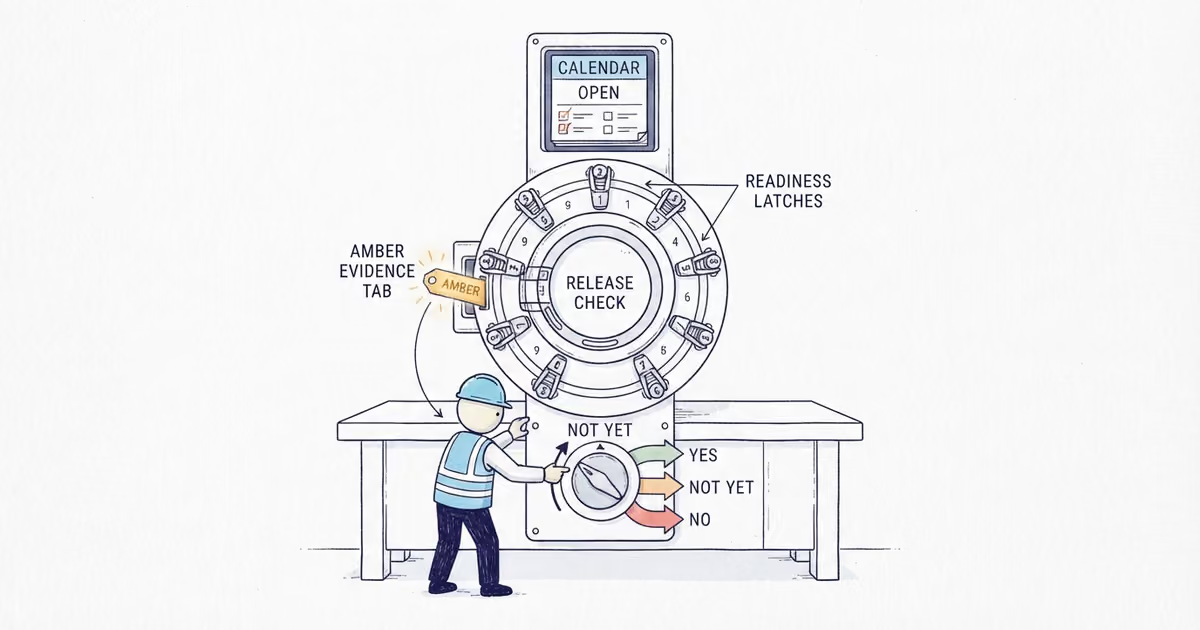
Before releasing the job, confirm:
- Required contracts and notices have been delivered.
- Required signatures are complete.
- Any applicable cancellation or waiting-period handling has an owner.
- The permitted deposit status is recorded as due, received, or not applicable.
- Required selections and approvals are resolved.
- One person owns the scheduling decision.
Only then can the owner move the job forward. Keep accepted, contract complete, deposit received, job released, scheduled, and work started separate.
How to preserve an accepted contractor proposal
Send the customer the accepted proposal, incorporated attachments, and next step. Give office, estimating, scheduling, purchasing, accounting, and field owners only the controlled version and fields needed.
Preserve the proposal, attachments, selection, signer and authority, method evidence, timestamp, conditions, expiration result, next trigger, and distribution log as an immutable bundle.
Later changes need a new controlled record under the applicable agreement, such as a revised proposal, amendment, or change order. Never overwrite the accepted version.
Contractor proposal acceptance checklist
| Check | Pass | Fix |
|---|---|---|
| 1. Proposal control | Number and visible version are recorded | Add both before acceptance |
| 2. Customer and job | Customer and service address match | Correct the proposal |
| 3. Proposal dates | Issue and valid-through dates are visible | Add specific dates |
| 4. Expiration result | Acceptance is in time or marked for review | Recheck and reissue if needed |
| 5. Selection | One base scope or named option is selected | Obtain an explicit selection |
| 6. Scope boundary | Accepted scope and exclusions are referenced | Identify the controlling section |
| 7. Price record | Price and payment-schedule reference match the selection | Correct the mismatch |
| 8. Attachments | Every incorporated file and term is listed | Identify the complete package |
| 9. Signer | Name, role, represented party, and authority check are recorded | Confirm before acceptance |
| 10. Method | Acceptance method and evidence are retained | Save the actual record |
| 11. Timestamp | Date, time, and time zone are recorded | Add the complete timestamp |
| 12. Conditions | Conditions are resolved or marked none | Route conditional approval to review |
| 13. Next trigger | One action and job-release owner are named | Stop conflicting handoffs |
| 14. Distribution and archive | Customer copy, internal handoff, and immutable bundle are complete | Send and preserve the exact version |
Are electronic signatures valid for contractor proposals?
The federal E-SIGN Act says a record or signature generally cannot be denied effect solely because it is electronic. It preserves other requirements, does not force acceptance of electronic records, and includes consumer-disclosure and retention conditions. It does not make every click, typed name, email, or e-signature process sufficient.
State rules can add document gates. California’s CSLB describes covered work requiring a written agreement, specific contents and notices, records, and written changes. Maryland’s MHIC describes covered contracts needing each party’s signature and a signed customer copy before work. These state-specific examples show why proposal acceptance may not replace a required contract process.
The bundle passes when another team member can identify the approved version, selection, scope, price, signer, evidence, time, conditions, expiration result, and next action without asking the customer.
Frequently asked questions
Does accepting a contractor proposal create a contract?
Not automatically in every transaction. Legal effect depends on the actual documents, terms, signer authority, acceptance method, applicable law, and any required contract or notice. Keep proposal acceptance, contract completion, and job release as separate operating statuses.
What if a customer accepts an expired proposal?
Mark it review required. Recheck price, availability, scope, and required documents, then confirm or issue a new visible version. Do not backdate the acceptance.
Can a customer accept a contractor proposal by email?
An email can be retained as evidence when it clearly identifies the exact proposal version and selection. Do not assume email alone satisfies every contract, signature, disclosure, or notice requirement; check the applicable rules and keep the original message and attachment.
Sources
- pricing
- how-should-a-customer-accept-a-contractor-proposal
- contractor-proposal-acceptance
- accepting-a-contractor-proposal
- contractor-proposal-acceptance-checklist
- electronic-signature-contractor-proposal