Should Contractors Add Before-and-After Photos to Google Business Profile?
Use matched before-and-after photos to show real work without misleading edits, exposed customer details, or promises that every job will produce the same result.
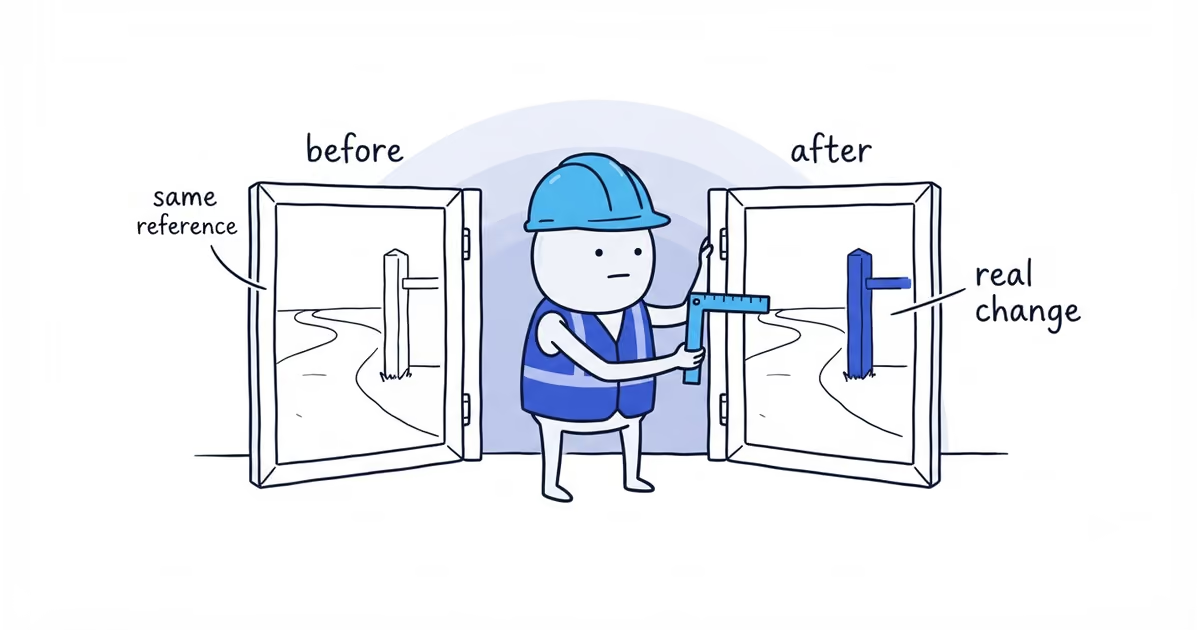
Yes, when the pair shows your real work, the difference is easy to understand, and the customer or property owner has allowed publication. Use roughly the same viewpoint, keep edits truthful, remove private details, and do not imply that every job will have the same result.
Do not publish a pair when the two images show different areas, lighting creates most of the apparent change, the work is not visible, or the result is unusually good and presented as guaranteed.
Before-and-after photo checklist for Google Business Profile
| Check | Pass | Fix | Do not publish |
|---|---|---|---|
| Position | Same area, height, direction, and useful reference points | Crop modestly to align the same real area | Different room, surface, property, or hidden viewpoint change |
| Framing and scale | Similar zoom and enough context to compare | Use the wider truthful frame | A tight crop hides damage or unfinished work |
| Light | Conditions are reasonably comparable | Correct normal exposure or white balance | Lighting or filters create the claimed transformation |
| Permission and privacy | Publication allowed; private details removed | Choose another angle or keep the image private | Customer, address, access, or sensitive details remain exposed |
| Edit and context | Normal crop/exposure; factual service and result | Remove exaggerated wording | Defects or surroundings are erased, work is generated, or the result is guaranteed |
The goal is comparability, not studio perfection.
How to take matching before-and-after photos
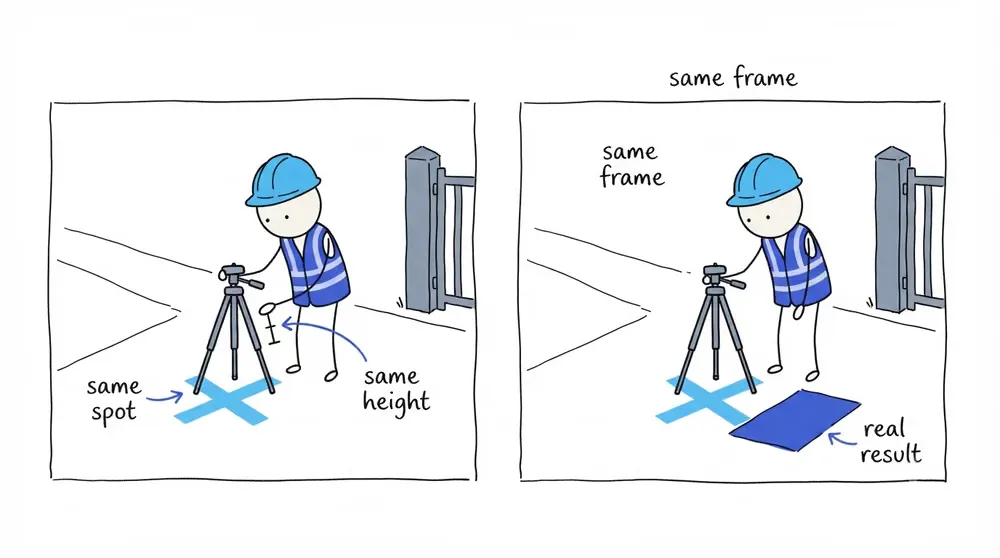
Take the before image before tools, materials, staging, or cleanup change the scene. Mark the approximate camera position and keep useful reference points in frame.
For the after image, return to the same position, height, direction, and zoom where practical. Photograph the result after the work and normal cleanup are complete.
A different angle is sometimes unavoidable. If it prevents a fair comparison, use the images separately rather than calling them a pair.
Before-and-after proof works best for visible cleaning, restoration, painting, landscaping, installation, refinishing, and repair. Hidden technical work may need a process image or a short factual explanation instead.
Get customer permission for before-and-after photos
No permission means no public photo. Keep a simple note of who approved publication and which images they approved. Local laws and contract terms can differ, so this record does not replace legal advice where you need it.
Check both images for:
- Customer or child faces
- Street numbers and full addresses
- Vehicle plates
- Keys and access controls
- Alarm or security equipment
- Documents, screens, medicine, or personal belongings
- A private condition that could embarrass or identify the customer
The before image should explain the work, not humiliate the customer.
How to edit before-and-after photos honestly
Normal crop, exposure, and white-balance correction can make the same scene easier to see. Do not erase defects, add completed work, replace the surroundings, generate a missing image, or use a filter that makes the result look better than it was.
Google’s current photo guidance says images should be in focus, well lit, have no significant alterations or excessive filters, and represent reality. Regardless of the tool used, do not publish generated or edited work as proof of a result that did not happen.
Use a factual context pattern:
Starting condition -> service performed -> visible result -> important limitationFor example: Organic staining had built up on this north-facing path. We treated and pressure-cleaned the surface, then rinsed the surrounding area. Older permanent discoloration can remain after cleaning.
That description explains the result without guaranteeing a new-looking path for every property.
Keep before-and-after photos together on Google
Two separately uploaded gallery images may not stay adjacent or appear in the intended order. Choosing one as a cover does not guarantee placement.
A side-by-side image can keep the pair together, but do not assume every collage or text overlay will be accepted. Check the current media rules and make sure each side is still large enough to inspect on a phone.
If the separate images still make sense on their own, gallery reordering is less damaging.
Before-and-after photo example for exterior cleaning
A pressure-washing contractor receives permission to photograph a stained front path. The before photo is taken from the edge of the driveway at waist height, with the gatepost and first paving joint as reference points. The house number stays outside the frame.
After treatment, cleaning, and cleanup, the contractor returns to the same spot. The light has changed slightly, so the exposure is corrected without changing the surface or removing remaining marks.
The caption states the starting condition, work performed, visible improvement, and limitation. No customer, address, plate, key, or access detail appears.
The contractor uploads the approved images and opens the profile the way a customer would. Google does not place them together, but the gatepost and paving joint make each image recognizable on its own. The result is still clear and honest.
Check whether the before-and-after comparison is credible
Before publication, show the pair to someone who did not attend the job:
- Can they tell the images show the same area?
- Can they see the real change without relying on a dramatic filter?
- Can they understand what the business did?
- Is an important limitation stated?
- Is the customer protected?
If any answer is no, fix the pair or publish a different image. The broader Google Business Profile photo guide helps fill the gallery without relying on transformations alone.
Frequently asked questions
Do before-and-after photos improve Google Maps ranking?
Google has not promised a ranking benefit for before-and-after pairs. Use them to help customers inspect real work, not as a ranking tactic.
Should I watermark before-and-after photos?
Keep the image focused on the real work. Any watermark or text treatment must remain truthful, readable, and compliant with current Google media policy. Do not let it obscure the comparison.
What if I forgot to take the before photo?
Do not generate or stage one. Publish the completed result with factual context, then improve the capture process on the next suitable job.
Sources
- google-business-profile
- before-and-after-photos
- customer-privacy
- photo-marketing
- local-seo
- home-services