Should Contractors Show Financing on Their Website?
Decide whether to show financing on your contractor website, use provider-approved terms, choose the right placement, test the handoff, and assign updates.
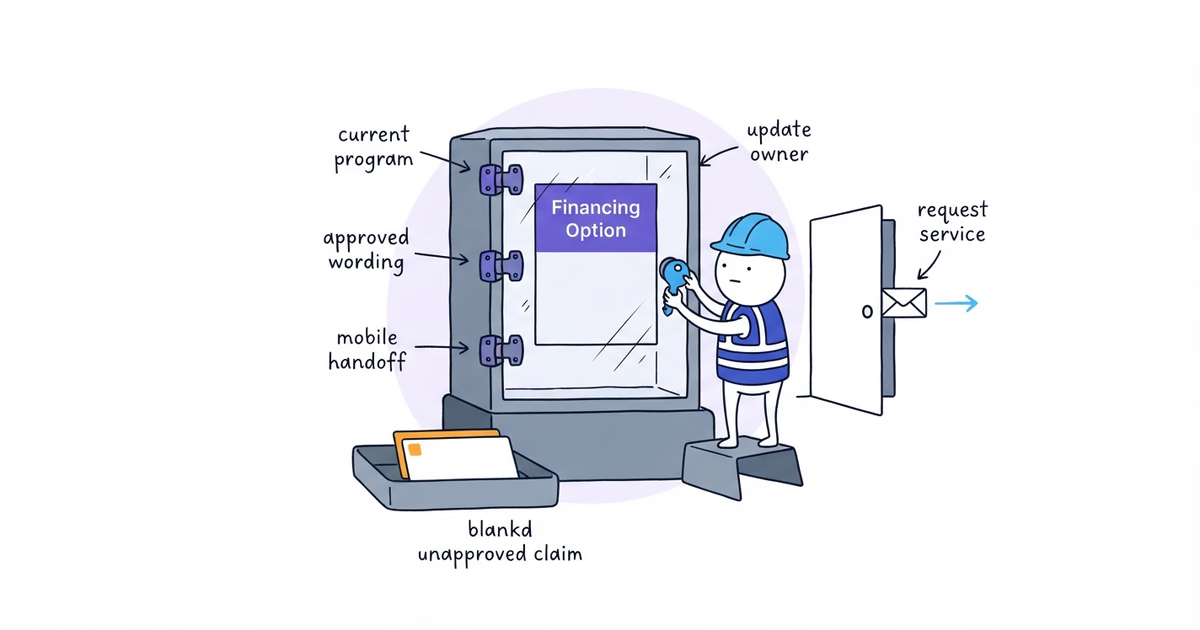
Show financing on a contractor website only when all four conditions are true:
- The business has a current provider agreement, and the program applies to the service and customer being addressed.
- The provider has supplied or approved the exact wording, graphics, disclosures, calculator, and application link the business intends to publish.
- The provider handoff works on desktop and a real phone without blocking the ordinary service-request path.
- One person owns updates and will remove the material when the program or approved content changes.
If any condition fails, do not publish an improvised financing claim. “Leave financing off the website for now” is a valid result.
Last verified: August 13, 2026 (United States).
Create a Contractor Website Financing Record
Create one publication record for each service and placement being considered:
Service and customer:
Real customer decision financing addresses:
Current provider and program record:
Verified provider scope:
Exact approved wording and asset version:
Required disclosures:
Website placement:
Desktop handoff result:
Mobile handoff result:
Ordinary service-request result:
Update and removal owner:
Next review date:
Decision: Publish / Do not publish yet
Collect Provider-Approved Financing Materials
Gather the current provider agreement and eligible scope; approved wording, disclosures, assets, calculator, and link; editing and placement rules; the mobile handoff; approval and website owners; the estimate process; and the material’s approval date and review schedule.
Use this business’s exact program and approved materials rather than borrowing terms from another contractor’s site.
Step 1. Decide Whether Financing Solves a Real Customer Decision
Start with the business’s jobs, not a generic conversion claim. Review relevant estimates or customer conversations.
For each service, ask:
- Does the current provider program apply to this service and customer?
- Does the customer usually face a meaningful decision after learning the scope or estimate?
- Has the team observed customers asking for payment options or pausing at that decision?
- Can the team explain that the provider, not Northside, handles the credit decision?
- Is financing useful early on the service page, later near the estimate, or not useful on the website?
Northside offers leak repair, drain clearing, and water-heater repair, but none is automatically eligible:
| Service | Provider says eligible? | Observed customer decision | Useful website location | Result |
|---|---|---|---|---|
| Leak repair | [verify] | [review] | [choose or none] | Publish/Do not |
| Drain clearing | [verify] | [review] | [choose or none] | Publish/Do not |
| Water-heater repair | [verify] | [review] | [choose or none] | Publish/Do not |
Match each claim to the verified scope; one eligible service does not make the whole website eligible.
Step 2. Obtain Provider-Approved Website Financing Materials
Ask [provider] for a written publication set that answers:
Exact approved wording:
Required nearby disclosures:
Approved logo or graphic files:
Permitted edits:
Eligible services/customers/locations:
Approved link, embed, or calculator:
Application/prequalification terminology:
Provider versus contractor responsibilities:
Approval date and material version:
Review or expiration date:
Approval contact:
Ask the provider to approve any alternative wording rather than editing approved claims yourself.
The CFPB’s current Regulation Z advertising provision says advertised credit terms must actually be available. It also identifies terms that can trigger additional disclosures.
Keep credit claims inside these red lines
Send specific payment amounts, down payments, repayment periods, finance charges, APR claims, “0%,” “no interest,” and monthly-payment examples through provider and appropriate compliance review. Publish them only in the exact authorized form with the required context. Leave out invented numbers and unapproved claims such as “everyone approved,” “guaranteed approval,” “pay nothing now,” or “as low as.”
This flags publication risk; it does not interpret the provider agreement or replace legal advice.
Step 3. Choose Where to Show Financing on a Contractor Website
Start where financing is relevant, then expand only if the verified program is broadly important.
| Placement | Use it when |
|---|---|
| Relevant service page | Financing applies to that service but not to every website visitor |
| Estimate or request path | The customer has enough service context and financing is a genuine next-step option |
| Homepage | The program applies across important services and deserves early visibility |
| Dedicated financing page | Provider, process, scope, caveats, disclosures, and the handoff need more explanation |
| Main navigation | Financing is broadly relevant enough to be a common destination, not a marginal program |
A narrow placement reduces false assumptions and is easier to maintain.
For Northside, the first candidate might be [verified eligible service page] and the estimate path. Main-navigation
placement is appropriate only when the verified scope and customer need justify that prominence.
If customers need price context before financing can make sense, the contractor website pricing guide helps choose a fixed price, range, diagnostic fee, or project minimum the business can explain before showing the financing handoff.
Step 4. Write an Approved Website Financing Block
Use the provider’s exact approved language. A working page block needs only:
- a plain statement that financing is available through the named provider where applicable;
- the approved eligibility or terms caveat;
- a clear provider handoff;
- the ordinary service-request option.
The structure may look like this, but it is not publication copy until [provider] approves every word:
Financing may be available through [provider] for [approved service/customer scope].
[Approved wording and required disclosure.]

[Provider-approved action label]
Request service
Keep the provider role clear. Northside can answer questions about the plumbing service and estimate. [provider]
handles the application, approval decision, and credit terms under the approved process.
Name the link by its actual approved result. Check your rate or Apply now works only when the destination and provider-approved terminology support that promise.
Step 5. Build a Financing Page Only When Customers Need It
Build a dedicated page only when a short service-page block cannot explain the path accurately.
Use this order:
- State the verified scope and provider.
- Separate the contractor’s service role from the provider’s financing role.
- Explain approved high-level steps and when they enter the estimate process.
- Include approved caveats, disclosures, and the authorized provider tool.
- Explain the result and route service versus credit questions correctly.
- Display an update date when required for time-sensitive material.
Leave underwriting explanations and sensitive application data to the approved provider process. Northside’s normal service-request form should continue collecting only service-request information.
Step 6. Test the Website Financing Handoff on Desktop and Mobile
Use provider-approved preview or test procedures rather than submitting a fake application for real credit.
Run this test:
- Open every entry point signed out and confirm its service scope.
- Read the visible disclosure, then follow the provider path on desktop and phone.
- Confirm the provider domain, secure connection, program context, and return path.
- Check that logos, terms, consent, and disclosures remain visible.
- Close the flow and confirm Request service still works.
- Test an approved error path where available; record date, device, material version, and result.
If analytics records the action, label it financing link click unless the provider returns a stronger permitted and verified result. Application, approval, and funding remain separate outcomes. Keep application details and financial information out of ordinary website analytics.
Step 7. Assign Website Financing Maintenance and Removal Ownership
Record:
Website owner: [role]
Provider/compliance contact: [role/contact]
Approved material version/date: [record]
Review cadence: [record]
Next review date: [date]
Broken-link check: [process]
Removal trigger: Provider/program ends, scope changes, approval expires, material becomes inaccurate, or handoff fails
Review financing copy whenever the provider changes the program and on the written schedule. Remove an uncertain claim while the current version is re-approved.
See a Completed Contractor Financing Decision
This hypothetical example demonstrates a finished record. The provider name, approval record, scope, and test results are fictional and must not be published as Northside facts:
Service and customer: Water-heater repair for homeowners in the verified service area
Customer decision: Customer has received the service scope and wants to review payment options
Provider and program record: Fictional Provider A, current merchant program record FP-01
Verified provider scope: This service, customer type, and website channel are included
Approved material: Provider website block v3, used without edits
Required disclosures: Provider disclosure set v3 displayed beside the provider action
Placement: Water-heater service page and estimate path; not homepage or main navigation
Desktop handoff: Pass
Mobile handoff: Pass
Ordinary Request service path: Pass
Update/removal owner: Website manager
Next review date: November 13
Decision: Publish only at the two approved placements
Northside must replace every hypothetical value with its actual provider record and test evidence. If the provider, approved wording, scope, or handoff remains unknown, the decision is Do not publish yet.
Financing Publication Checklist
Publish only when:
- the program, scope, and customer decision are documented;
- the exact wording, graphics, disclosures, calculator, and link are approved;
- no copy implies guaranteed approval, rate, payment, or eligibility beyond that approval;
- placement matches relevance and sensitive data stays with the provider;
- desktop and real-phone handoffs pass;
- the ordinary service-request path remains available;
- tracking labels clicks conservatively;
- the material version, review date, contact, and removal owner are recorded.
Stop when any required approval, scope, disclosure, mobile test, or maintenance owner is missing. The correct decision is Do not publish yet while the ordinary estimate and service-request path stays available.
Frequently Asked Questions About Contractor Website Financing
Should financing appear on a contractor website homepage?
Only when the verified program applies broadly across important services and customers need the option early. If it fits one service or becomes relevant after an estimate, use that narrower service-page or estimate-path placement instead.
Should a contractor collect financing application details on a contact form?
No. Keep the ordinary contact form limited to service-request information and send financing applicants through the provider-approved process. Do not place application details or financial information in ordinary website analytics.
Sources
- contractor-website
- contractor-financing
- financing-page
- financing-disclosure
- contractor