Should I Use a Review Management Tool?
Keep review management manual while one person can run it reliably, then test software only against repeated failures in triggers, handoffs, stops, monitoring, or records.
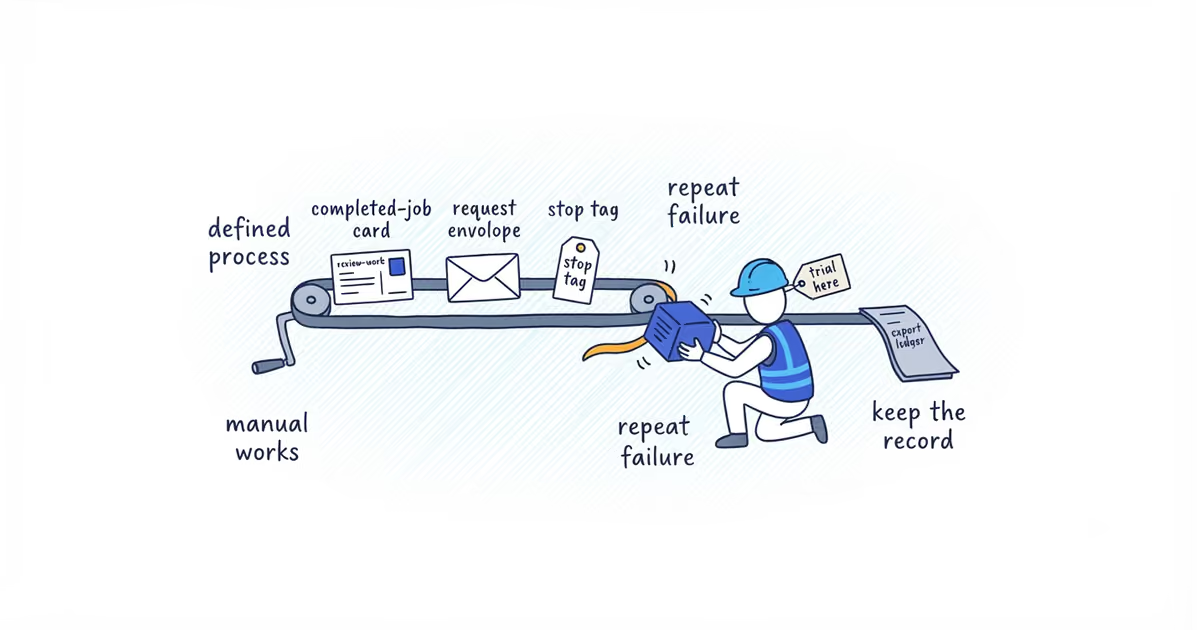
You do not need review software when one person can reliably send a neutral request at the right job milestone, record what happened, honor opt-outs, stop after a review, and check the profiles that matter.
Test a tool when that routine starts breaking. Buy relief from a specific operating problem, not a dashboard full of features.
Last verified: August 10, 2026 (United States).
When does a small business need review management software?
Low review count alone is not a reason to buy software. The business may need to finish more jobs, fix a service problem, or choose a clearer request point first.
A tool becomes worth testing when one of these failures keeps happening:
- Completed jobs are missed. Sending depends on someone remembering at the end of a long day.
- Customers receive duplicate requests. The crew, office, and owner cannot see what the others sent.
- Follow-ups do not stop. A customer reviews or opts out and still receives another message.
- No one owns new reviews. Several people get an alert, but each assumes someone else will reply.
- Relevant profiles go unchecked. Reviews arrive across locations or platforms customers actually use.
- The routine disappears with one person. When that person is away, no one can reconstruct the work.
Software does not fix a missing trigger or an unnamed owner. Define those first.
Manual review management vs. software vs. managed service
| Process need | Keep it manual when | Trial software when | Consider managed help when |
|---|---|---|---|
| Request trigger | One person sees every eligible job | Eligible jobs are repeatedly missed | The business has not agreed on the right trigger |
| Ownership | One named person sends and monitors | Volume makes handoffs unreliable | No one has authority or time to own the process |
| Duplicate prevention | One shared record stays current | Several people or systems contact customers | The records need redesign before automation |
| Opt-outs and stop rules | The owner updates them immediately | Messages continue after a review or stop request | The team needs a written policy and setup review |
| Profiles and replies | One or two relevant profiles are checked on schedule | Several profiles or locations need alerts and assignment | The business has not decided where to focus or who replies |
| Location accountability | The owner can trace activity without a report | Location-level activity cannot be reconstructed | Managers need a workable handoff before more reporting |
| Audit record and export | The existing job record shows what happened | The history is incomplete or trapped across systems | Customer-data ownership and retention need review |
| Staff capacity | The task gets done every week | The task is defined but too large to remember | The business wants someone else to set up and maintain it |
Software is for a repeatable task that has become difficult to run by hand. Managed help is for a process that still needs judgment, setup, or ownership.
What features should a review management tool have?
For a small service business, duplicate prevention is more useful than an elaborate sentiment dashboard. During a trial, make the vendor show you:
- The real event that starts a request
- The eligible-customer record
- The visible opt-out state and every stop condition
- Review alerts and the person assigned to respond
- Account roles that match each person’s job
- A complete export and readable audit history
Do not accept a feature-list checkmark. Put a test customer through the sequence and confirm that an opt-out or completed review stops the next message.
Review management software compliance and data red flags
Stop the trial if the tool:
- Asks for private sentiment and sends only positive answers to Google
- Treats Yelp as a standard review-request destination
- Offers an incentive or asks for five stars or specific wording
- Sends again after a review or opt-out
- Publishes an AI-written owner response without review
- Requires account permissions unrelated to the job
- Hides data export, customer-data ownership, or cancellation controls
Google prohibits incentives, selective positive solicitation, pressure, and requested ratings or content. Yelp tells businesses not to ask for reviews. Buying software does not transfer responsibility for those rules to the vendor.
Before testing a vendor, use the review request rules to define the recipient, trigger, wording, destination, contact permission, and stop process the tool must follow.
How to test a review management tool before buying
Do not judge the trial by how quickly a chart moves. Follow one normal completed job from start to finish:
Customer and job:
Eligibility trigger:
Why the customer qualified:
Exact message and permitted channel:
Public destination:
Review, opt-out, and final-follow-up stops:
Response owner notified:
Record exported:
Test access removed:
Make sure the customer cannot enter two sequences and that the exported record still makes sense outside the tool. The test passes when the owner can explain exactly what happened without asking the salesperson.
Keep the manual process when it runs consistently and leaves a usable record. Trial software when a defined process keeps failing because of volume, locations, or handoffs. Seek managed help when the trigger, policy, responsibility, or system setup is still unresolved.
If managed help is the right outcome, ShiftFlow’s Google review management sets up the request timing, direct link, and reply process around the way jobs already close.
The legitimate answer may be not to buy anything.
Frequently asked questions
Do I need a CRM to use a review management tool?
No. A shared job record, spreadsheet, or existing field can supply the request trigger when one person keeps it current. An integration earns its place only when it prevents missed jobs, duplicate requests, or broken stop rules.
Should a review management tool automatically publish review replies?
No. The tool can alert the right person and prepare a draft, but a team member should check the response before it goes public. This matters most when the review involves a complaint, private information, or facts the software cannot verify.
Sources
- review-management
- review-management-software
- small-business
- review-automation
- home-services