Attendance Management for SMEs in Malaysia: A Practical Guide
A practical guide to running attendance for Malaysian SMEs. Modes, setup steps, daily operations, hybrid work, and the common failure modes to avoid in 2026.
Malaysian SMEs employ 8.1 million people (DOSM, MSMEs Performance 2024). Almost every one of them runs attendance through some mix of a punch card machine, a fingerprint scanner, a Google Sheet, and a WhatsApp group. That worked when the workforce was on-site, full-time, and stable. It does not work in 2026. RM 1,700 minimum wage, the EA 1955 45-hour weekly cap, and 70%+ of Malaysian companies on some kind of flexible work routine (The Star citing MEF, 2025) all push back at once. What follows is the operational version of that switch. Picking the modes, handling the exceptions, and not breaking payroll along the way.
Picking your clock-in modes first
Modern attendance is not one method. It is a mix. Three modes cover most Malaysian SME setups.
Mobile (personal phone). Each staff member installs the app on their own phone. Clock-in captures GPS, a selfie, and a server-side timestamp. Best for field teams, hybrid workers, sales reps, multi-site staff. Friction is low for tech-comfortable staff. Higher for older or part-time workers who do not want a work app on their personal phone.
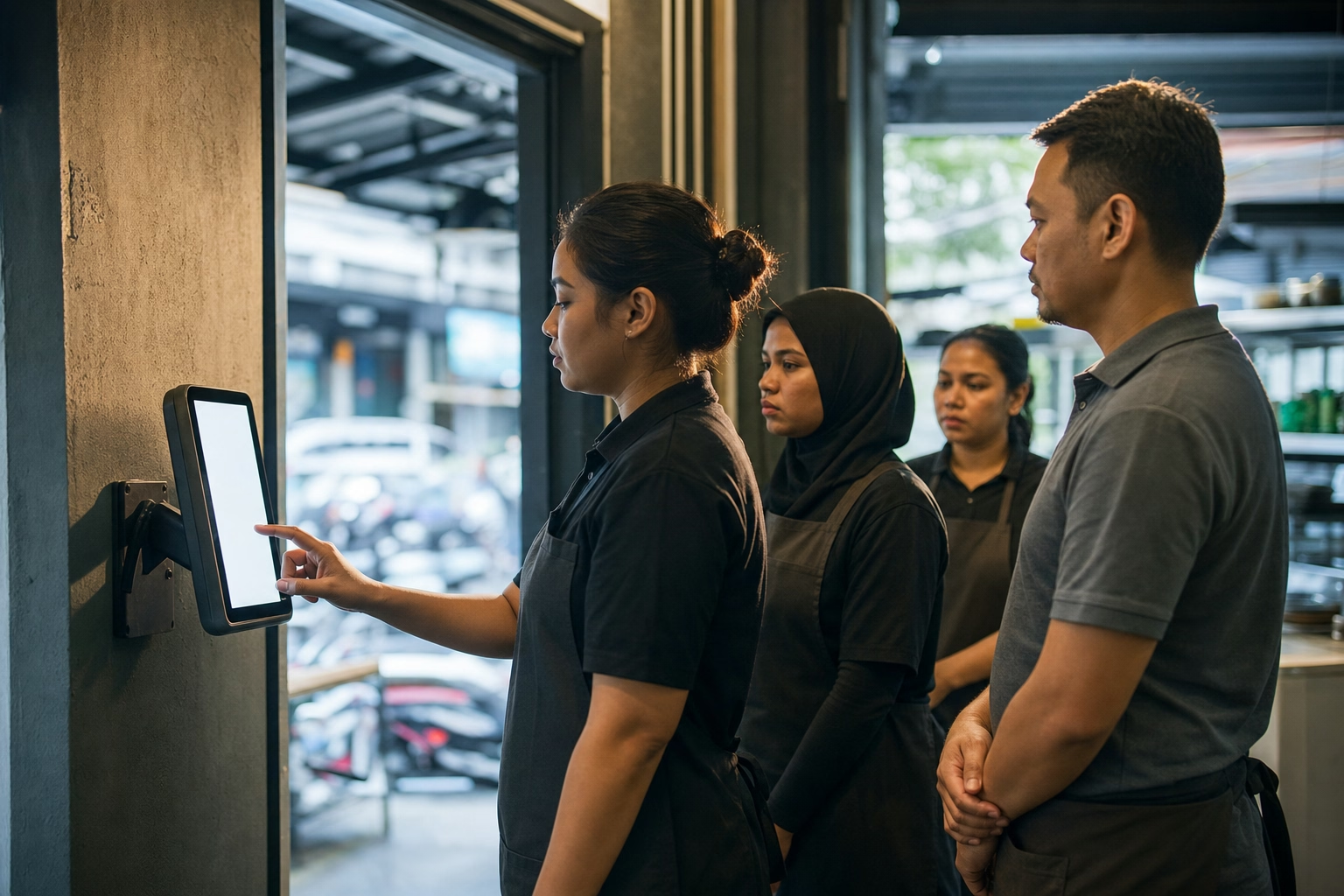
Kiosk (shared tablet at the workplace). One tablet (or a repurposed old phone) mounted at the entrance or counter. Staff tap their photo, enter a PIN, or use facial recognition to clock in. Best for retail, F&B, factory floors, and any workplace that restricts personal phone use during shifts. Lower friction at hiring time too, because there is no personal phone install to walk a new hire through.
Biometric scanner (existing hardware). Fingerprint or facial recognition device bolted to the wall. A lot of Malaysian SMEs already have one. Works fine when the workforce is fully on-site and the device exports cleanly to payroll. Fails the moment you add field workers or hybrid staff. It just cannot follow them.
Most Malaysian SMEs of 10 to 50 staff end up running mobile plus kiosk in parallel. Mobile for field and hybrid workers, kiosk on a shared tablet for office staff or part-timers who would rather not install the app. Pure biometric works only for shops that are 100% on-site with no hybrid plans on the horizon. Why Malaysian businesses are switching from manual attendance tracking covers why pure manual setups fail in the current compliance environment.
The five-step setup
Cutover from manual to a modern attendance system follows the same path regardless of vendor.
Step 1. Configure EA 1955 rules in the tool. Before you add a single worker, set the weekly cap (45 hours), monthly OT ceiling (104 hours), OT multipliers (1.5x ordinary, 2x rest day excess), and the mandatory 30-minute break after 5 consecutive hours. Most Malaysian-built suites (Kakitangan, BrioHR, Swingvy) ship with these preconfigured. International tools (ShiftFlow, Jibble, Connecteam) need manual configuration. How to track attendance for compliance with Malaysian labour law covers the exact rules.
Step 2. Set up sites and geofences. Define each workplace (office, outlet, client site) with a GPS center point and a radius. Be permissive on day one. 200m beats 50m. Tighten later if you see actual abuse, not before.
Step 3. Configure shift schedules and roster. Define shift types per worker (morning, evening, night, rest day). The roster tells the system who should clock in when and where. Without a roster, every punch is accepted and the supervisor has no way to spot anomalies.
Step 4. Set up the payroll handoff. Decide now whether attendance flows to payroll inside the same tool (Kakitangan, BrioHR, Swingvy) or via CSV export into a separate payroll system (PayrollPanda, SQL Payroll, Info-Tech). Time tracking software that works alongside Malaysian payroll covers the integration patterns and gotchas.
Step 5. Run two parallel pay periods before cutting over. Old system and new system side by side. Reconcile worker by worker. Discrepancies usually trace to OT classification or the EPF/SOCSO ceiling (raised to RM 6,000 in October 2024 per Foundingbird’s EPF/SOCSO/EIS guide). Fix them before cutting over. Never after.
Running attendance day to day
The first month after cutover is where most setups break or stabilize. Five operational questions show up.
Worker forgets to clock in. The supervisor adds the time manually with a note explaining why. Every legitimate tool logs this as an edit with the supervisor’s user ID, the original time, and the corrected time. That audit trail is what makes the manual adjustment defensible. Without it, the supervisor’s edits look identical to fabricated punches.
Late punches and tardiness. Set a grace period (5 to 10 minutes is typical) below which late clock-ins are accepted silently. Past that, the tool flags the punch as late on the timesheet. Whether tardiness deductions actually apply depends on your employment contracts. The tool reports it. You decide whether it costs the worker anything.
Missed clock-outs. Configure an auto-clock-out at the scheduled shift end. Workers can correct retroactively. Without auto-clock-out, a worker who forgets shows 24+ hours and you only discover it at month-end when payroll trips on it.
Sick leave, annual leave, and emergency absence. Leave types should pre-block the roster so the system knows that day is intentionally not a clock-in. Approved leave does not show as absent or as an EA 1955 break violation. Unapproved absence shows up on the supervisor’s exception dashboard as a no-show.
Worker disputes a timesheet entry. The system shows the worker the same record the supervisor sees. GPS coordinates, the selfie if it was captured, the full audit trail of every edit. Most disputes evaporate the moment both sides see the same data. The ones that do not are HR conversations, not tool problems.

Handling hybrid work attendance
Over 70% of Malaysian companies report increased adoption of flexible work routines post-pandemic (The Star, MEF, 2025). Standard manual attendance does not handle this at all. Two patterns work.
Mode A. GPS-required at home address. The worker registers their home address as a “home office” geofence. Clock-in is allowed only when they are at that address. Pros: real accountability, the same audit trail as office work. Cons: workers out for legitimate reasons (client visit, doctor’s appointment) need supervisor approval to clock in elsewhere.
Mode B. GPS-optional with self-report. The worker selects “office” or “remote” at clock-in. Remote clock-ins capture the timestamp and IP address but not GPS. Pros: low friction, respects worker autonomy. Cons: weaker audit trail. Relies on trust.
For most Malaysian SMEs of 10 to 50, Mode A fits security-sensitive roles (finance, legal, ops). Mode B fits everyone else. How Malaysian companies manage hybrid work attendance covers the configuration in more detail.
What usually goes wrong in the first 90 days
Three patterns derail attendance rollouts in Malaysian SMEs.
Skipping the parallel pay period. Cutting over cold means finding the first OT classification error on the first real pay day, under deadline pressure. Run two parallel periods. Fix. Then cut over.
No exception dashboard for the supervisor. Without a place to see “these 5 punches were anomalous this week,” the supervisor either ignores anomalies entirely or burns hours reviewing every single punch. Most tools (ShiftFlow, Jibble, BrioHR, Swingvy) include an exception view. Configure it on day one.
Workers were never trained. A worker who taps “clock in” without understanding that the selfie is part of the punch will dispute the photo capture later. A 15-minute briefing at rollout covers this and saves three weeks of HR back-and-forth.
What to check before buying attendance software for your Malaysian business is the pre-purchase checklist that catches several of these before they ship.
Get ShiftFlow on iOS or Android
What the first 30 days should feel like
Cutover is week 0. The 30 days after that decide whether attendance management becomes a stable system or quietly drifts back to manual. A workable rhythm.
- Day 1 to 7. Daily 5-minute scan of yesterday’s exception dashboard. Resolve each anomaly (missed clock-in, late punch, geofence violation, missed break) with a written reason. Workers see corrections happening in real time. That sets the norm.
- Day 8 to 21. Weekly scan, not daily. By this point the easy anomalies (people forgetting to clock out, wrong shift assignments) are mostly cleared. Focus on recurring offenders, not every individual punch.
- Day 22 to 30. First parallel pay period close. Reconcile new system vs old system worker by worker, hour by hour. Flag every discrepancy. Most differences trace to OT classification (ordinary vs rest day) or EPF/SOCSO ceiling logic.
- End of day 30. Decide whether to cut over fully or run a second parallel cycle. More than 2 to 3 discrepancies per 10 workers? Run another parallel cycle. Clean? Cut over.
- Ongoing. Weekly exception review, monthly roster template audit, quarterly geofence and grace-period review. How to track attendance for compliance with Malaysian labour law covers the compliance validation that should happen at each parallel run.

What attendance software should actually cost
For a 20-staff Malaysian SME, the realistic monthly bill ranges from RM 0 to about RM 500 depending on consolidation choice.
- Free stack: Jibble Free (attendance) plus PayrollPanda Free (payroll, EPF, SOCSO, EIS, PCB, LHDN e-filing): RM 0
- Focused time tracker plus separate payroll: ShiftFlow at RM 14.9 per seat = RM 298, plus PayrollPanda Free = RM 298 total
- Malaysian-built HR suite (one vendor): Kakitangan (modular from ≈RM 50), BrioHR (from RM 3/employee/mo with RM 200/mo minimum), or Swingvy (RM 99/mo for up to 20 employees, plus RM 7 per additional employee) for attendance plus payroll modules
- Sprout-style full HRIS (BrioHR full suite): from RM 200 minimum, often more once recruitment and performance modules are added
The right pick comes down to team size, geographic spread, and how much HR functionality beyond attendance you actually need. Best time tracking software in Malaysia for SMEs runs the math across nine platforms.
What it looks like once everything is working
Running attendance for a Malaysian SME in 2026 is not a one-decision problem. You pick clock-in modes, configure EA 1955 rules, set up shift schedules, define the payroll handoff, then handle exceptions every week for the first month. Done right, the time investment is roughly two days of setup and a few hours per week of supervision after that. The alternative is letting attendance run on punch cards or Google Sheets. That costs more in payroll errors, EA 1955 fines, and supervisor frustration than the entire monthly software bill.
Sources
- DOSM MSMEs Performance 2024 for SME employment and GDP contribution figures
- Employment Act 1955 (Akta Kerja, PDF from MoHR) for the 45-hour weekly cap, 104-hour OT ceiling, and break rules
- The Star on MEF hybrid work data for the 70%+ flexible-work adoption figure
- Foundingbird guide to EPF, SOCSO, and EIS for contribution rates and the RM 6,000 ceiling
- Malay Mail on RM 1,700 minimum wage (Aug 2025) for nationwide enforcement
- malaysia
- attendance
- sme
- time-tracking
- attendance-management
- ea-1955
- mofu