How Interactive Web Cards Turn One Link Into Action
A normal link drops visitors on a page and leaves them to figure out the next step. An interactive web card does the opposite — it puts the offer, the context, and the action in one focused, mobile-first place. Here is when that beats both a link list and a full website.
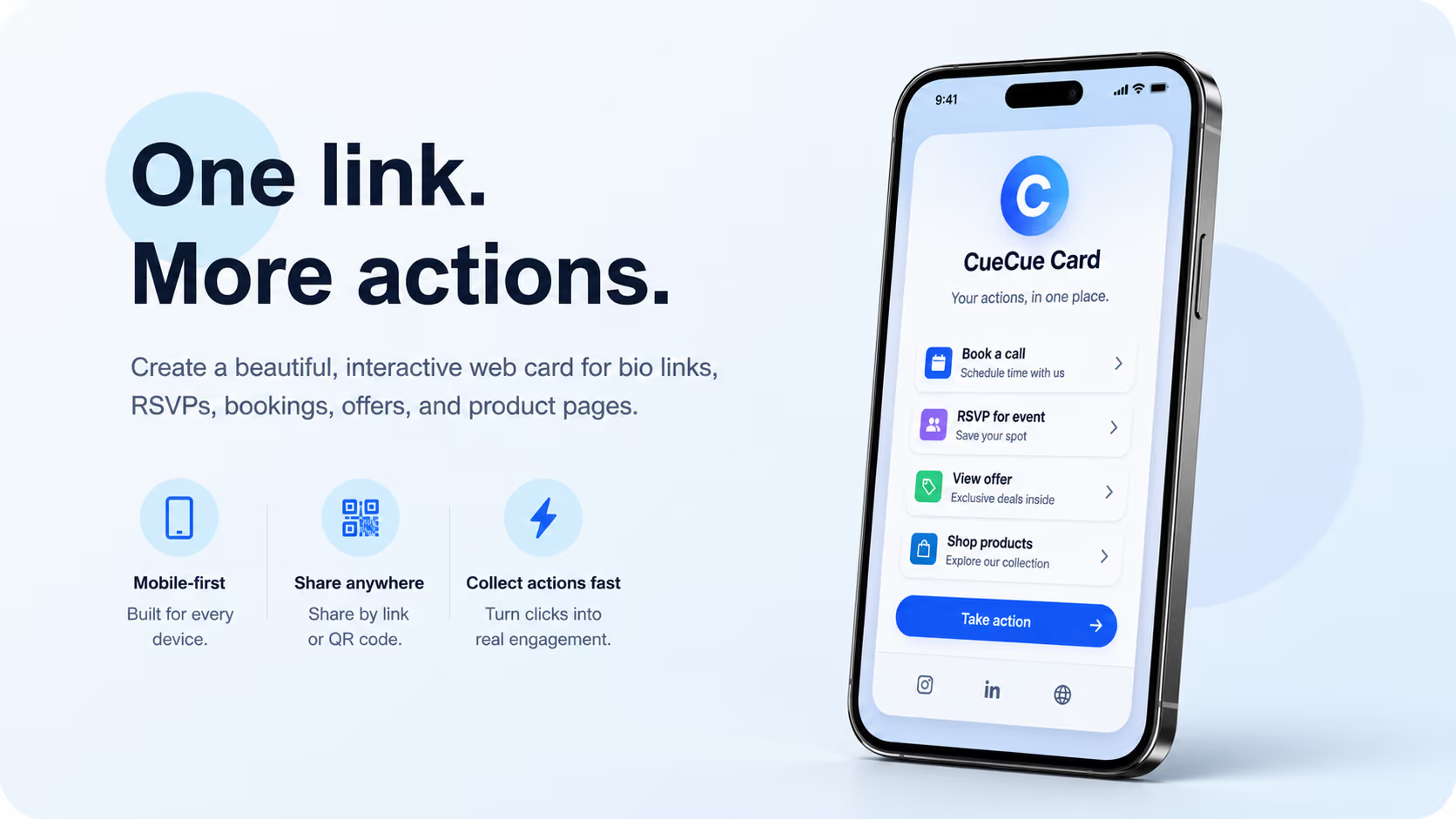
People share links everywhere: social bios, messages, email signatures, flyers, QR codes, product packaging, and event invitations. The problem is that a normal link often sends visitors to a page that asks them to figure out the next step on their own.
An interactive web card solves a different problem. It gives a visitor a focused, mobile-first destination where the offer, context, and action live together. Instead of scattering a profile, booking form, RSVP link, product page, and contact option across several places, one card can guide people toward the outcome that matters.
That is why tools like CueCue are useful for creators, professionals, event hosts, local businesses, and lean product teams. They make one public link feel more like a lightweight landing page than a flat list of buttons.
Key idea: A web card works best when the visitor should take one clear next step. It can support a bio link, RSVP flow, service offer, product drop, event page, booking page, or local campaign without requiring a full website build.
Why are simple links not always enough?
A simple link is easy to share, but it can be weak at guiding attention. A link list may show ten buttons, but it often gives little context about which action matters most. A full website can explain more, but it may be too heavy for a single campaign, event, or offer.
This gap is common for people who need to move quickly. A creator wants one bio link that promotes a video, product, newsletter, and contact option. A workshop host wants guests to read the details and RSVP. A consultant wants prospects to understand the offer and book a call.
In each case, the visitor does not need a complex site map. They need a clear page that answers: what is this, who is it for, and what should I do next?
What is an interactive web card?
An interactive web card is a focused online page designed for one public-facing job. It can combine text, visuals, links, forms, event details, products, booking options, maps, and calls to action in one mobile-friendly layout.
The format sits between a full website and a basic link-in-bio page. It is faster and narrower than a website, but more useful than a list of buttons. The goal is not to replace every website. The goal is to publish a focused destination when a full site would slow the work down.
Because the card is shared through one URL or QR code, it can move across online and offline channels while staying easy to update.
Where can web cards create the most value?
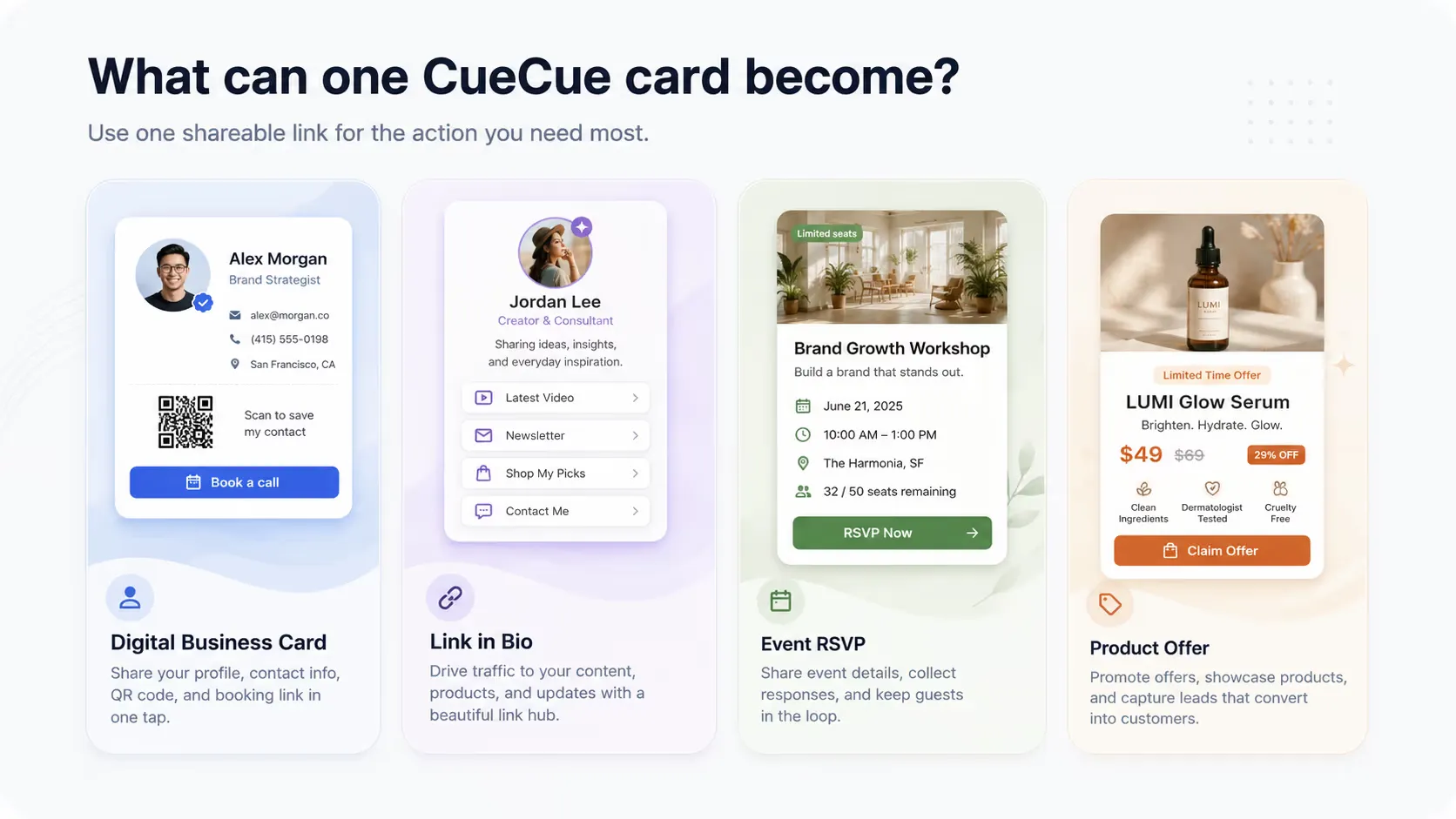
Interactive cards are strongest when one audience needs one practical next step. The most common use cases include:
- Creator bio links that combine featured content, social profiles, products, newsletters, and contact options.
- Digital business cards for networking, QR sharing, follow-up, lead capture, and appointment booking.
- Event pages that show the date, location, agenda, guest details, and RSVP action in one place.
- Local service offers for salons, studios, coaches, consultants, agencies, and independent professionals.
- Product drops for beta tests, waitlists, small launches, pre-orders, and campaign-specific pages.
- Client intake flows that collect preferences, contact details, booking requests, or project information.

How does this help creators and small businesses?
Creators and small businesses often need to test ideas before investing in a full web build. They may want to launch a workshop, promote a new service, collect leads, announce a drop, or run a local campaign. The cost of delay can be higher than the cost of using a simple page.
A web card makes the first public version easier to ship. The creator can publish the card, share the link, place a QR code on offline materials, and improve the content as responses come in. This makes it useful for experiments, seasonal campaigns, and offers that change often.
The card also helps the visitor. Instead of browsing a broad site, they see a focused message and a direct next step.
How do web cards fit with privacy-friendly workflows?
People who test online tools often sign up for design platforms, AI tools, marketing services, analytics products, launch directories, and form builders before deciding what to use. A temporary email can keep these experiments separate from a main inbox and reduce unnecessary spam.
That private testing layer pairs naturally with a public web card. You can explore tools, test an idea, prepare an offer, and keep early accounts separate. When the idea is ready to share, the card becomes the public destination for visitors.
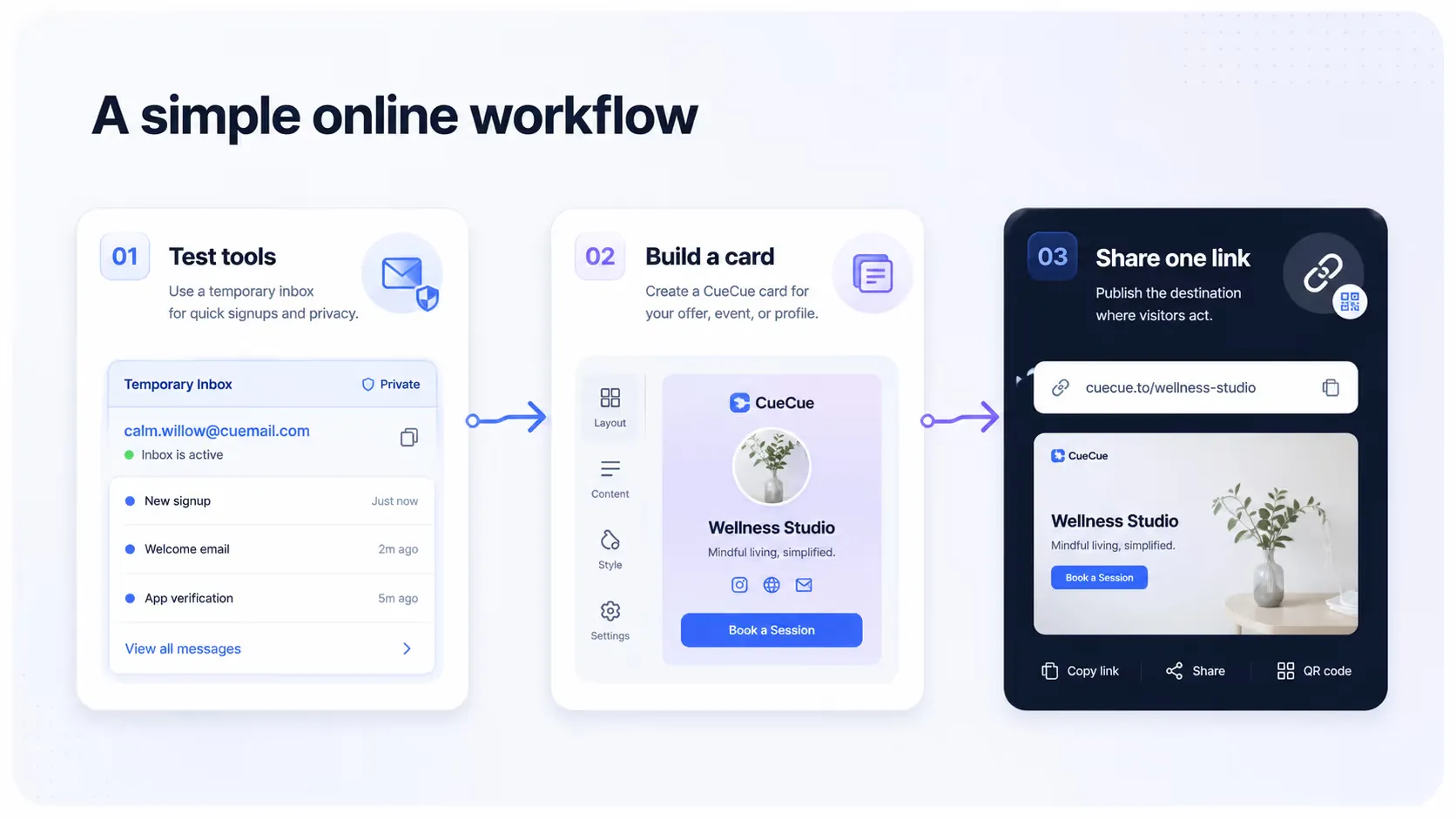
In that workflow, privacy-friendly tools support the backstage process, while the web card supports the public-facing page people actually visit.
When should you use a web card instead of a full website?
A full website is still the right choice when a business needs deep navigation, many pages, long-term SEO architecture, a large content library, or complex product education. A web card is better when the goal is narrower and the action is clearer.
Use a web card when you need to share one profile, one event, one offer, one product drop, one booking flow, or one lead capture path. The format works best when speed, clarity, and mobile sharing matter more than a large site structure.
The decision is not about whether websites are better or worse. It is about matching the publishing format to the job.

What should a strong web card include?
A good web card should not feel like a random collection of modules. It should be built around a clear visitor path. Most cards need a short introduction, one main action, enough proof or context to reduce hesitation, and a layout that works well on mobile.
For an event, that may mean date, location, host, agenda, and RSVP. For a professional profile, it may mean who you help, what you offer, proof, booking, and contact. For a product launch, it may mean the problem, benefit, image, waitlist, and purchase or signup action.
The best cards are specific. They do not try to answer every possible question. They help the right visitor take the next reasonable step.
FAQ
Is an interactive web card the same as a link-in-bio page?
It can be used as a link-in-bio page, but the format is broader. A web card can also support RSVPs, booking, offers, product drops, client intake, and local campaigns.
Do web cards replace full websites?
No. They are best for focused use cases. A full website is still better for large content libraries, complex navigation, and long-term brand architecture.
Why use one card instead of several separate links?
One card reduces friction. Visitors can understand the context and take action without jumping across unrelated pages, forms, and profiles.
Final thoughts
Online sharing keeps getting faster, but visitors still need context before they act. Interactive web cards help close that gap. They turn one link into a focused page where the message, proof, and action are easy to understand.
For creators, small businesses, event hosts, and product teams, that can be enough to launch an idea, collect responses, and learn what the audience actually wants before building something larger.
- interactive-web-cards
- link-in-bio
- creators
- small-business
- event-rsvp
- lead-capture
- online-tools