Are Google Business Profile Posts Worth It for Contractors?
Decide whether a Google Business Profile Post deserves the time. Check profile readiness, useful source material, truthful proof, one customer action, and whether the result earns another Post.
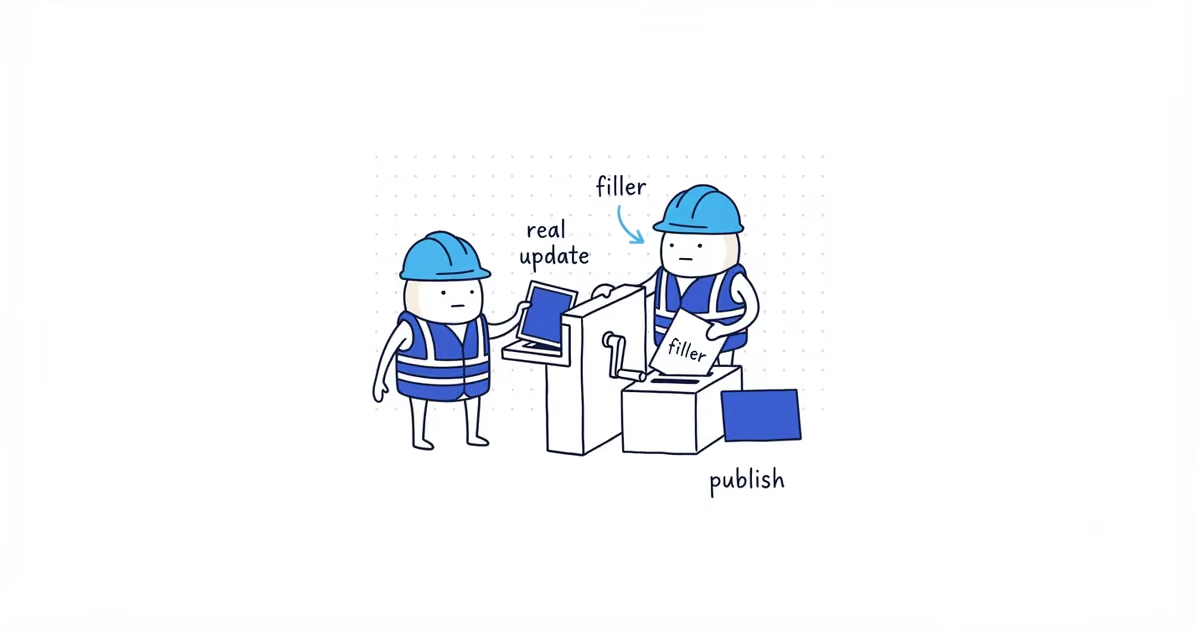
Google Business Profile Posts are worth doing when the core profile is accurate and you already have something useful to say: a completed job, seasonal reminder, event, offer, or real business update.
Use Posts to help a customer take the next step, not to feed an imaginary activity score. Google does not require a weekly posting streak or promise a Maps ranking reward for one.
Should you publish a Google Business Profile Post?
Are the profile basics accurate and customer-ready?
  No -> Fix the profile first.
  Yes -> Is there a real, useful update?
    No -> Skip the filler Post.
    Yes -> Can you show it truthfully?
      No -> Wait until the facts and proof are clear.
      Yes -> Is there one useful next action?
        No -> Fix the customer path.
        Yes -> Publish, check it publicly, and record the response.
All three outcomes are valid: publish now, fix the profile first, or wait until there is something useful to say. No Post this week is not a failure.
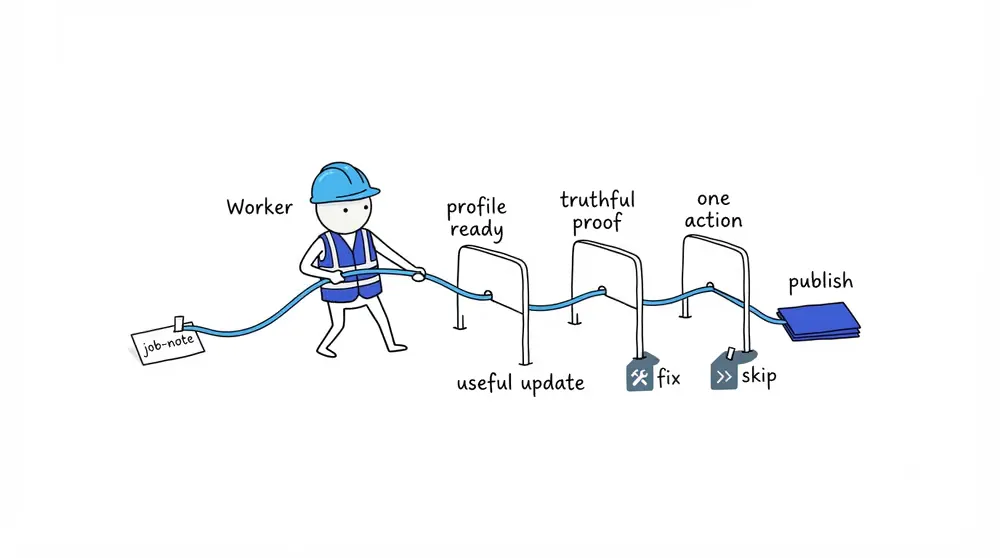
Fix your Google Business Profile before posting
A Post cannot repair the customer path underneath it. Check these basics first:
- The phone number reaches the correct business.
- The website or booking destination loads.
- Regular and special hours are current.
- Core services are accurate.
- The gallery shows credible current work.
- Customers can understand what the business does and where it works.
If those basics are incomplete, use the post-verification checklist before creating a calendar. A profile with accurate information and no recent Post is more useful than one with weekly updates and the wrong phone number.
What Google Business Profile Posts can and cannot do
A useful Post can:
- Show a recently completed project with permission.
- Explain a timely seasonal service need.
- Announce real availability or an operational change.
- Present an event or an offer with accurate dates and terms.
- Give the customer one relevant next action.
A Post should not be used to:
- Replace the regular or special-hours fields.
- Store durable service details that belong in Services or on the website.
- Repeat
we are the bestclaims to appear active. - Force city and service keywords into the profile.
- Promise a Maps position.
Google currently documents three Post types: Update, Offer, and Event. Product controls change, so confirm the types available in the live editor before publication.
Google’s current help says Posts more than six months old are archived unless a date range is specified. The old claim that every normal Post disappears after seven days is not current guidance.
When Google Posts are worth the time
A Post earns its place on the to-do list when the source material already exists and the customer value is clear.
Good source material includes a permitted job photo, a real service note, a question customers are asking this week, or an offer the business has already approved. The owner should not need a separate photoshoot and two hours of copywriting to publish one update.
Skip the Post when the only idea is a generic greeting, a copied social caption, a repeated tip with no action, or an offer the team may not have capacity to honor.
Google Post example for a roofing contractor
A solo roofer checks the profile. The phone works, storm-damage inspection is listed correctly, hours are current, and the website booking form loads.
After a windstorm, customers are asking whether lifted shingles need immediate attention. The roofer has a permitted photo of a real inspection and one booking destination, but the next appointment window has not been confirmed. The Post waits until the roofer checks capacity, then goes live with dates the business can actually honor.
A Monday Post saying Your trusted roofing experts are here for all your needs adds no useful information. It does not become valuable because it satisfies a weekly schedule.
How to measure whether Google Posts are worth repeating
Do not invent an ROI percentage from one Post. Keep a small record:
| Record | What to note |
|---|---|
| Published | Date, profile, Post type, and public URL or screenshot |
| Action | Call, booking page, or other supported destination |
| Effort | Minutes spent and whether normal job material was reused |
| Response | Relevant calls, booking questions, or customer mentions during a reasonable period |
| Decision | Repeat this source, revise the customer path, or stop publishing filler |
When the Post links to the website, the Google Business Profile lead-tracking guide can handle UTM and booked-revenue measurement.
A Post is finished when it is truthful, visible on the right profile, tied to one working action, and accurate about dates and terms. Then decide whether it was useful enough to repeat.
Frequently asked questions
Do Google Posts improve Google Maps ranking?
Google does not promise a ranking benefit for posting weekly or maintaining a streak. Use Posts to give customers useful current information, not as a ranking guarantee.
How often should a contractor publish Google Posts?
Publish when there is a real update that passes the decision tree. Do not manufacture a weekly Post when the profile has nothing useful to add.
Do Google Posts expire after seven days?
Google’s current help says Posts older than six months are archived unless a date range is specified. Offers and Events also need accurate date settings. Recheck the live product before publication because Google changes profile controls.
Sources
- google-business-profile
- google-posts
- contractor-marketing
- local-seo
- post-frequency
- home-services