Does Google Business Profile Help Your Business Appear in AI Search?
Yes, Google Business Profile can help your business appear in AI search, especially on Google. Learn which profile details to complete and keep accurate.
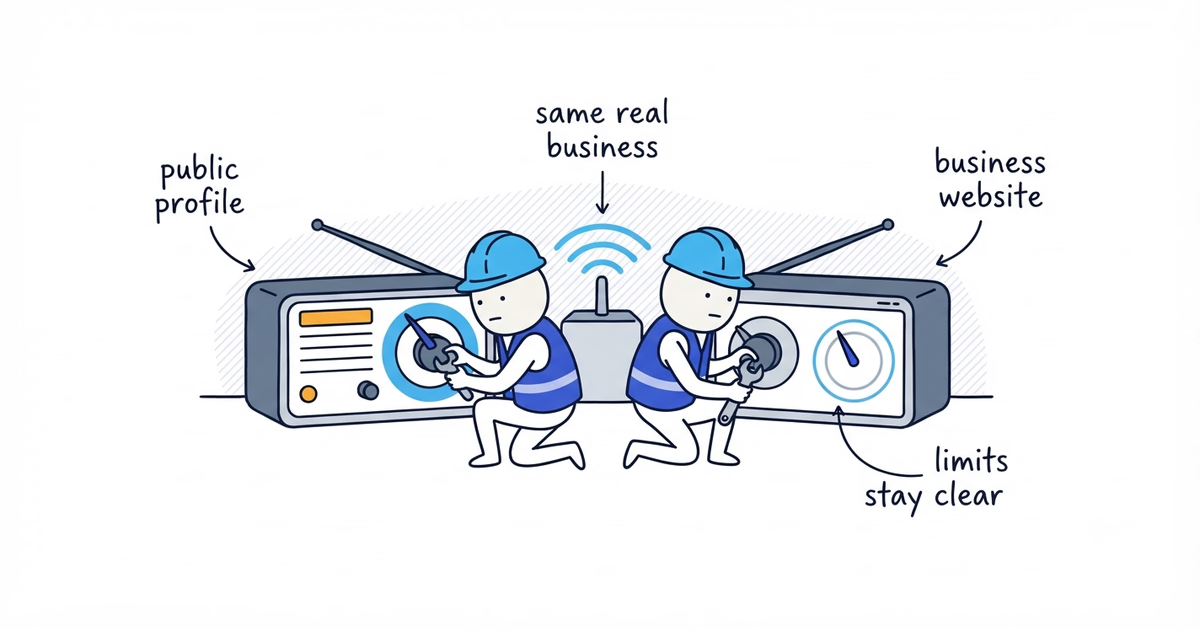
Yes. An accurate Google Business Profile can help your business appear in AI search, especially in Google’s own search products.
Your profile tells Google what your business is, where it operates, when it is open, which services it provides, and how a customer can contact you. Google also specifically recommends keeping Business Profile information up to date for AI Overviews and AI Mode.
A Google Business Profile is not a universal AI listing, and it does not guarantee that ChatGPT will recommend your business. But for a local service business, it is still one of the most important public records to claim, complete, and keep accurate.
What Is a Google Business Profile?
A Google Business Profile is the listing that can appear when someone searches for your company or a nearby service on Google Search and Maps. It can show your name, category, address or service area, hours, phone number, website, services, photos, and reviews.
For a plumber, cleaner, electrician, landscaper, HVAC contractor, roofer, or other local service provider, this is often the first information a customer sees. Google builds it from owner details, public web content, licensed data, customer contributions, and its own interactions with a business or place. Claiming the profile lets you maintain the facts you are responsible for.
How Does the Profile Help With Google AI Search?
Google says its normal Search guidance still applies to AI Overviews and AI Mode. There is no separate form that places a business in Google’s AI answers, and there is no special AI schema that a local business must add.
The practical work is familiar: keep the website useful and crawlable, follow normal SEO practices, and keep the Business Profile current. The profile supports that work in three ways:
- It helps identify the business. The name, categories, and other details explain what kind of company the profile represents.
- It provides current local facts. The location or service area, hours, phone number, and website explain where the business operates and how to reach it.
- It supports local visibility. Google says local results are mainly based on relevance, distance, and prominence. Complete and accurate business information makes a profile more likely to appear for relevant local searches, while reviews and positive ratings can also help local ranking.
Editing one field will not automatically earn an AI mention. The point is that Google explicitly asks businesses to keep this information current for its AI search features.
Does ChatGPT Use Google Business Profile?
OpenAI’s public documentation confirms that ChatGPT can search the web and cite the sources it uses. It does not say that every local recommendation comes from Google Business Profile, or that a profile is required for a business to be recommended.
Do not treat Google Business Profile as a way to “list your business on ChatGPT.” Treat it as a public source of local business facts, then maintain a clear website and other reputable profiles. A business can be found without a Google profile, but an unclaimed or inaccurate profile makes it harder to understand in Google Search and Maps.
For the website side of this work, see Does Your Website Help ChatGPT Find Your Business?.
Which Google Business Profile Details Matter?
Every completed field should help a real customer answer a real question.
Business name and categories
Use the business name that customers see in the real world. Do not add a city, service list, or words such as “best” and “24-hour” merely to target more searches.
Choose the most specific primary category that describes what the business is, then add only relevant additional categories. Categories are not a list of every job the team can perform.
Address or service area
If customers visit and the location is staffed during stated hours, use an accurate storefront address. If the business travels to customers and does not serve them at its address, set it up as a service-area business and hide a residential address.
List areas the team actually serves. Adding distant cities does not create the people, vehicles, or availability needed to serve them. An oversized service area sends the wrong customers to the phone.
Hours
Publish the hours when someone can genuinely reach the business, and update special hours for holidays or temporary changes. Do not claim 24-hour availability unless calls are answered and the service is actually available around the clock.
Phone number and website
Use a phone number controlled by the business and check that it reaches the right person or team. The website link should open a working page where a customer can confirm the business, understand the main services, and take the next step.
Services
Add jobs customers can really book, using service names they recognize. The list should be accurate, organized, and consistent with what the website says the team does. The Google Business Profile services guide explains how to choose and name them.
Photos
Use current, real photos of the team, vehicles, equipment, completed work, and customer-facing location where appropriate. They should document the company, not suggest work the team did not perform.
Reviews
Reviews help customers judge service quality, and Google says review count and positive ratings can help local ranking. Ask real customers for honest reviews, respond professionally, and address repeated service problems instead of trying to hide them. Our guide to Google reviews and AI recommendations explains this part in more detail.
What Happens When the Profile Is Wrong?
Several mistakes or contradictions make the business harder for customers and search systems to understand.
Common problems include:
- an old phone number that no one answers;
- regular or holiday hours that no longer match operations;
- a broad or incorrect primary category;
- services copied from competitors that the team does not actually provide;
- an unrealistic service area;
- a home address shown for a business that only visits customers;
- duplicate profiles for the same business or location;
- a claim such as “24/7 emergency service” on the profile when the website, voicemail, and actual staffing do not support it.
These issues create missed calls, wasted trips, irrelevant leads, frustrated customers, and bad reviews. They also leave public sources disagreeing about basic facts.
Correct the source that is wrong. Do not make two inaccurate pages agree with each other just for consistency.
Can Google Business Profile Replace Your Website?
No. The profile and the website do different jobs.
The profile helps a customer find and identify the business. The website can explain specific jobs, service locations, qualifications, the service process, and how to book.
The facts should agree, but the wording need not be identical. A profile might list “water heater repair.” The website can explain which types the team repairs, emergency availability, and where same-day service is offered. That is useful detail, not a contradiction.
Google Business Profile Checklist for Local Service Businesses
Work through this list in order:
- Search before creating a profile. Search Google and Maps for the business name, phone number, and address. An old or unclaimed listing may already exist. Creating another one can leave you with duplicates.
- Claim and verify the correct profile. Request access if someone else controls it, recover the account if necessary, and complete Google’s available verification method. The verification guide explains the process.
- Use the real business name. Remove extra city names, services, phone numbers, and promotional phrases that are not part of the real-world name.
- Choose accurate categories. Select the most specific primary category for the core business, then add only additional categories that describe other genuine parts of the operation.
- Set the business type correctly. Show a storefront address only when customers can visit that staffed location. Otherwise, configure a service area and hide the residential address.
- Use a realistic service area. Add places the team regularly serves and remove areas it cannot support reliably.
- Add real services. List the main bookable jobs in customer language. Remove duplicates, vague marketing phrases, and services the business no longer offers.
- Check hours, phone, and contact handling. Call the published number, test any booking path, and confirm regular, holiday, and emergency hours match real operations.
- Check the website destination. Make sure the link works on a phone and leads to a page that clearly identifies the business, explains its services, and provides a visible contact option.
- Add current photos. Replace outdated, misleading, or poor-quality images with real photos that help customers recognize the company and its work.
- Manage reviews as an ongoing job. Ask customers fairly, reply to reviews, and look for recurring complaints that reveal an operational problem.
- Review the profile every month. Check it again whenever the phone number, hours, services, service area, staff access, or website changes.
You do not need to turn this into a separate AI project. You need one accurate profile, one useful website, and a routine for keeping both current.
If the profile is missing, unclaimed, locked, duplicated, or incomplete, ShiftFlow’s Google Business Profile setup service can help find and claim the right profile, guide verification, recover ownership, correct categories and service areas, and complete the details customers check. The free profile check shows what is missing or wrong and which setup issue to address first.
Frequently Asked Questions About Google Business Profile and AI Search
Can ChatGPT recommend a business without a Google Business Profile?
Yes. OpenAI does not list Google Business Profile as a requirement for ChatGPT Search. A business may still be found through its website and other public sources.
Can Google Business Profile replace a website for AI search?
No. The profile gives Google and customers a compact record of the business, while the website can explain services, service areas, qualifications, and how to book in much more detail. Local businesses should maintain both.
Does Google Business Profile need special AI setup or schema?
No. Google says there are no additional technical requirements or special schema needed for AI Overviews or AI Mode. Complete the normal Business Profile fields accurately and follow standard website SEO practices.
Do the profile and website need to use exactly the same wording?
No. The wording can be different, but important facts should not conflict. Keep the business name, services, locations, hours, phone number, and other operating details accurate wherever they appear.
Sources
- ai-search
- google-business-profile
- chatgpt
- local-business