What Services Should I Add to My Google Business Profile?
Build an accurate Google Business Profile service list from real customer jobs, combine duplicates, handle descriptions and prices, and keep physical products separate.
Add the meaningful jobs customers can hire you to perform now. Do not add every task, every wording variation, or work you hope to offer later.
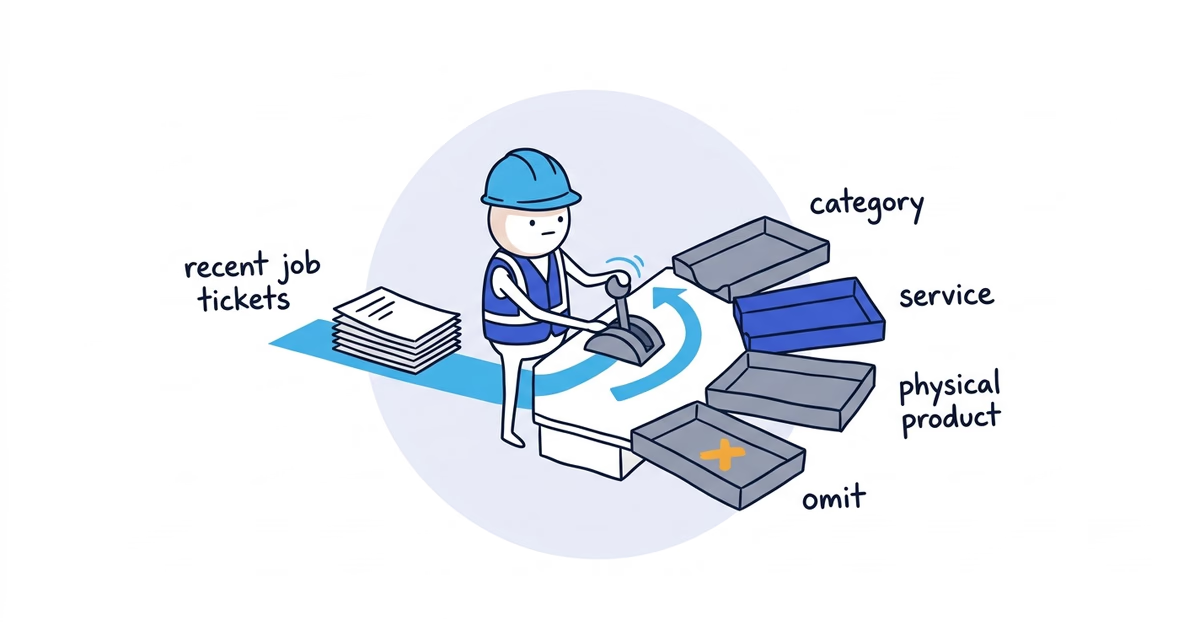
Start with recent invoices and estimates, not a keyword list. Then sort each item into the right Google Business Profile field: category, service, physical product, or nowhere.
The short version: review the last 60–90 days of work, keep each distinct job customers regularly buy, combine wording variations, and leave out internal repair steps.
Google documentation checked: July 21, 2026 (United States).
Categories vs. services vs. products
| Bucket | What belongs there | Quick test |
|---|---|---|
| Category | What kind of business this is | Complete the sentence: “This business is a…” |
| Service | A meaningful job a customer can hire the business to perform | Complete the sentence: “A customer can hire us to…” |
| Physical product | A real item sold by a local store | Can the customer buy this item as merchandise? |
| Omit | Internal steps, duplicates, old work, and aspirational offers | Would listing this help a customer choose a distinct service? |
A plumbing company may use Plumber as its category and list drain cleaning, leak repair, fixture installation, and water-heater replacement as services. Removing a trap to reach a drain is part of the job. It does not need its own service entry.
Google’s Product editor is intended for local stores that sell physical goods. A service-only business should not turn “Water-heater installation package” or “Three-room deep clean” into a Product just to gain another place on the profile. The work belongs under Services.
How to choose which services to add
Pull these four records:
- The last 60–90 days of invoices
- Recent estimates, including the ones customers declined
- The reasons customers gave when they called or submitted a form
- The service pages or service list on the current website
Write down the customer-facing job name from each record. Do not clean up the list yet. If invoices say replace water heater, water heater install, and install 50-gallon heater, keep all three until the sorting pass.
Now ask two questions about every line:
- Is this a different buying decision for the customer?
- Can the business reliably take this work today?
If both answers are yes, it probably deserves a service entry. If the first answer is no, combine it with the main service. If the second answer is no, remove it until the team, equipment, coverage, and intake process are ready.
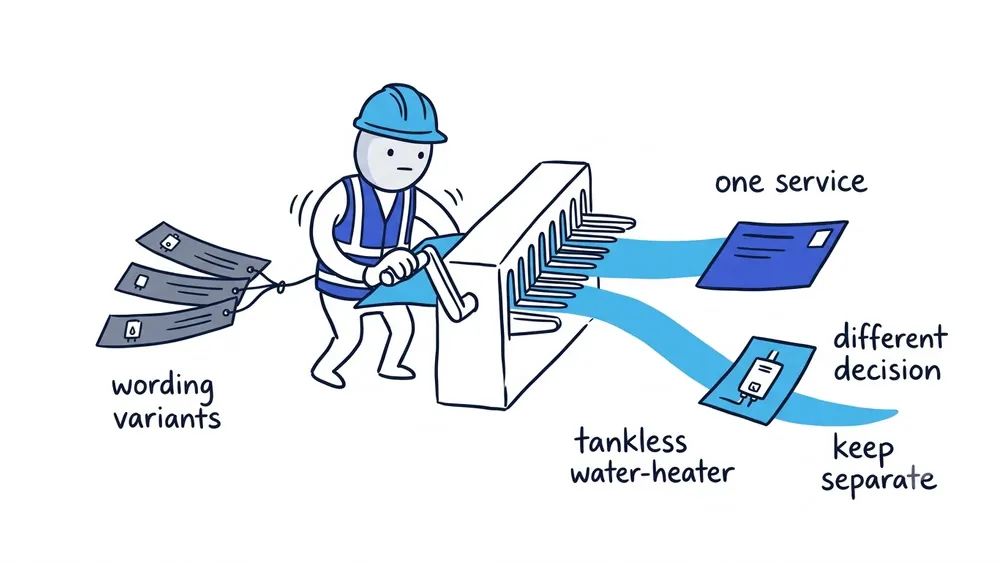
There is no useful universal number of services. A focused window-cleaning company may need a short list. A plumbing company with repair, installation, drain, sewer, and water-treatment divisions may need more. The list should match the operation, not a target count.
Plumber service-list example
Suppose Northside Plumbing’s raw list contains these invoice and call descriptions:
| Raw item | Placement and final wording | What to do |
|---|---|---|
| Plumber | Category: Plumber | Keep as the business type, subject to the current category selector |
| Clogged kitchen sink | Service: Drain cleaning | Combine with other ordinary indoor drain-clearing variants |
| Main line blockage | Service: Sewer line cleaning | Keep separate if the equipment, scope, and customer decision are different |
| Fix leaking faucet | Service: Faucet repair | Keep if sold as a standalone call |
| Change faucet cartridge | Omit: Part of faucet repair | Do not list an internal repair step |
| Install customer-supplied faucet | Service: Faucet installation | Keep; it is a different buying decision from repair |
| 40-gallon water-heater replacement | Service: Water-heater replacement | Combine capacity and brand variations |
| 50-gallon water-heater replacement | Service: Water-heater replacement | Do not duplicate by tank size |
| Tankless installation | Service: Tankless water-heater install | Keep if the company actively sells and performs it |
| Emergency plumber | Service, if true: Emergency plumbing response | Do not use it as a category shortcut; add the service only if the after-hours operation can deliver it |
| Water heater sold at retail | Physical product: Specific heater model | Use Products only if customers genuinely buy the physical item as retail |
When emergency response is one of those material services, the emergency service setup guide helps check that the service entry agrees with real hours, intake, and dispatch capacity before it goes live.
The useful distinction is not whether two phrases can target different searches. It is whether the customer is making a materially different choice.
Brand, size, part, symptom, room, and city variations usually belong in the service description or intake conversation, not in separate service names.
Cleaning business services example
A residential cleaner may list recurring house cleaning, deep cleaning, move-in cleaning, and move-out cleaning. “Clean kitchen counters,” “vacuum bedrooms,” and “wipe baseboards” are tasks within those services.
Interior window cleaning may stay inside a deep-cleaning description when it is only an add-on. It can become its own service when customers regularly buy it separately and the business accepts that work on its own.
Suggested vs. custom services
Google may show suggested services based on the profile’s categories. Review them one by one. A suggestion is not proof that the business should offer or select it.
Use a suggested service when it accurately matches the work. Add a custom service when the normal term customers use is missing. Keep the custom name plain: Sewer camera inspection is clearer than Advanced Local Sewer Inspection Solutions.
Services can be grouped under the profile’s available categories. That does not mean you should add more categories to create more service groups. Categories describe the business. Services describe the work.
If the service groups expose uncertainty about what the business actually is, use the business category guide to choose the primary and additional categories before finalizing the list.
How to write service descriptions
A description earns its place when the service name alone leaves a real question. Clarify one or more of these points:
- The scope: what the service includes
- The customer: residential, commercial, property manager, or another real focus
- The outcome: what gets inspected, repaired, installed, or cleaned
- A material boundary: what requires an estimate or is not included
For example:
Sewer camera inspection: Video inspection of an accessible residential sewer line to locate blockages, damage, or root intrusion. Repair recommendations are provided after the inspection.
Do not repeat the business name, nearby cities, and the same service phrase several times. Keep phone numbers and prices in their proper fields rather than stuffing them into custom service text.
Should you add prices to your services?
Google supports prices in the Services editor. Use a price only when it will remain truthful for the service shown.
| Pricing situation | What to show |
|---|---|
| The service has one genuine fixed price | Use the exact price |
| The service reliably starts at one amount | Use a starting-price option only if the live editor offers it and the floor is real |
| Diagnosis, access, materials, size, or site conditions change the quote | Leave the price blank and explain that an assessment or estimate is required |
Do not publish a low number that applies only to an unusually easy job. A blank price is better than a misleading one.
The Services editor is not where you decide what to charge. It is where you display a price that the business has already decided it can honor.
How to add services to a Google Business Profile
Google changes labels and feature availability by category, region, account, and device. Use the controls shown on the live profile.
- Sign in to the Google account that manages the Business Profile.
- Find the profile in Google Search or Maps.
- Open Edit services, or open Edit profile and find Services.
- Review the service groups attached to the current categories.
- Select accurate suggested services and add missing custom services.
- Add a short description where it helps the customer understand the scope.
- Add a price only when the displayed amount is reliable.
- Save the changes.
After the edit is processed, view the profile while signed out. Check it on a phone as well as a desktop. The editing screen is not the customer’s view.
Final service-list checklist
The list is ready when all six statements are true:
- Current: Every listed service is available now.
- Distinct: Each entry represents a meaningful customer decision.
- Plain: The names match normal customer language.
- Consolidated: Brands, sizes, symptoms, rooms, parts, and keyword variants are not duplicated.
- Truthful: Every description and displayed price can be honored.
- Placed correctly: Business types remain in Categories, service work remains in Services, and Products are reserved for genuine physical retail goods.
Review the list when the operation changes. Add a service when the business can reliably sell and deliver it. Remove one when the team no longer accepts that work. Routine accuracy matters more than filling every available field.
Frequently asked questions
How many services should I add to Google Business Profile?
There is no useful fixed number. Add every materially different service the business currently sells and can deliver, then combine brand, size, symptom, room, and wording variations.
Can I add custom services to Google Business Profile?
Yes. Add a custom service when Google’s suggested list does not contain the normal customer-facing name for work you genuinely offer. Keep the name plain and put the price, phone number, and fuller scope in their proper fields.
Do Google Business Profile services improve rankings?
Google documents how to manage Services but does not promise a specific ranking lift from adding more entries. Use the field to describe real work clearly, not to repeat keywords or reach a target count.
Sources
- google-business-profile
- profile-services
- custom-services
- service-descriptions
- service-prices
- home-services