How Many City Pages Should I Create?
Decide how many city pages to create using real jobs, demand, service economics, and local proof, then choose a small first batch without thin local pages.
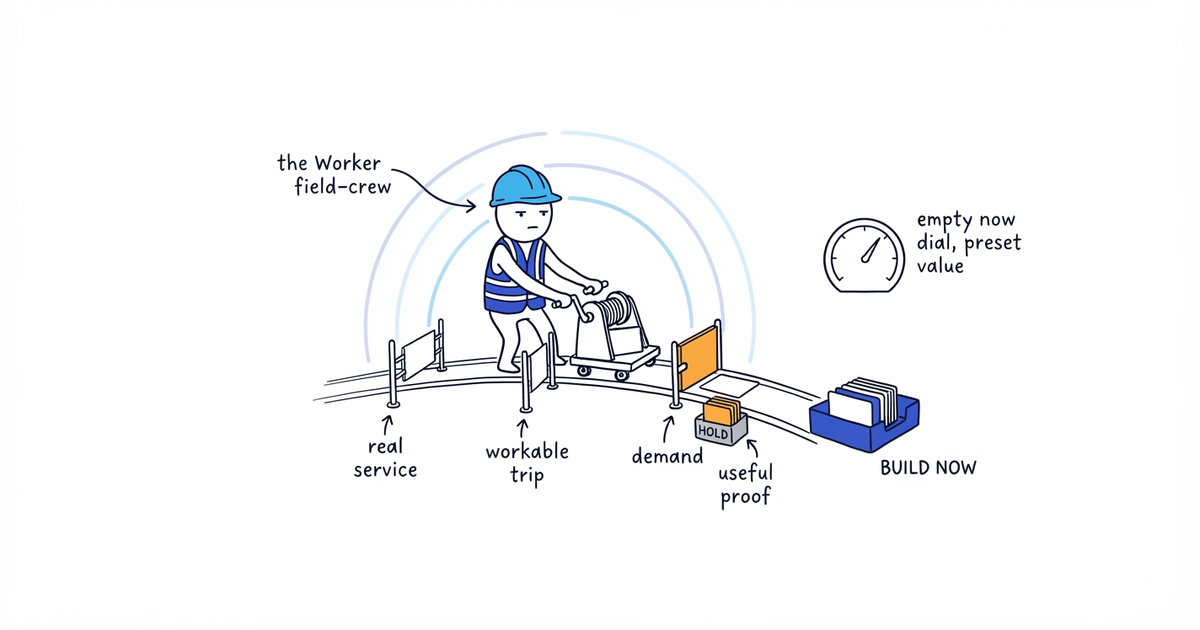
To decide how many city pages to create, do not start with a preset total. Create one only for a city you genuinely serve, want more work from, have demand evidence in, and can describe with useful local proof. Google does not prescribe a page count.
For your first batch, choose the strongest one to three cities that meet all four conditions. That is a production recommendation, not a Google rule. If two qualify, create two. If none qualify, improve your homepage or service-area page instead.
Give every city one decision:
- Already covered: An existing page serves that city and service intent.
- Build now: The city qualifies and its evidence is ready.
- Hold: The market may qualify later, but something specific is missing.
- Do not build: You cannot reliably serve the market, or the page would be a city-name swap.
Google Search and Business Profile guidance checked: August 12, 2026 (United States).
Before you choose a number
Open a spreadsheet. Then gather:
- The cities you serve or are seriously considering serving
- Your last 6–12 months of completed jobs
- Qualified enquiries and estimates
- Typical drive time and any travel or minimum-charge rules
- Your current homepage, service, and location-page URLs
- Project notes, approved photos, reviews, neighborhoods served, and service restrictions
Without a CRM, use invoices, calendars, estimates, calls, email, and the team schedule. Mark gaps instead of guessing. Search volume may suggest demand, but not whether the trip makes money or your crew can fulfill the work.
1. Decide which page already owns your home city
Input: Your base, staffed locations, existing page URLs, and service markets.
Action: Give every existing or proposed page one job.
- A homepage often covers the main service and home city for a business with one base.
- A physical-location page represents a genuine staffed location.
- A service-area page covers a real market where your team travels to customers without claiming an office there.
- A service-area hub covers several areas that do not yet need individual pages.
If an Austin plumber’s established homepage already serves Austin, another page called “Austin Plumbing Services” gives the site two pages for the same job. Mark Austin already covered. Round Rock and Cedar Park remain candidates because no current page owns them.
A page does not create a location or change your distance from a searcher. Google describes relevance, distance, and prominence as the main local-result factors. A service-area business generally has one Business Profile for its central location; additional Profiles require separate locations, staff, and service areas. Do not create an office, team, or Profile to match each page.
Output: One owner page for the home market and a deduplicated city list.
This step is complete when: No city-and-service intent appears twice in your proposed site structure.
If you cannot tell: List the URL, title, and H1 of every location-related page. If several target the same city, stop adding pages and use the duplicate city-page audit to give every overlapping URL a keep, rewrite, merge, or remove decision.
2. Fill in the candidate-city worksheet
Input: Jobs, qualified leads, estimates, drive times, operating costs, and local proof.
Action: Give every city one row. Start with business records, not a keyword tool.
Paste these columns into the sheet:
City | Existing owner page | Completed jobs in last 6–12 months | Qualified leads and estimates | Typical drive time | Services actually offered | Operationally and financially sensible? | Demand evidence | Local proof or useful city detail | Missing evidence | Decision | Reason and next actionGroup records by city or ZIP. Keep customer addresses out. Count jobs from invoices or the schedule, and only enquiries that fit the service, budget, and working area as qualified leads.
Here is an Austin plumber’s worksheet. These figures are examples, not page thresholds.
| City | Jobs | Qualified leads | Drive time | Operating fit | Local evidence | Initial decision |
|---|---|---|---|---|---|---|
| Austin | 34 | 19 | 20 min | Strong; home market | Several projects, photos, and reviews | Already covered |
| Round Rock | 11 | 9 | 35 min | Strong; normal minimum charge | Three usable projects, approved photos, one relevant review | Build now |
| Cedar Park | 8 | 7 | 32 min | Strong on the north-side route | Two usable projects and clear coverage details | Build now |
| Pflugerville | 2 | 4 | 45 min | Possible, but not a regular route | One thin project note; no approved photos | Hold |
| Georgetown | 0 | 2 | 55 min | Weak under current dispatch rules | None | Do not build |
The count does not decide the page. Eight profitable jobs on an existing route may be a better market than twelve low-value jobs with an hour of unpaid travel.
Output: A fact-filled row for every city you are considering.
This step is complete when: Every number has a source, every blank is marked, and every city is visible.
If records are incomplete: Reconstruct what you can. Mark the city hold when missing evidence prevents a decision. “We sometimes go there” is not data.
3. Make every city pass four gates
Input: The worksheet, capacity, service limits, licenses, travel rules, minimum charges, and job economics.
Action: Test one city at a time. A build now city must pass all four gates.
Gate 1: Do you genuinely serve the city?
Write down accepted services and restrictions. Can the team legally and reliably do the work? Would you take an ordinary qualified job there this month?
Pass when you can fulfill what you state. Mark an aspirational market do not build. Use hold for a planned change that is not ready.
Gate 2: Do you want more work there?
Account for drive time, crew time, trip costs, minimum charges, job value, and callback risk. Ask “Would we deliberately accept another normal job there?” rather than “Can we get there?”
If current pricing and dispatch make the answer no, do not build a page to produce more of that work. Use hold only when a defined change could make it viable.
Gate 3: Is there evidence of demand?
Look for completed jobs, qualified enquiries, estimates, referrals, or Search Console searches. A new expansion market may use other defensible research, but it still needs an operating plan.
Population, proximity, and keyword volume are leads to investigate, not a pass. A popular search market can still be poor for your crew.
Gate 4: Can the page help a customer in that city?
List what the page could say truthfully and usefully:
- A completed project and what the crew handled
- Services actually available in that market
- Representative neighborhoods or ZIP areas you really cover
- Booking, route, minimum-charge, or availability details
- A genuine review connected to work in the area
- Approved job photos from the area
- A verified local condition that materially changes the work
Photos and reviews are useful proof, not quotas. Cedar Park can qualify without a local review when real projects and useful operating details make the page distinct. It does not qualify when the only change is replacing “Round Rock” with “Cedar Park.”
Round Rock passes all four gates: the plumber routinely works there, wants more of those jobs, has demand history, and can show real work. Pflugerville shows possible demand, but the route and local evidence are weak. Mark it hold.
Output: A provisional status and a one-sentence reason for every city.
This step is complete when: You can explain each decision without relying only on distance, population, or search volume.
If a gate rests on a hunch: Use the conservative decision and name the evidence that would change it.
4. Build the evidence pack before the page
Input: The project, coverage, review, photo, and operating facts behind each build now decision.
Action: Create one folder or document per selected city. Add:
- At least one real completed job you can describe without exposing the customer
- The services you actually offer there
- Approved job photos, when available
- Genuine reviews from that market, when available
- Representative neighborhoods or ZIP areas you truly serve
- Relevant booking, travel, availability, or service limits
- Verified local conditions that affect how the work is done
The pack must answer two customer questions: “Do you really serve my area?” and “Why should I trust you with this job?”
Round Rock’s pack might contain a water-heater job, approved photos, coverage areas, and a local review. Cedar Park’s might show two leak repairs and north-side scheduling details. The pages can share a layout, but not an interchangeable story.
Google’s spam policies describe doorway abuse as pages made for similar searches that lead through less-useful intermediate pages, including substantially similar pages. The same policies list blocks of text naming cities or regions to rank for as keyword stuffing. A city page must be a useful destination, not a place-name variation or a location list written for search engines.
Never fill a gap with a fictional project, review, response time, team member, office, or local trivia. If the pack contains only a standard service description and city name, downgrade it to hold and use the broader service-area page while real evidence develops.
Output: A writer-ready evidence pack for every city still marked build now.
This step is complete when: Each selected city has at least one useful section that could not be copied unchanged to another city.
If you have no local review or photo: Use a real project, service limitation, or route information. If nothing makes the page useful locally, hold it. Do not manufacture proof.
5. Decide how many city pages to create first
Input: Final worksheet statuses and evidence packs.
Action: Rank build now cities by business value and evidence readiness. Choose the strongest one to three; put the rest in a prioritized backlog.
Starting small lets you produce and check each page individually. It does not satisfy a Google minimum, and three pages do not guarantee indexing, rankings, calls, or leads.
The Austin plumber’s final decision is:
| City | Final decision | Reason and next action |
|---|---|---|
| Austin | Already covered | Keep the main Austin intent on the homepage; do not create a competing page |
| Round Rock | Build now | Hand the completed evidence pack to the page writer |
| Cedar Park | Build now | Hand the completed evidence pack to the page writer |
| Pflugerville | Hold | Track jobs and route fit; collect a stronger project and useful coverage details |
| Georgetown | Do not build | Remove it from the backlog under current service and dispatch rules |
The answer for this business is two new city pages: not five because five cities were listed, and not three because three was the suggested batch limit.
Output: A closed plan with the first batch, backlog, held and rejected markets, and existing owner pages.
This step is complete when: Every row has a decision, reason, and next action, and the selected evidence packs can move directly to writing.
If no city passes: Create zero city pages. Improve the homepage or broader service-area page, track work by city, and reconsider when a market develops enough evidence.
Check the plan before writing any city page
- One existing or planned page owns the home-city intent.
- Every build now city passes real service, operating economics, demand, and customer-value gates.
- Every selected city has at least one useful module that cannot be copied unchanged elsewhere.
- Search volume did not override poor serviceability or weak economics.
- Nearby towns qualified on evidence, not proximity. Neighborhoods stay inside a city page unless they independently pass the four gates.
- No page depends on a fictional address, office, team, response time, review, or project.
- Every hold or do not build row names the missing evidence or rejection reason.
- The first batch is small enough to produce and review one page at a time.
Once those checks pass, the city decision is finished. Use the local landing page guide to turn each selected evidence pack into a useful customer page. Titles, descriptions, schema, internal links, and Google Business Profile settings come later; none can rescue a city that should not have had a page.
Frequently asked questions
Do I need a separate city page for my home city?
Not when the homepage already clearly serves the same city-and-service intent. Give that intent one owner page; create a separate physical-location page only when it represents a genuine location and a different customer need.
Can I create a city page before I have completed jobs there?
Yes, but only for a deliberate expansion market that passes the service, economics, demand, and customer-value gates without invented experience. If you cannot provide truthful, useful information for customers there yet, mark the city hold.
Should neighborhoods have their own landing pages?
Usually, no. Mention representative neighborhoods on the city page when they help customers confirm coverage. Consider a separate neighborhood page only when it independently passes the same four gates and would serve a distinct customer intent.
Sources
- city-pages
- city-landing-pages
- location-pages
- local-seo
- service-business