How Do I Get More Calls From Google Maps?
Find the first leak between Google Maps visibility, profile actions, real customer contact, qualified leads, and booked jobs, then measure one focused improvement.
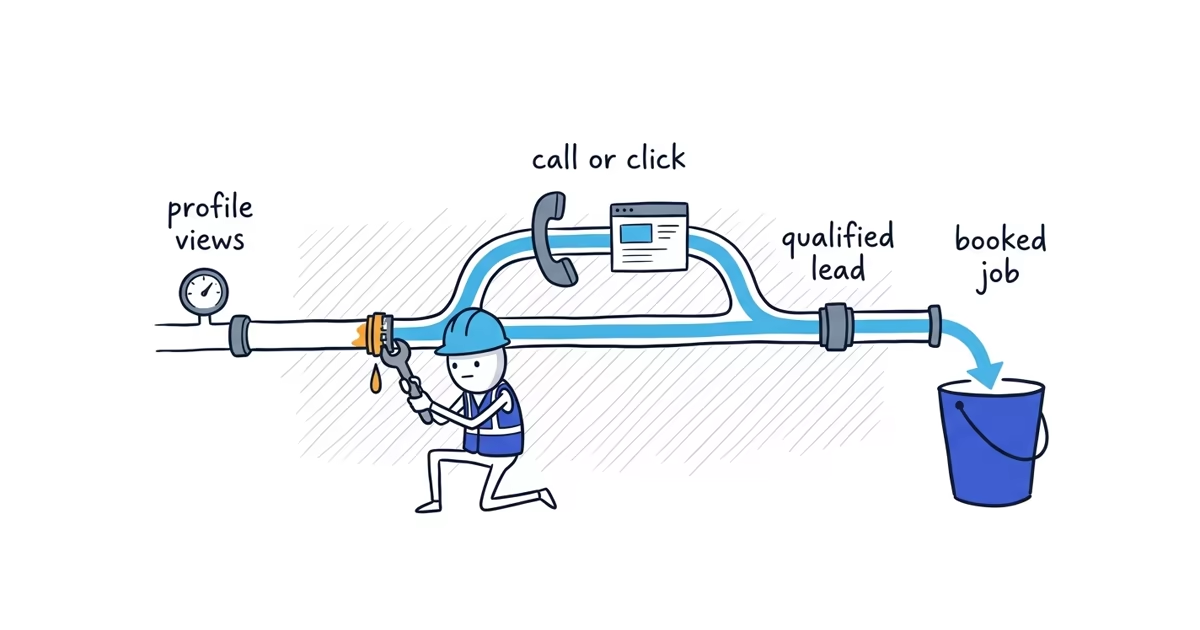
More calls and website clicks require two things: relevant people must see the Business Profile, and the profile must give them a clear, trustworthy, low-friction next step. Ranking alone does not guarantee either action.
This article starts with a verified, publicly visible profile that receives some relevant views or search appearances. If the business is missing even when searched by exact name, diagnose that first. If relevant searches rarely produce visibility, the Google Maps ranking guide helps you fix relevance and prominence within the real distance constraint before you improve the action path.
Do not treat every Google number as a lead. In Business Profile Performance, calls count taps on the Call button, and website clicks count taps on the profile’s website link. A tap does not prove that a call connected, a form was submitted, the customer was qualified, or a job was booked.
Call and website lead funnel
Use one complete reporting period. Google provides the first action numbers; phone, website, scheduling, and payment records provide the outcomes.
- Relevant appearances:
____
Low here means a public-profile or ranking problem. - Profile views:
____
Appearances without views call for a relevance and visible-choice check. - Call clicks:
____/ Website clicks:____
Views without actions point to customer-facing details, trust, or an unclear next step. - Answered calls:
____/ Website enquiries:____
Clicks without contact point to phone routing, missed-call handling, the linked page, or the form. - Qualified leads:
____
Contact without fit points to a mismatch in service, area, availability, or customer expectation. - Booked jobs:
____
Qualified leads without bookings belong to response, estimating, availability, follow-up, or sales. - Revenue:
$____
Booked work without useful revenue is a job-economics problem, not a click problem.
Do not skip to the top of the funnel automatically. More visibility poured into a broken phone or website path creates more lost customers, not more booked jobs.
When customers call or visit the website
A call and a website visit are not interchangeable.
- An urgent or simple job often favors a call. The customer wants to know whether someone can help and how quickly.
- A planned, expensive, or comparison-heavy job often sends the customer to the website first. The customer wants details, proof, options, and a clear way to request an estimate.
Consider Hawthorne Plumbing.
How an urgent Google Maps call becomes a booked job
A homeowner searches for help with a blocked drain while water is backing up. The profile appears, the listed hours say the business is open, and the customer taps Call.
The path is:
Relevant search -> Profile -> Call tap -> Answered call
-> Qualified drain job -> Scheduled visit -> Revenue
If the phone rings without an answer and the voicemail does not name Hawthorne Plumbing or explain the callback, another review or photo will not repair that leak. The problem occurs after the profile action.
How a Google Maps website click becomes an enquiry
Another homeowner is comparing options for a planned water-heater replacement. The customer opens the profile, reads recent reviews, and taps Website to understand the service before requesting an estimate.
The path is:
Relevant search -> Profile -> Website click -> Service page
-> Estimate enquiry -> Qualified replacement -> Booked job -> Revenue
If the link opens a generic homepage that does not mention water-heater work, the customer may leave even though Google recorded a website click. The leak belongs to the destination experience.
The same profile can support both paths. The owner should not force every customer toward a call or every customer toward a form.
Why profile views produce few calls
Check what a customer can verify before contacting the business:
- The primary category and visible service context match the main work
- The service area is accurate for customers
- Regular and special hours are current
- The phone number reaches this business directly
- The website link opens the correct business or location destination
- A booking link is accurate and working when the profile is eligible to use one
- Recent authentic reviews from real customers
- Representative completed-work photos
- Recognizable team, vehicle, equipment, or storefront photos where appropriate
- A consistent business name and identity across the profile, phone answer, and website
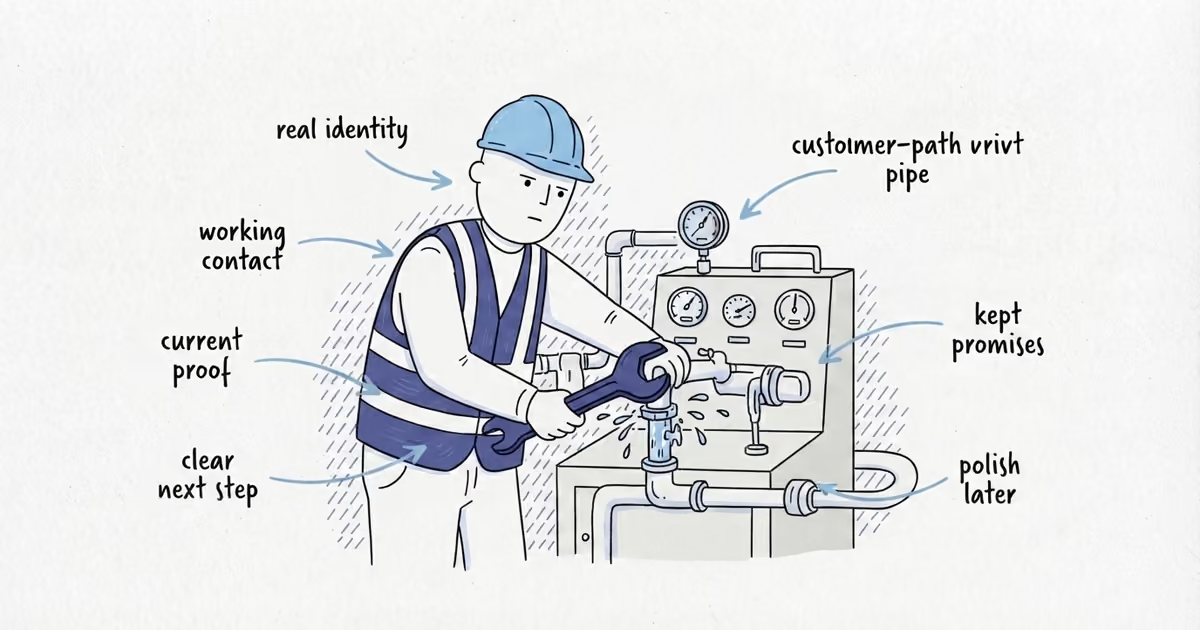
These details reduce doubt after the profile appears; they are not all confirmed direct ranking factors. Google controls where available elements render, so focus on accurate fields and the experience after the tap rather than trying to move a link “higher.”
How to test the customer path on mobile
Use a phone while signed out of Google or in a private browser window. Test the public experience, not the owner view.
- Search the exact business name and open the public profile.
- Confirm the business name, main service context, coverage, and current hours.
- Tap Call and complete a test call.
- Confirm that the displayed number reaches the correct business.
- Return to the profile and tap Website.
- Confirm that the intended page loads cleanly on mobile.
- Complete the shortest enquiry or booking path without submitting a false customer request.
- Note every point where the next step is missing, confusing, broken, or slow.
Run the test during stated open hours and once under the after-hours condition the business promises. A path that works for an owner already familiar with the business may still confuse a first-time customer, so read every label literally.
Why call taps do not become conversations
Compare Google’s call clicks with the calls the business actually answered. Then check:
- Calls are answered during the hours shown on the profile
- After-hours routing matches any availability the profile promises
- Voicemail clearly names the business
- Voicemail tells the customer what happens next and when to expect a response
- Missed calls receive a timely callback
- The person answering can identify the requested service and coverage area quickly
Stay at the diagnostic level. This article does not need a call-center script or automation build.
If Performance shows call taps but phone records show few connected calls, repair the number, routing, answer coverage, or callback process. If calls connect but few are qualified, compare the customer expectation set by the profile and website with the work the business actually accepts.
Why website clicks do not become enquiries
On a phone, the linked page should immediately confirm the same business, the searched service, the served location, and the next step for an estimate or booking. Test the form, confirmation, and delivery. Fix the observed leak: a broken form needs a form fix, a generic destination needs a clearer page, and a two-day response delay is an operating problem. If the business has no useful destination for profile visitors, our free website setup can help create a simple page that confirms the services, coverage, proof, and next step.
Why enquiries do not become booked jobs
Stop editing Google Business Profile when qualified enquiries reach the business. Check response time, schedule fit, estimate delivery, follow-up, and why customers decline. More views cannot fix an estimate that never arrives or an appointment the business cannot offer.
How to measure whether Google Maps produces more calls
Choose one diagnosed leak and one change. For example:
- Correct the phone routing, then compare call taps with answered calls.
- Replace the wrong website destination, then compare website clicks with completed enquiries.
- Correct unclear service information, then compare the quality of calls and forms.
Record a complete period before and after the change. Use periods that cover the same normal operating pattern when possible. Do not attribute one strong or weak week to several profile, phone, and website changes made together.
Google reports profile actions. Record answered calls, completed forms, qualified leads, booked jobs, and revenue outside Google. If those stages are not yet connected, the lead-tracking guide shows how to combine Performance, tagged website visits, and business records in one monthly view. The useful result is not a higher click count by itself; it is more qualified customers reaching a working path and becoming profitable booked jobs.
Frequently asked questions
Should my Google Business Profile link to my homepage or a service page?
Use the page that most accurately represents the business or location and gives likely customers a clear next step. A strong service page can help when one service dominates the intent, but a generic or misleading destination creates friction regardless of page type.
Should I add a booking link to Google Business Profile?
Add one when the profile is eligible, the booking destination is accurate, and a customer can complete the promised action reliably. Test the full mobile path first; a broken or confusing booking flow adds another leak instead of producing more jobs.
Sources
- google-maps
- google-business-profile
- profile-calls
- website-clicks
- lead-conversion