How do I remove a fake Google review?
Report a fake review under the policy it actually breaks, read the three report statuses, use the one appeal you get, and know what to do when Google leaves it live.
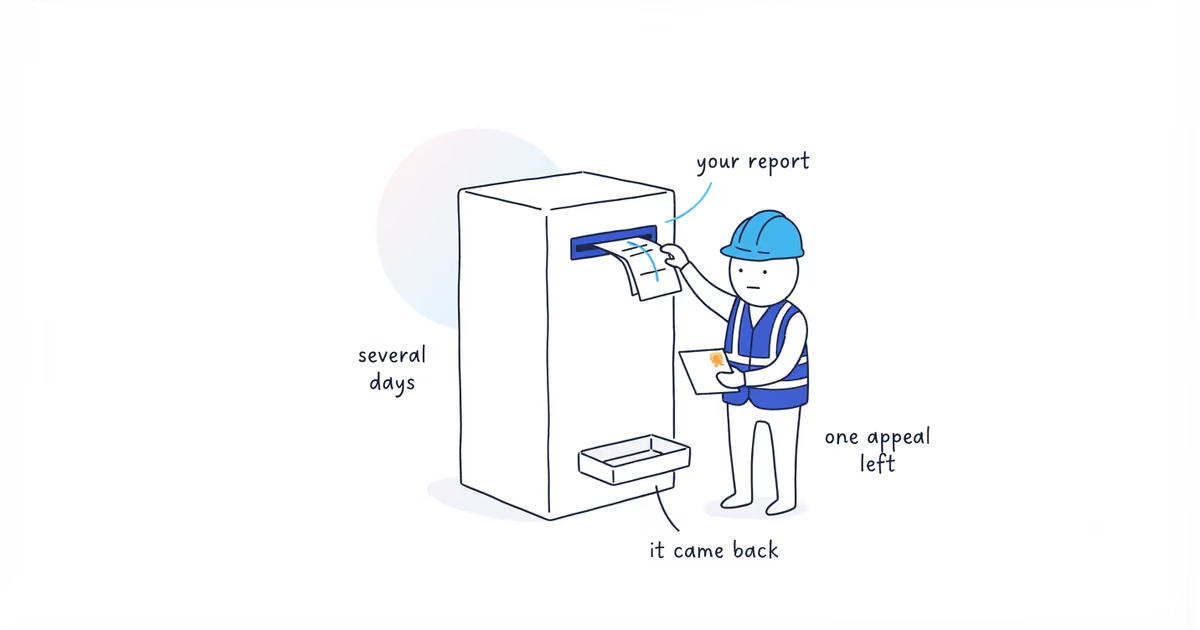
You can’t delete a fake Google review yourself. Nobody at your end can. You can report it, Google decides, and the decision comes back in what Google describes as typically several days.
The part worth knowing before you start: Google removes reviews that break its policies, not reviews that are untrue about you. Its own wording is “If the review complies with our policies, it will remain live.” So the job is not to prove the review is a lie. It is to identify which rule the review breaks, and to say so clearly enough that a reviewer at Google can see it in ten seconds.
Google documentation checked: August 10, 2026 (United States).
Which Google review policy the review breaks
| What the review did | The policy family to argue |
|---|---|
| Describes work you never did, for a person with no record anywhere in your jobs | Fake engagement — content not based on a real experience |
| Came from an ex-employee, a competitor, or someone with a business or personal tie to you | Conflict of interest |
| Isn’t about your business at all — wrong company, or a grievance about something else entirely | Off-topic |
| Names one of your crew, or posts an address or phone number | Personal information |
| Slurs, threats, abuse | Harassment or hate speech |
| A run of 1- and 2-star reviews followed by someone asking for money | Not a normal report — see the extortion section below |
One thing to expect when you get there: Google’s reporting page doesn’t publish the full list of reasons you can pick from. It gives examples and leaves it at that. So choose the closest match and put the specifics in the text you submit — the reason dropdown gets it into the right queue, but the case is what you write.
And be honest with yourself about which row you’re in. Google is blunt about the most common mistake: “Do not report a review just because you disagree with it or dislike it.” It also says, plainly, “Google doesn’t get involved in conflict between businesses and customers.” A real customer describing a real job badly is not in the table above.
How to report a fake Google review
Two entry points, and Google documents both, so this is the short version.
From your Business Profile: open Read reviews, find the review, select Report next to it, choose the reason, and send. Or use the Reviews Management Tool, which is the better route if you have more than one to deal with or you want to track what happens next — pick your business, choose to report a new review for removal, select Report beside the review, choose your reason, submit.
Then stop refreshing it. The rest of this article is what happens next, and next takes days.
What each Google review report status means
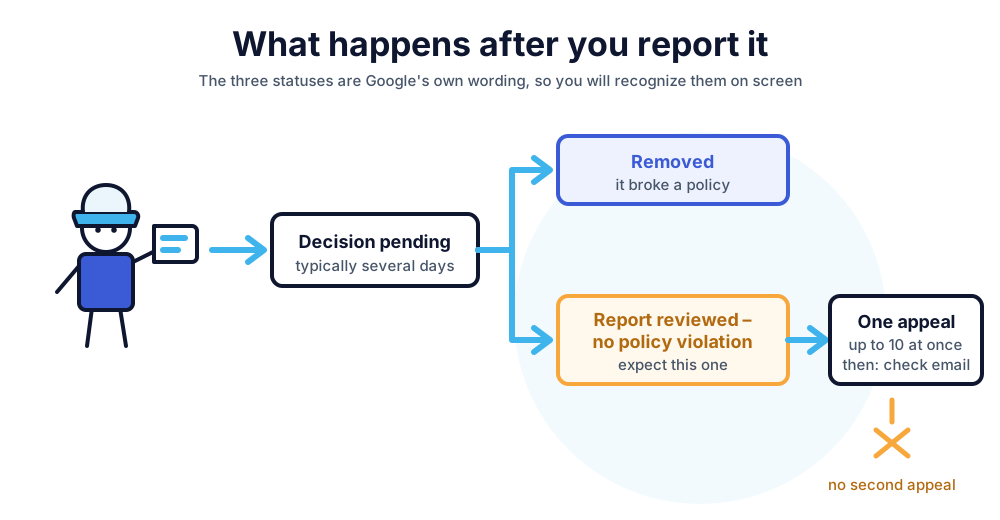
The Reviews Management Tool shows one of three states. These are Google’s words, so you’ll recognise them when you see them.
| Status | What it means | What you do |
|---|---|---|
| Decision pending | Flagged, not yet looked at | Nothing to escalate. Post a public reply — that reply is doing the work the report isn’t |
| Report reviewed – no policy violation | Looked at, and it stays | You get one appeal. Take it, and argue the policy, not the unfairness |
| Escalated – check your email for updates | The appeal is in | Watch your email. There’s no second appeal after this |
What to do while the report is pending
Reply to it. This is the part owners skip because the report feels like the real action, and it’s backwards — the report might take a week and might fail, while the reply is what a customer sees when they open your profile this afternoon.
Two sentences is enough: that you’ve checked your records and can’t find a job matching this name or this description, and a number they can call if you’ve got it wrong. Nothing more. Don’t say the review is fake, don’t say you’re reporting it, and don’t argue — you’re writing for the next reader, not for whoever posted it.
Your reply goes through Google’s own policy check before it appears, which “usually take[s] up to 10 minutes to review, but sometimes a review can take up to 30 days.” Write it once and leave it there.
What to do when Google finds no policy violation
This is the outcome most articles on this subject don’t cover, and it’s the one you should expect.
You get one appeal. Not an unlimited number — one. The route runs through the Reviews Management Tool: confirm your account, select the business, continue, then choose Check the status of a review I reported previously and appeal options. Continue, then Appeal eligible reviews at the bottom, select the reviews you want to appeal — Google caps this, and the tool tells you so: “You can select up to 10 reviews” — then continue, submit an appeal, and fill in the form.
Make the appeal narrow. The first report probably failed because it read as a complaint about fairness, and fairness isn’t a category. Name the policy family from the table above and give the evidence a stranger could check: the date range you have no matching job for, the employment record, the connection between the reviewer and a competitor, the fact that the work described is a service you don’t offer.
If the appeal fails, the review stays. At that point there is no third route, and the honest plan is the reply you’ve already posted, plus enough ordinary reviews that this one stops being the first thing anyone reads. That part is arithmetic, and our guide to how many reviews you need gives you the number for your own profile. If keeping that flow going is the part that never happens, ShiftFlow’s Google review management sets up the asking and runs it for you.
How to report Google review extortion
This is a different problem, and it goes through a different channel.
Google describes the pattern: “a sudden increase in 1-star and 2-star reviews on your Google Business Profile, followed by someone demanding money, goods, or services in exchange for removing the negative reviews.”
Two instructions, both Google’s, both blunt. “Do not engage with or pay the malicious individuals. This can encourage further attempts and doesn’t guarantee the removal of reviews.” And: “Do not try to resolve it yourself by offering money or services.”
What to do instead is collect, then report:
- Screenshots of every demand — email, text, chat, social — showing “the date, time, and the sender’s contact information, to the extent possible”
- Direct links to all the reviews you believe are part of it
- Anything that identifies the people involved: names, usernames, email addresses, phone numbers, social profiles
- When the reviews started, when the demand arrived, and whether this has happened to you before
Then report it through Google’s merchant extortion form rather than flagging the reviews one at a time. That channel is “exclusively for cases where you’ve been directly subjected to an extortion attempt” — ordinary spam and off-topic reviews still go through the normal path above.
Google says its team investigates and notifies you of the result, but won’t share details of the investigation.
Frequently asked questions
How long does Google take to remove a fake review?
Google says evaluation “typically takes several days.” There’s no published timeframe for appeals — the outcome arrives by email. If a review contains abuse or explicit content, don’t sit on it waiting; that’s worth escalating straight away rather than treating it as a routine flag.
A competitor left me a one-star review. Can I get it removed?
That’s conflict of interest, which is a real category — but you have to show the tie, not assert it. A name you recognise isn’t evidence. A shared surname, a company connection, the same person reviewing three of your competitors positively in the same week: that’s the sort of thing worth putting in the report.
Google removed one of my genuine reviews by mistake. Can I get it back?
That happens — Google acknowledges its automated systems “may also mistakenly remove legitimate reviews” — and it’s a different problem from this one, with its own diagnosis. Our missing Google reviews guide walks through which cause applies before you contact support.
Sources
- google-reviews
- fake-reviews
- review-removal
- review-extortion
- home-services