How Do I Hide My Address and Set Google Business Profile Service Areas?
Set up a service-area Business Profile using the real operating address without exposing a private home. Choose the correct business type, public address setting, service areas, and profile count.
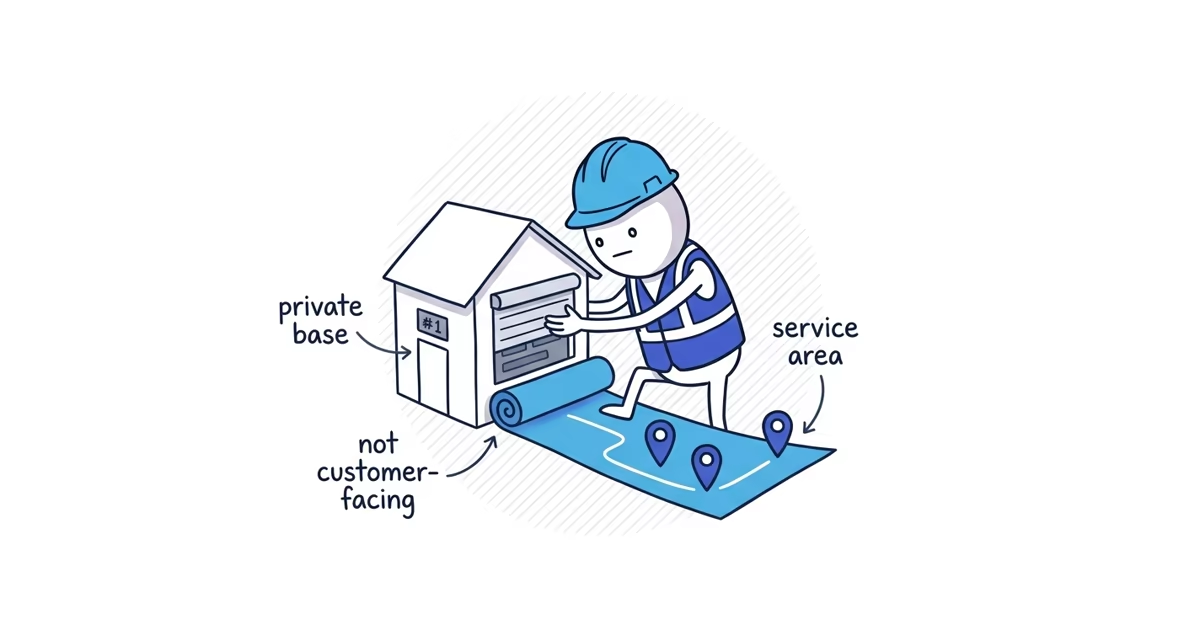
A home-based service business can use its real home address for Google’s records and verification. If customers do not visit that address, turn off public address display and list the places the business actually serves.
If you have not yet searched Search and Maps for the existing business or entered the core name, category, phone, and website, begin with the home-service setup guide so you create or claim the correct profile before changing its location model.
Start with one question:
Do customers visit this address during the stated business hours?
Your answer determines the business type and whether the address should be public.
Choose a storefront, hybrid, or service-area profile
| How customers receive service | Correct public setup |
|---|---|
| They visit a staffed location during its stated hours | Storefront: Show the address. Do not add service areas unless the team also travels to customers; that would make the setup hybrid. |
| They visit a staffed location, and the team also travels to customers | Hybrid: Show the address and add the areas the traveling team serves. |
| The team travels to customers, who are not served at the operating address | Service-area business: Hide the address and add the areas served. This is the usual setup for a home-based plumber, cleaner, or trade. |
The test is customer access, not whether the business owns or rents the property. A home office does not become a storefront because paperwork and tools are kept there. If customers cannot arrive during the listed hours, see permanent business signage, and receive service from the business’s team members, hide the address.
How Google uses a hidden business address
A service-area business still operates from a real place. Google may need that address to locate or verify the business, even though customers should not see it on the public profile.
Think of the two address uses separately:
- Google’s record: The complete, accurate location where the business is based. Google may use it for verification and may ask for evidence tied to it.
- Customer view: The location information shown on Search and Maps. For a service-area business, customers see the service area instead of the street address.
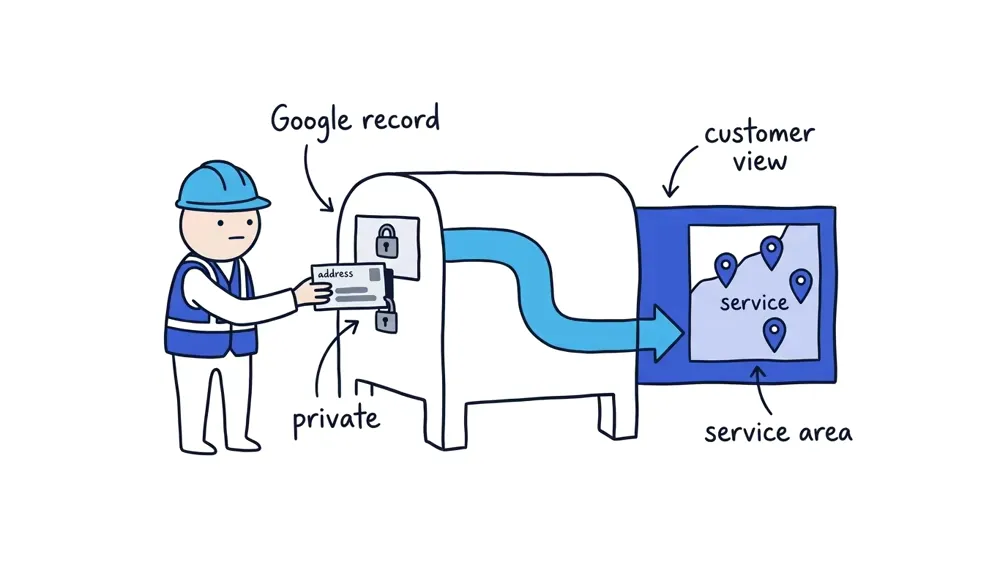
Hiding the address does not give the business permission to enter a mailbox or invented office. Enter the real operating address when Google asks for it, then control whether it appears publicly.
If Google cannot find the address, do not choose a nearby building just to continue. Recheck the street details. If the address is correct but still not recognized, use Adjust to place the map pin on the real operating location.
How to hide your address on Google Business Profile
Google’s current Search and Maps path is:
- Open the Business Profile.
- Select Edit profile.
- Select Location.
- Next to Business location, select Edit.
- Turn off Show business address to customers.
- Select Save.
Only use this setting for a service-area business. A genuine storefront or hybrid location should keep its staffed customer-facing address visible.
After saving, open the profile as a customer would and confirm that the street address is gone. The service area should remain visible.
How to add service areas to Google Business Profile
To add or edit service areas:
- Open the Business Profile.
- Select Edit profile, then Location.
- Next to Service area, select Edit.
- Choose suggested areas or enter the cities, postal codes, or other named areas served.
- Select Save.
Google no longer lets businesses set an editable service area by drawing a radius around the address. Use named areas instead.
You can enter up to 20 service areas, but 20 is a limit, not a target. Choose the smallest accurate list that explains where the team will accept work. Do not add a distant city because you occasionally receive an inquiry there or hope the profile will rank there.
Google’s general guidance is that the outer boundary should stay within about two hours of driving from the business base. Some types of business reasonably travel farther, but the list should still reflect normal operations rather than every place the team could theoretically reach.
Service-area business example
Suppose a plumber operates from a home in Plano, Texas, and regularly serves Plano, Allen, Richardson, and North Dallas.
The completed setup would look like this:
- Business type: Service-area business
- Address in Google’s records: The complete Plano home address
- Address shown to customers: Off
- Service areas: Plano, Allen, Richardson, and North Dallas
- Profiles: One profile for the central Plano operation
The owner does not need to add 16 more places to fill the limit. The four named areas already describe the work the business regularly accepts.
If you are unsure whether the operation should use a private base, public storefront, or hybrid location, ShiftFlow’s Google Business Profile setup can configure the location model, address visibility, and real service areas with you.
Can you use a virtual office on Google Business Profile?
The operating address must represent a real business location. Google does not accept a P.O. box or remote mailbox as the business location.
An unstaffed virtual office is not a workaround either. Paying to receive mail or use a prestigious street address does not make that location eligible. If the business does not actually operate there, do not enter it.
A co-working location can be shown as a customer-facing address only when the business:
- Maintains clear, permanent signage there
- Receives customers there during the stated hours
- Has its own team members staffing the location during those hours
A bookable meeting room or rented desk without those conditions should not be presented as a storefront. Use the real operating location and hide it if customers are not served there.
Can a service business have more than one Google profile?
A service-area business working from one central location should have one profile for the whole area it serves. Serving ten cities does not justify ten profiles. Offering plumbing, drain cleaning, and water-heater work does not justify three profiles either.
A separate profile can be appropriate when the business has a genuinely separate operating location with its own staff and distinct service area. A second residential address, mailbox, or city page without a team operating there does not meet that test.
Before adding another location, ask two questions:
- Does a separate team actually report to and operate from this location?
- Does that team serve a distinct area from that location?
If either answer is no, keep one central profile.
Do Google Business Profile service areas affect rankings?
The service-area field tells customers where the business works. It does not create a guaranteed ranking boundary.
Adding a city or ZIP code does not mean the profile will appear every time someone searches there. Google says local results are mainly based on relevance, distance, and prominence. Configure the service area for accuracy, not as a list of places where you want better visibility.
Check your service-area Business Profile setup
Check these five points before moving to verification:
- The profile is classified as storefront, hybrid, or service-area based on whether customers visit the address.
- The real operating address is accurate in Google’s records, and the map pin points to the right place.
- A service-area business no longer displays its street address to customers.
- The profile lists only named areas the team normally serves, within a sensible operating boundary.
- One central operation has one profile; any additional profile represents a real separate location with separate staff.
If Google now asks for proof, use the verification guide to show the real operating location while keeping the private address off the customer-facing profile.
Frequently asked questions
Can I use my home address for Google Business Profile?
Yes, if it is the real location where the service business operates. If customers do not receive service there, use it for Google’s records when requested but turn off public address display.
Can I use a virtual office instead of my home address?
Not if the business does not actually operate there. A co-working address must have permanent signage, customer access, and the business’s own staff during the stated hours before it can be shown as a storefront.
How many service areas can I add?
Google allows up to 20. Add only the cities, postal codes, or other named areas the team routinely serves. Filling every slot does not improve the profile by itself.
Can I create a profile for every city I serve?
Not from one central operation. Separate profiles require genuinely separate operating locations with separate staff and service areas.
Sources
- google-business-profile
- service-area-business
- home-address-privacy
- google-maps
- local-seo