How to Show Service Areas on a Contractor Website
Learn how to show service areas on a contractor website, decide which cities need pages, place neighborhoods correctly, and avoid thin location pages.
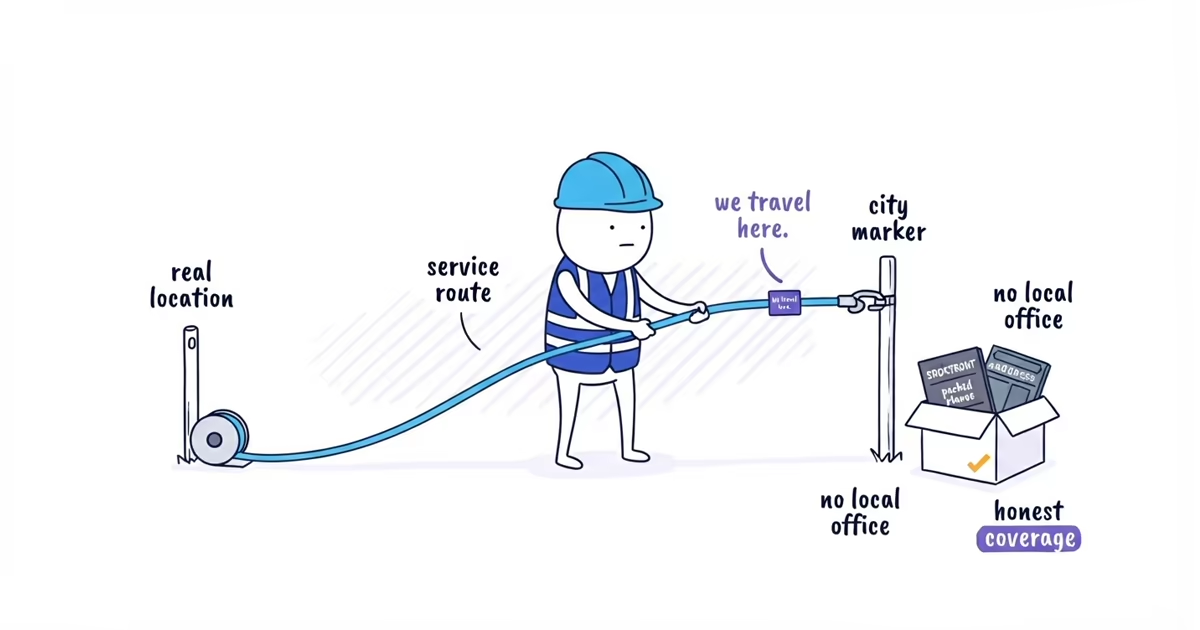
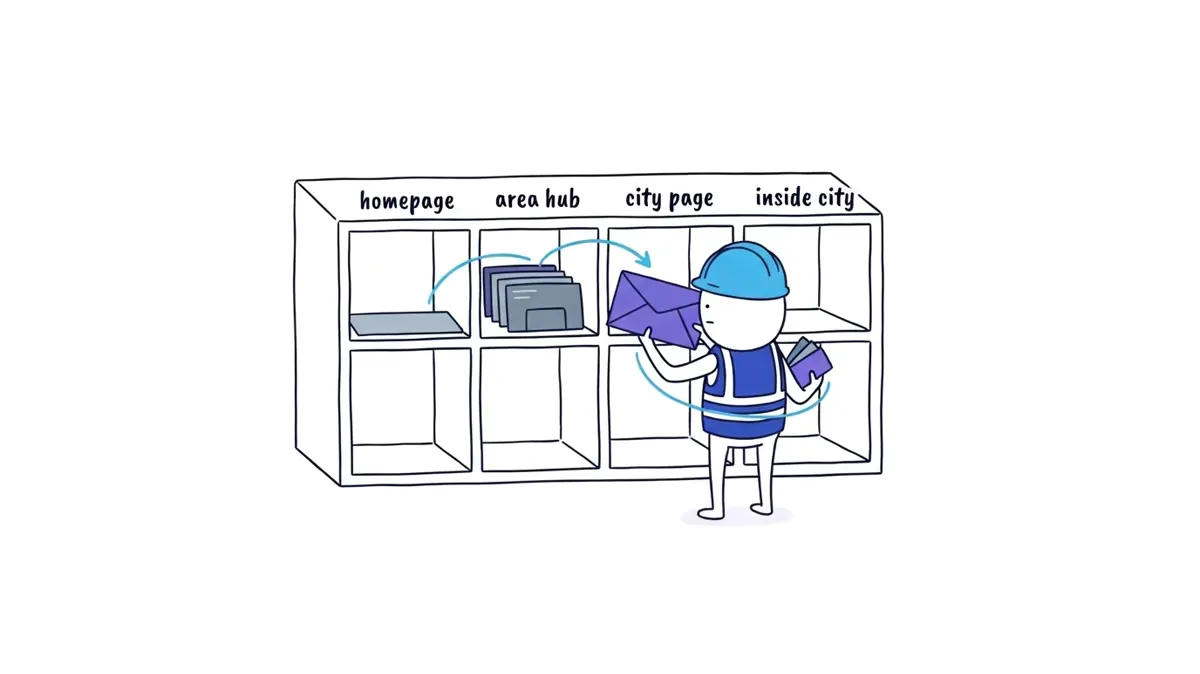
Put the broad area and strongest genuine cities in a short homepage section. Use a service-area hub when customers need one place to see broader coverage. Create a city page only when the business serves that city, wants more work there, has evidence of demand and at least two kinds of local proof, and can add useful city-specific information. Keep neighborhoods inside the relevant city page by default.
| Place | Where it belongs |
|---|---|
| Genuine area without enough material for a page | Homepage service-area section |
| Many real areas that need an organized list | Service-area hub |
| City that passes all four checks | Dedicated /service-areas/[city] page |
| Neighborhood within an approved city | Coverage section on that city page |
Start with one to three evidence-ready city pages. That is ShiftFlow’s first-round production recommendation, not a Google rule. Zero new city pages is a valid answer.
Last verified: August 12, 2026 (United States).
Service-Area Pages vs. Physical Location Pages
A physical location page represents a genuine customer-facing business location. It can accurately show that location’s address, hours, team, contact details, and services.
A service-area or city page represents a place the crew travels to serve. It must not imply that the business has an office, storefront, or local team there when it does not.
Google Business Profile uses the same underlying distinction. Google describes a service-area business as one that visits or delivers to customers rather than serving customers at its address. That Profile rule does not tell you how many website pages to create.
Before assigning URLs, mark every place as either:
Real customer-facing location
or
Travel-only service area
If the answer is unclear, verify it before writing. Do not use a virtual office, mailbox, or city page to manufacture a physical presence.
Should You Create a Separate Page for Each City?
A city gets its own page only when all four answers are yes:
- Do we genuinely serve it and have capacity for more work? Being willing to drive there once is not a market plan.
- Is there evidence of demand? Use completed jobs, qualified enquiries, estimates, referrals, or separately validated expansion research.
- Do we have at least two kinds of local proof? Examples include projects, approved photos, reviews, job records, or real service and response details.
- Can the page tell customers something useful beyond a changed city name? Local coverage, a project, service limits, scheduling details, or customer questions must make the page meaningfully different.
This is a ShiftFlow publishing test, not a Google eligibility or ranking rule.
For the deeper question of which cities to select, the city-page worksheet should also check drive time, job economics, existing pages, and the evidence pack. This article uses the four checks only to decide where an area belongs on the website.
To rank all genuine candidates and choose a small first batch, use the city-page planning guide to compare service capacity, job economics, demand, and local proof.
Where to Put Cities and Neighborhoods on Your Website
Here is a fictional Northside Plumbing example. The job and enquiry counts are teaching inputs, not SEO thresholds.
| Place | Facts available | Placement |
|---|---|---|
| Dallas | Home market; homepage already owns the broad Dallas residential-plumbing path | Keep on the homepage; do not add a competing general Dallas page |
| Irving | 14 completed residential jobs, 9 qualified enquiries, approved photos from two jobs, one local review, and real neighborhood coverage | Create /service-areas/irving |
| Garland | Genuinely served, but only 2 completed jobs and no approved local proof | Mention on the homepage or service-area hub; no city URL yet |
| Las Colinas | Irving neighborhood covered by the same team and evidence | Mention inside the Irving page |
| Valley Ranch | Irving neighborhood covered by the same team and evidence | Mention inside the Irving page |
| Hackberry Creek | Irving neighborhood covered by the same team and evidence | Mention inside the Irving page |
The important result is not that Irving has 14 jobs. Another business might have enough material with fewer or need more. Irving earns the page because the market is real, the business wants the work, demand exists, proof is ready, and the page can help an Irving customer.
Dallas does not receive a second general page because the homepage already owns that customer path. Garland remains a truthful coverage mention. No row is left as “create a page because the city is nearby.”
When a Contractor Website Needs a Service-Area Hub
A hub can help when the business covers many cities and customers need one place to check coverage. For example:
/service-areas
/service-areas/irving
/service-areas/plano
The hub should explain the broad operating area, show the main coverage groups, state important scheduling or travel limits, and link to the few cities with useful standalone pages. It should not be a wall of fifty place names.
If the homepage can state the coverage clearly in one short section, a separate hub is optional. Create it when it improves customer navigation, not because every folder needs an index page.
Should Neighborhoods Have Their Own Pages?
Most neighborhoods do not need separate URLs. Use a natural coverage sentence:
We serve customers across Irving, including Las Colinas, Valley Ranch, Hackberry Creek, and nearby neighborhoods. Appointment availability depends on the active route and job type.
Only promise same-day or emergency coverage when the business can verify it. Do not paste a directory of subdivisions into every page or the footer.
Reconsider a standalone neighborhood page only when it has independent demand, regular work and capacity, neighborhood-level proof, and customer information that is distinct from the city page. Most businesses should stop at the coverage sentence.
How to Link Service-Area Pages to Service Pages
The first structure for Northside might be:
/services/leak-repair
/services/drain-cleaning
/services/water-heater-repair
/service-areas/irving
The Irving page should link customers to those canonical service pages. Do not begin with:
/irving-leak-repair
/irving-drain-cleaning
/irving-water-heater-repair
/las-colinas-drain-cleaning
That matrix forces the same scope and proof across many URLs before the business has shown that each page serves a distinct customer task.
Once a city receives a build-now decision, use the local landing-page guide to turn its service, local work, coverage, proof, and booking details into one complete page draft.
Complete Contractor Service-Area Page Example
The page below uses the declared fictional facts from the placement table. Northside has no customer-facing office in Irving. The project facts and customer review are fictional teaching material and must be replaced with real, approved evidence before publication.
Residential Plumbing Service in Irving
Northside Plumbing provides leak repair, drain clearing, and water-heater repair for homeowners across Irving. We travel to homes throughout the city and confirm availability by address and job type.
Request plumbing service
Plumbing Services Available in Irving
Leak repair: Help with leaking fixtures, supply lines, and accessible household pipes. View leak-repair service.
Drain clearing: Diagnosis and clearing for blocked household sinks, tubs, showers, and floor drains. View drain-clearing service.
Water-heater repair: Diagnosis of supported water-heater problems and an explanation of repair or replacement options. View water-heater repair.
Recent Plumbing Work in Irving
In Valley Ranch, the plumber cleared a recurring kitchen-drain blockage and tested the flow before leaving. In Las Colinas, the plumber diagnosed a leaking water heater and gave the homeowner repair and replacement options before additional work was approved.
Example photo captions: Testing the Valley Ranch kitchen drain after clearing; documenting the water-heater leak found during the Las Colinas visit.
“Northside confirmed the visit details, explained the price before starting, and showed us the completed repair.”
— Marcus T., fictional example review from an Irving job
Areas We Cover in Irving
We serve customers across Irving, including Las Colinas, Valley Ranch, Hackberry Creek, and nearby neighborhoods. Appointment availability depends on the active route and job type.
What Happens After You Contact Us
Tell us the property address, the service you need, and what is happening. We confirm whether the job is within our Irving coverage, the next available appointment, and any service-call terms. The plumber explains the recommended work and price before additional work begins.
Request plumbing service in Irving
The page is useful because it states that Northside travels to Irving homes, links to the real service details, shows Irving work, names genuine neighborhood coverage, and gives the customer a next step. Replacing Irving with Garland would make the project evidence false. That is the level of difference a city page needs.
Google Business Profile Service Areas vs. Website Pages
Google currently allows an eligible Business Profile to specify up to 20 service areas and says the overall area should generally remain within about two hours of driving time from the business base. Areas are entered by city, postal code, or another area rather than as a radius.
Those are Business Profile settings. They do not recommend 20 website pages, prove demand in 20 cities, or make 20 pages useful.
Google’s web-search spam policy also gives pages targeted at similar city or regional queries that funnel users to one destination as a doorway-abuse example. It lists blocks of cities or regions as keyword stuffing and treats large numbers of pages made primarily to manipulate rankings as scaled-content abuse. That does not mean every city page is prohibited. The problem is creating interchangeable pages for search engines instead of useful destinations for customers.
Contractor Service-Area Page Checklist
For every dedicated city page, answer yes or no:
- Does the business genuinely serve the city and want more work there?
- Is there evidence of jobs, qualified leads, or validated demand?
- Are at least two local proof types ready?
- Does the page contain useful information that is not a city-name substitution?
- Does it state the physical-location relationship accurately?
- Does it link to the canonical service pages rather than repeating them?
- Are neighborhoods used naturally inside the city page?
Stop after the strongest one to three first-round city pages. Keep the other genuine areas on the homepage or service-area hub until their evidence is ready. If no city passes, publish no city pages.
Frequently Asked Questions About Contractor Service Areas
Can a contractor create a city page without an office in that city?
Yes, if the business genuinely travels there and the page clearly describes a service area rather than implying a local office. Use real coverage, work, proof, and contact details, and do not publish an address, local team, or storefront claim that does not exist.
Does every city page need a customer review from that city?
No. A local review is one useful proof type, not a required item by itself. A page may instead have real project details, approved job photos, service records, or useful local scheduling and coverage information, but it still needs enough evidence to avoid becoming a city-name swap.
Should a service-area page list ZIP codes?
Only when the ZIP codes help customers understand genuine coverage or an operating boundary. Do not paste a long ZIP-code list onto every page for search visibility; keep the list readable, accurate, and specific to the area the page serves.
Sources
- contractor-website
- service-areas
- location-pages
- neighborhoods
- contractor