How Do I Write Title Tags and Meta Descriptions for Local Service Pages?
Write title tags and meta descriptions for local service pages using the page promise, city, service, and next action, then verify the live rendered HTML.
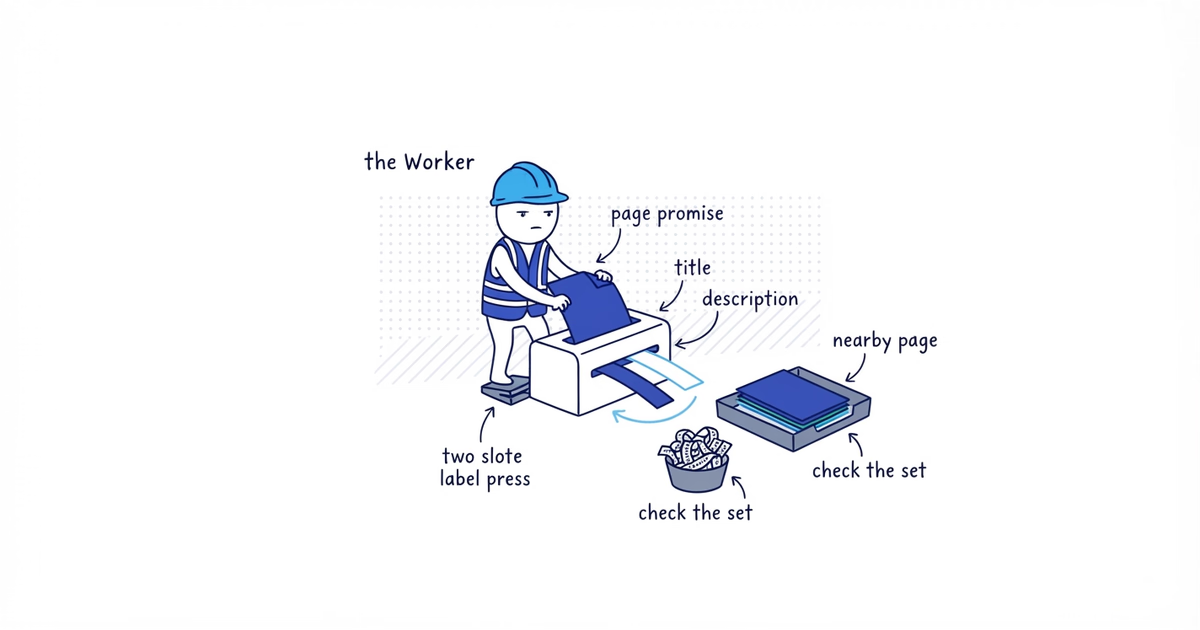
To write title tags and meta descriptions for local service pages, use the page’s actual service and market for the title. Build the description from the services, customer, useful detail, and next action that appear on that page.
Start with these patterns:
Title: [Primary service] in [City, State] | [Brand]

Description: [Business] provides [services] for [customer] in [city]. [Truthful proof, operating detail, or boundary]. [Primary action].
These are drafting patterns, not text to repeat across every URL. A service page that covers the full operating area needs different metadata from a city page that covers several services in one market.
Google recommends descriptive, concise titles and page-specific descriptions. It does not publish a guaranteed character limit for either display. Titles and snippets can be truncated or generated from other page content depending on the query and device.
Google title-link and snippet guidance checked: August 12, 2026 (United States).
Build the metadata sheet
Create one row per page:
URL | Page promise | H1 | Primary service | City / market | Useful detail | Primary action | Title option 1 | Title option 2 | Title option 3 | Final title | Meta description | Claims check | Adjacent-page check | Rendered verificationThe examples use fictional Clearline Plumbing pages. Replace every business claim with the published page’s real content. If the source page cannot supply these fields yet, use the local landing page guide to build its verified services, local work, coverage, proof, and customer action before drafting metadata.
1. Extract the page promise
Input: The URL, H1, service, city, customer, useful proof or operating detail, and action.
Action: Write one internal sentence describing what the page helps a customer do.
For a city page:
Help a Round Rock homeowner confirm available plumbing services and request service.
For a service page:
Help a homeowner understand Clearline’s water-heater repair and replacement work and request an estimate.
These pages are related, but their jobs differ. The Round Rock page covers several plumbing services in one city. The water-heater page explains one service across the business’s actual operating area.
Output: One page promise per URL.
This step is complete when: Adjacent pages do not have the same promise.
If two promises match: Use the duplicate city-page audit to choose the surviving purpose and a keep, rewrite, merge, or remove action before writing metadata. A different title cannot create a different page purpose.
2. Write title tags for local service pages
Input: The promise, visible H1, primary service, city or operating area, and brand.
Action: Write three concise options. Use one service and one location phrase where the location defines the page. Add the brand once when it helps recognition.
Useful patterns include:
[Primary service] in [City, State] | [Brand]
[Trade] in [City, State] | [Specific service set or operating difference]
[Primary service] for [Customer type] in [City] | [Brand]
For the Round Rock page:
Plumbing Services in Round Rock, TX | ClearlineRound Rock Residential Plumbing | ClearlinePlumber for Round Rock Homeowners | Clearline
The first option matches the H1 and page coverage most directly. Compare it with this stuffed version:
Round Rock Plumber | Plumbing Round Rock | Best Plumber Near MeThe stuffed title repeats the same idea, adds an unsupported best claim, and gives the customer no clearer description of the page.
For the service page, use:
Water-Heater Repair and Replacement | ClearlineDo not force Round Rock into that title if the page serves several real markets. Metadata must follow page scope, not collect every location phrase the business wants to rank for.
Google may use the HTML title, visible page title, headings, prominent copy, link text, and other signals when producing a title link. Keep those signals aligned rather than trying to control the result through repetition.
Output: Three truthful options and one preferred title.
This step is complete when: The preferred title describes this page without repeated keywords, boilerplate, or unsupported claims.
If every option sounds like another page’s title: Return to page ownership. Word order is not a meaningful distinction.
3. Write meta descriptions for local service pages
Input: Services, customer, city or operating area, one useful detail, and customer action.
Action: Write one or two natural sentences that summarize the page.
For Round Rock:
Clearline provides leak repair, drain clearing, water-heater work, and fixture repair for Round Rock homeowners. Send your address and job type to confirm service.
For the water-heater page:
Get residential water-heater diagnosis, repair, and replacement from Clearline. Send photos and the property address to confirm the job and current scheduling.
The descriptions do not repeat each other because the pages do different work. They also avoid a list such as:
plumber Round Rock, plumbing Round Rock, emergency plumber, plumber near meGoogle may use a meta description when it describes the page better than text taken from the page. It may show a different snippet for another search. Write a useful summary, but do not promise the exact sentence will always appear.
Output: One description per URL.
This step is complete when: The description accurately summarizes the page and remains useful without a visible keyword treatment.
If there is no page-specific detail to include: Improve the page. Do not invent a project, offer, location, response time, or price for the description.
4. Compare the complete metadata set
Input: All URLs, page promises, H1s, titles, and descriptions.
Action: Read neighboring rows together. Compare the homepage, service pages, city pages, and real location pages.
| URL | Page job | Final title |
| ---------------------- | ------------------------------------------------------- | ------------------------------------ | ---------- |
| /round-rock-plumber | Several plumbing services for Round Rock customers | Plumbing Services in Round Rock, TX | Clearline |
| /water-heater-repair | Detailed water-heater service across the operating area | Water-Heater Repair and Replacement | Clearline |
Check that:
- Every title identifies a distinct page
- Descriptions summarize page-level details, not one site-wide slogan
- H1, title, description, and body promise the same service and market
- No row claims best, top-rated, 24/7, low prices, fast arrival, or a local office without proof
- City pages do not differ only by place-name replacement while the body remains interchangeable
Google advises against repeated boilerplate titles because they make pages hard to distinguish. It also says identical or similar descriptions across a site are not helpful when individual pages appear in results.
Output: One approved title and description per URL.
This step is complete when: Every row has a distinct customer job and supportable metadata.
If two rows still overlap: Send the URLs to the duplicate-city-page audit. Do not hide cannibalization with metadata variations.
5. Implement and inspect the live pages
Input: Approved metadata, CMS or code access, published URLs, and a browser or inspection tool.
Action: Add each title and description to the correct page. Publish, then inspect the rendered HTML rather than trusting the CMS field alone.
Verify:
- The Round Rock URL contains the Round Rock title and description, not a neighboring city’s row
- One HTML title element is present
- One meta description is present
- The visible H1 and prominent opening copy match the metadata
- Canonical URL and page URL are the intended page
- Mobile and desktop previews preserve the main meaning even when truncated
Do not shorten a title until it becomes vague merely to hit a character number. Put the most useful service and location information early, remove repetition, and preview it. The displayed space changes by device and Google can generate a different title link or snippet.
Output: A completed metadata sheet with live verification.
This step is complete when: Every live URL renders the intended title and description and matches its page promise.
If Google later displays different text: Check whether the title is accurate and concise, whether the H1 and prominent page copy agree, whether boilerplate dominates, and whether another text better fits the search. A different display is not proof that the meta fields are broken; title links and snippets are automated.
Frequently asked questions
Should I put “near me” in a title tag?
Usually, no. Name the actual service and city or operating area the page represents. “Near me” depends on the searcher’s location and adds little when the page already has a clear local scope.
Should every city page use the same title formula?
You can use one drafting pattern, but the final titles must reflect each page’s real scope. If changing only the city name produces interchangeable titles for interchangeable pages, fix the page overlap before polishing metadata.
Why did Google show a different title or meta description?
Google generates title links and snippets automatically and may select other page text for a particular query or device. Check that the HTML title, H1, prominent copy, and meta description are accurate and aligned; do not keep rewriting them just to force an exact display.
Sources
- title-tags
- meta-descriptions
- local-service-pages
- city-pages
- local-seo