What Should a Google Review Card Say?
The exact copy for the front and back of a review card, the print spec to hand a printer, and who should give it to the customer.
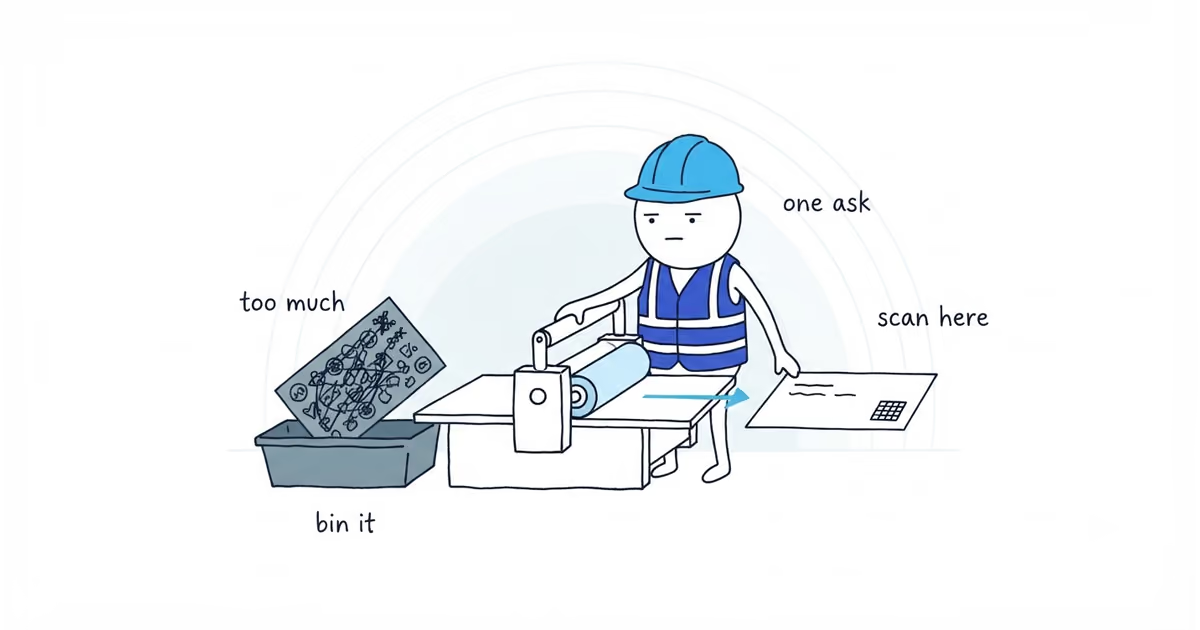
A Google review card needs four things: your business name, one instruction telling the customer what to do, the QR code, and on the back, a way to get there by typing instead of scanning. Nothing else.
Front
NORTHSIDE PLUMBING
Scan to leave a Google review
[ QR code, 1.25 in square ]
Back
Thanks for having us out.
Prefer to type it?
northsideplumbing.com/reviewNorthside Plumbing · (555) 555-0142
That is the entire card. Most review cards fail because they say more than this, not less.
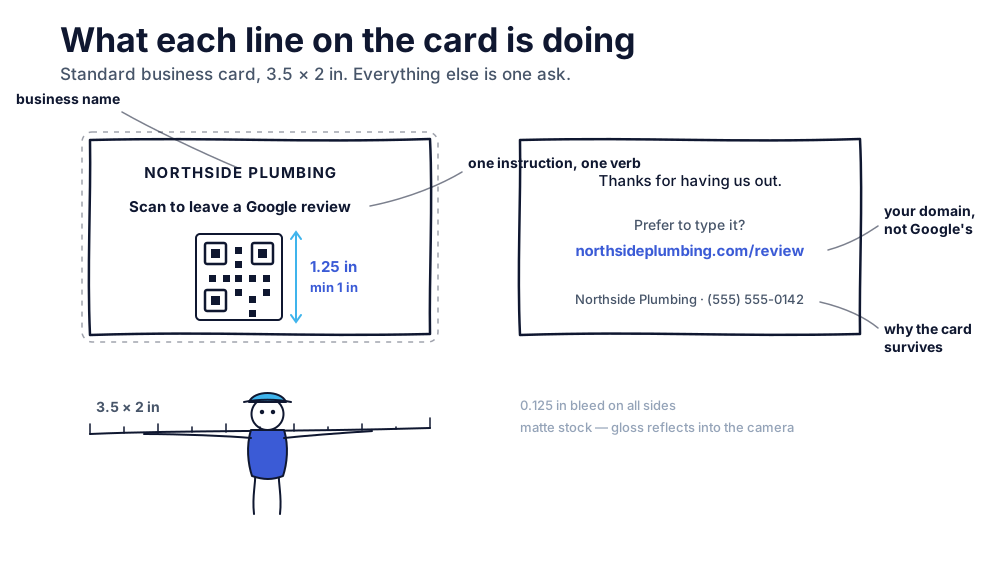
Google documentation checked: July 30, 2026 (United States).
What to print on the front of a review card
The business name. The customer is holding the card an hour or a week after your crew left. The name is what tells them which review they are being asked to write.
One instruction, with a verb. “Scan to leave a Google review” does three jobs in six words: it says what to do, how to do it, and where the review lands. Compare it to “We value your feedback,” which asks the customer to work out that there is something they are supposed to do at all.
Name Google specifically. A customer who scans expecting a feedback form and lands on a public review box will back out.
The QR code, big enough to work. This is the failure you never hear about: the customer who tried, got nothing, and set the card down. Sizing is in the spec table below.
The code itself comes from your own Business Profile. Google generates both the link and a matching QR image, and only from a computer browser. Our Google review link guide covers getting it out and testing it before anything goes to print.
Nothing else on the front. No social icons, no services list, no tagline. Every additional element competes with the code for the two seconds the card gets.
What to print on the back of the card
The back exists for the customer who will not scan — the one whose camera app is a fight, or who is reading the card at their kitchen table with the phone in the other room.
A short line of thanks. One line. “Thanks for having us out” is enough and it is true.
The typed fallback — and it is not the Google link. A Google review link is a long, case-sensitive string. Nobody retypes it off a card correctly, including you.
Print a short path on your own domain instead — yourbusiness.com/review — redirecting to the current Google review link. Your own domain is the one short link a customer has reason to trust, and it is what makes the card survivable: if the destination ever needs to change, you update the redirect instead of binning four hundred cards.
That redirect goes straight to the Google review form, for everyone. A page that asks how the job went first and forwards only the happy ones is review gating, and putting it on your own domain does not make it allowed.
No redirect available? Leave the typed line off. The QR carries it, and a long unusable link is worse than none.
Your name and phone number. Not as an ask — as the reason the card survives. A card with your number on it stays in the drawer next to the water heater, and it is the card they find when something else breaks.
Keep the back quieter than the front. If someone flips it over first, the front still has to be the side that gets acted on.
Why a review card should have only one call to action
A card that asks for a review and also lists your services, your Facebook page, your financing options, and your referral bonus is not a review card. It is a business card with a QR code on it, and it gets pocketed and forgotten like every other business card.
If the business needs a card that sells services, print that card. It is a different card, printed on a different day, handed over for a different reason. Do not combine them because the print run is cheaper.
The one-ask rule is also what makes the front layout above look so empty. That emptiness is the feature.
Google review card print specs and QR size
Hand this to whoever prints it. This is a conservative house spec, not a set of rules published by Google — Google supplies the code, not the card. The sizes are set to work on an ordinary phone held at arm’s length, using the usual rule of thumb that a QR code needs roughly a tenth of its scanning distance in width. If your printer recommends different stock or bleed, follow your printer.
| Spec | Value | Why |
|---|---|---|
| Card size | 3.5 × 2 in | Standard business-card size; every print shop stocks it and it fits a wallet |
| QR printed size | At least 1 in square; treat anything under about ¾ in as a risk | A card gets read at roughly arm’s length, which the rule of thumb above puts at about an inch. We have not bench-tested the lower bound, so this is set deliberately conservative |
| Contrast | Dark code on a light background | A code printed in a brand color, or reversed light-on-dark, scans unreliably |
| Finish | Matte | Gloss reflects the overhead light straight back into the camera |
| Resolution | 300 DPI minimum; place the code as a vector or full-resolution image | A code scaled up from a small screenshot has soft edges and reads unreliably |
| Stock | 14–16 pt cardstock | Survives a work truck, a pocket, and a kitchen drawer |
| Bleed | 0.125 in on all sides | Standard trim allowance |
A tap-to-review NFC card costs many times more per card. It does remove a step for customers who fight with a camera, which is a real benefit — just not one most home-service businesses will earn back at that price. The QR is the version worth printing in quantity.
When to hand a review card to a customer
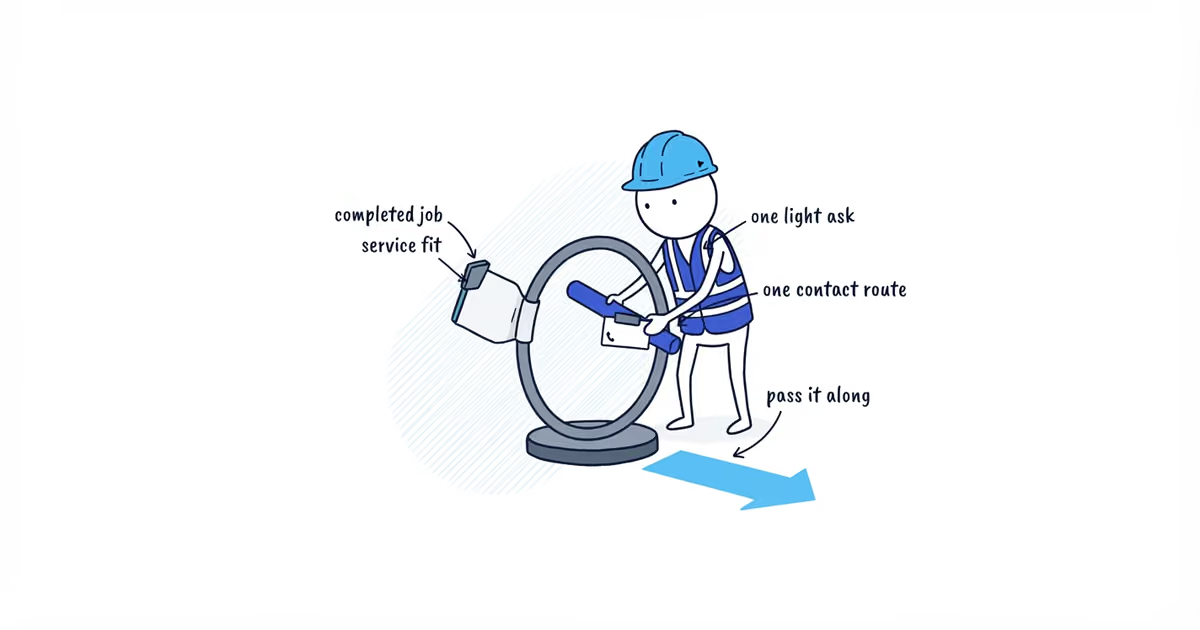
The card does nothing in a box in the truck. Who hands it over decides whether it works.
Who: the person who did the work and got the sign-off. The customer’s goodwill is attached to the technician they just spent an hour with, not to your office.
When: at sign-off, after the walkthrough, at the point where you would normally say goodbye. Not while they are paying — that is a transaction and they are doing math. Not before the work has been checked.
What to say: one sentence, then leave.
“If you’ve got a minute later, there’s a QR code on here for a Google review. Appreciate it.”
Then hand it over and go. That last part is not politeness — see below.
When the customer is not there. Leave the card with the invoice or the paperwork, not loose on a counter where it reads as litter. Then send the ask by text the same day — our review request templates cover what that message should say. The card is the backup in that case, not the ask.
What Google’s rules do not allow on a review card
Google’s policy prohibits requiring or pressuring a customer to leave a review while you are on the premises. It does not say in so many words that you have to walk away — that part is ours, and it is simply the safest way to stay clear of the line. Hand the card over, make the ask once, and leave them to it later.
For a home-service crew the line sits closer than it does for a shop, because you are standing in someone’s kitchen. Waiting while they scan is what you avoid, even when it feels like helpfulness.
The card also may not:
- Offer anything. No discount, no credit, no entry into a drawing, no free service call. Google removes reviews left in exchange for anything of value and can restrict the profile for it.
- Ask for a rating. Do not print a star count on the card, in any wording.
- Ask for specific content. No asking the customer to name the technician, mention a particular service, or mention the city.
And every finished job gets a card. Not the ones the crew thought went well — the same policy that prohibits incentives also prohibits selectively soliciting positive reviews.
Why review card QR codes fail to scan
- The code is too small. Printed under about ¾ inch, it fails often enough that you will conclude cards do not work.
- Low contrast. A code in a brand color, or reversed light-on-dark, scans badly.
- Gloss stock. Looks better in your hand, reflects under a phone camera.
- The code points at the profile, not the review form. The customer lands on your listing and has to find the review control themselves. Test the code, not just the link.
- Printed once and never re-tested. Re-check the destination after a profile merge, duplicate resolution, or other major profile change.
- Left on a counter instead of handed to a person. An unhanded card is a coaster.
Where to put your Google review QR code
Ranked by whether it reaches the customer at a moment they can act:
- With the invoice or the paperwork you leave behind. They are already dealing with you.
- In a thank-you note after a large job. Worth the postage on an install, not on a service call.
- On a door hanger for a visit where nobody was home. The only touch available.
- As a sticker on the equipment you installed — the water heater, the panel, the outdoor unit. Nobody scans it that day, but it is there in eight months when something makes a noise.
Not the van. A code on a moving vehicle is not scannable, and a code on a parked one is not being read by your customer.
How to test a review card before reprinting
Scan the printed card yourself, on a phone signed in to an account that does not manage the profile. Confirm the review box opens and your business name is on it. If the back carries a short path on your own domain, type that in too and confirm it lands in the same place — a redirect that quietly broke looks identical to a working one until a customer tries it.
Do that again after a profile merge, duplicate resolution, or other major profile change. And do it before every reorder, not after the box of five hundred arrives.
Frequently asked questions
How many review cards should I print at once?
Enough for a few months of jobs, not a year of them. The code, the phone number, and the business name can all change, and the cheapest per-card price is on the run you end up throwing away. Reprinting is not the expensive part; a box of five hundred wrong ones is.
Can I put the technician’s name or photo on the card?
Leave both off. A name on the card nudges the customer toward mentioning that technician, and Google prohibits asking for specific review content — you do not want the card doing it for you. It also dates the card the day that person leaves.
Can I print the card in my brand colors?
The card, yes. The code, no. Keep the QR itself dark on a light background regardless of your palette, because that contrast is what the camera reads. Brand the rest of the card however you like.
Sources
- google-reviews
- google-review-card
- review-qr-code
- print-specs
- home-services